Introduction
8
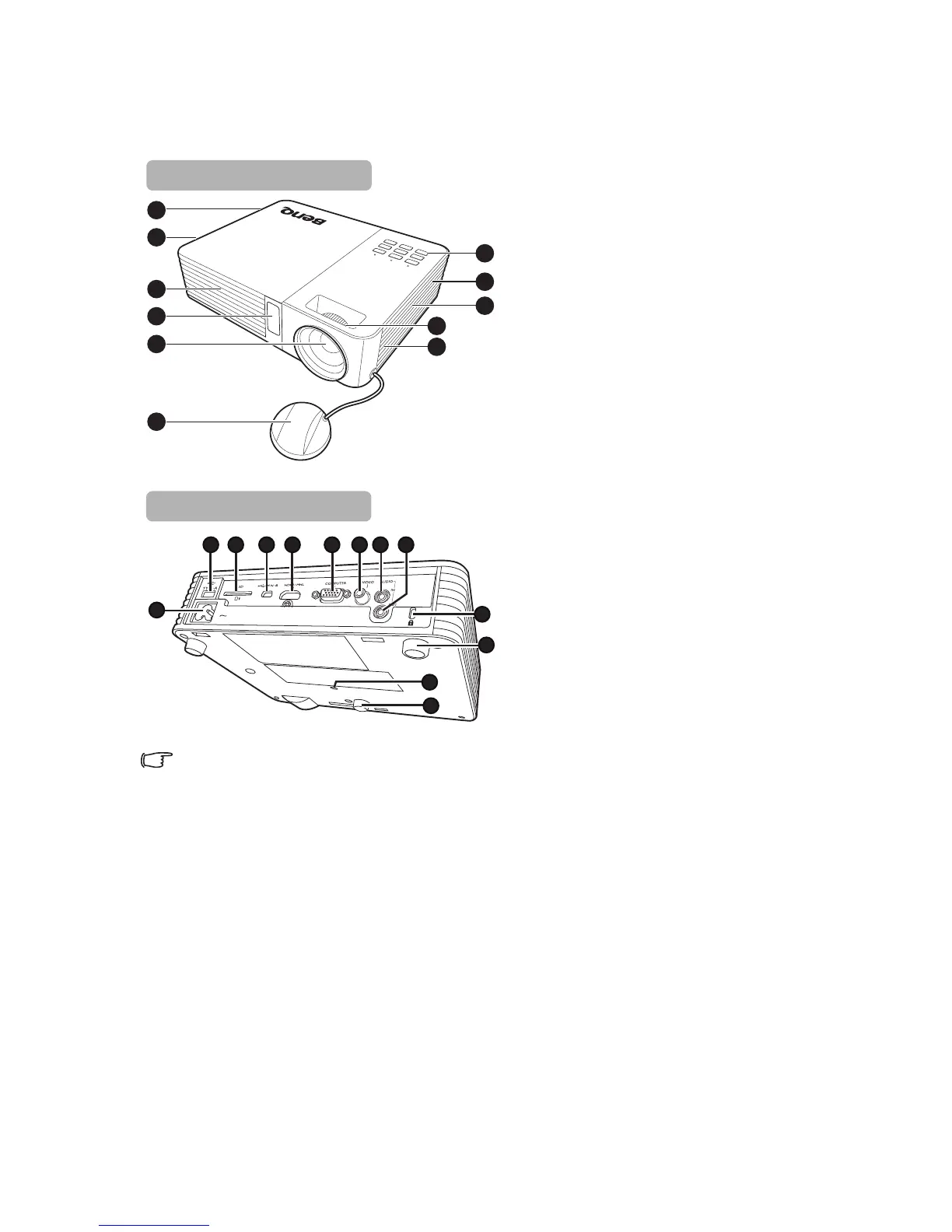
Projector exterior view
Do not block the ventilation openings. Blocking the ventilation openings can cause your
projector to overheat and may cause it to fail.
1. Vent (cold air intake)
2. Internal Speakers
3. Vent (heated air exhaust)
4. Front IR remote sensor
5. Projection lens
6. Lens cover
7. External control panel
(See "Projector" on page 9 for
details.)
8. Focus ring
9. AC power jack
10. Type A USB jack
11. SD card slot
12. Mini-B USB jack
13. HDMI / MHL input jack
14. RGB (PC)/Component Video
(YPbPr/ YCbCr) signal input jack
15. Video input jack
16. Audio input jack
17. Audio output jack
18. Kensington anti-theft lock slot
19. Adjuster feet
20. Tripod socket



 To Next Page