Operation
68
Setting up Wi-Fi Network
The Network function of this projector enables wireless connection between this
projector and your source device using a Wi-Fi dongle, allowing you to project files from
your source device wirelessly. Setup your projector network in few simple steps to enable
your projector’s wireless network function.
Connecting to a network using AP Mode
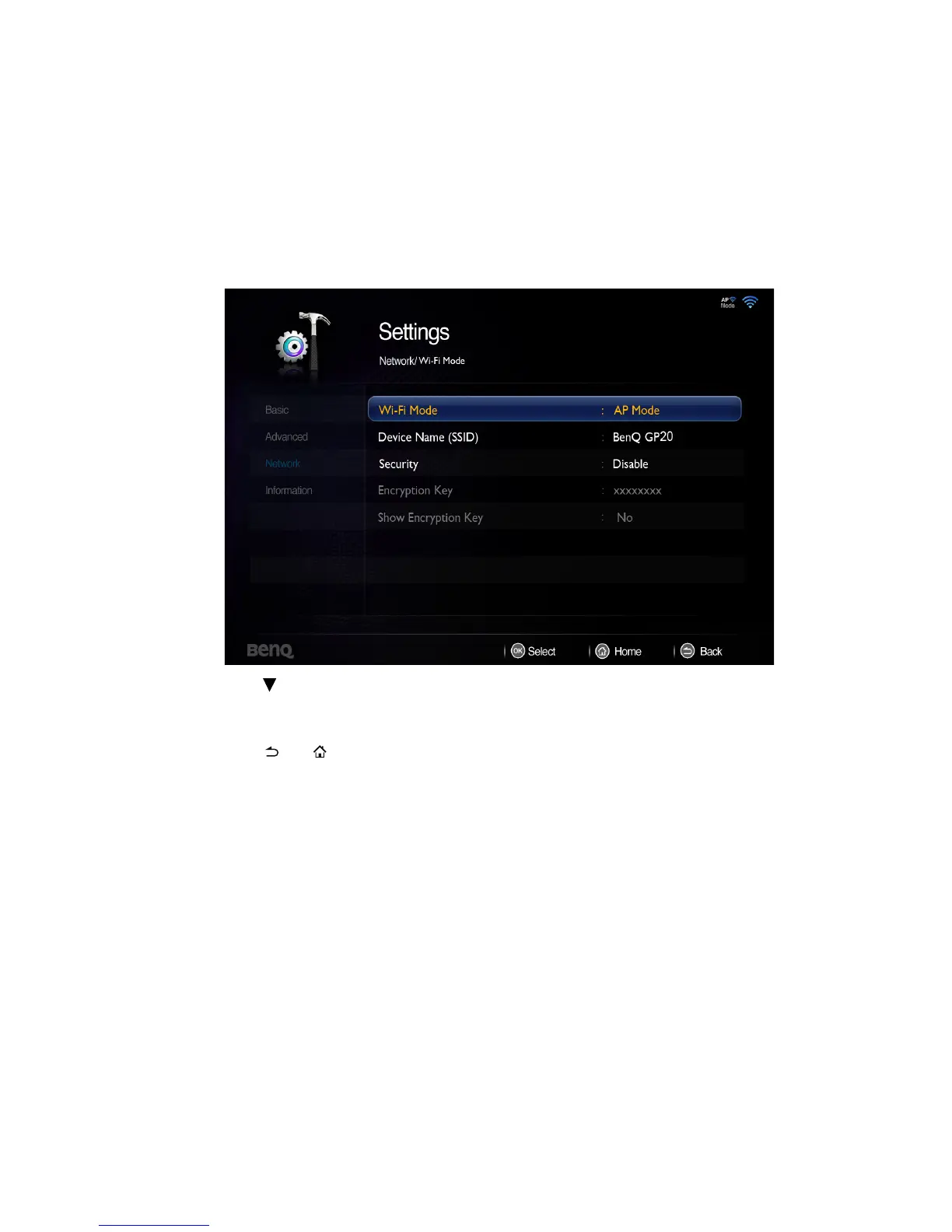
1. Go to Settings> Network> Wi-Fi Mode, press OK and a pop-up menu appears.
Select AP Mode and press OK.
2. Press to select Device Name (SSID) and press OK. Using the pop-up keypad,
input your desired name, choose Connect and press OK.
3. Follow OSD directions and set encryption code. (Only if Security is enabled)
4. Press or to leave Network and back to projector home screen.



 To Next Page