35 Menu operation
Aspect Ratio
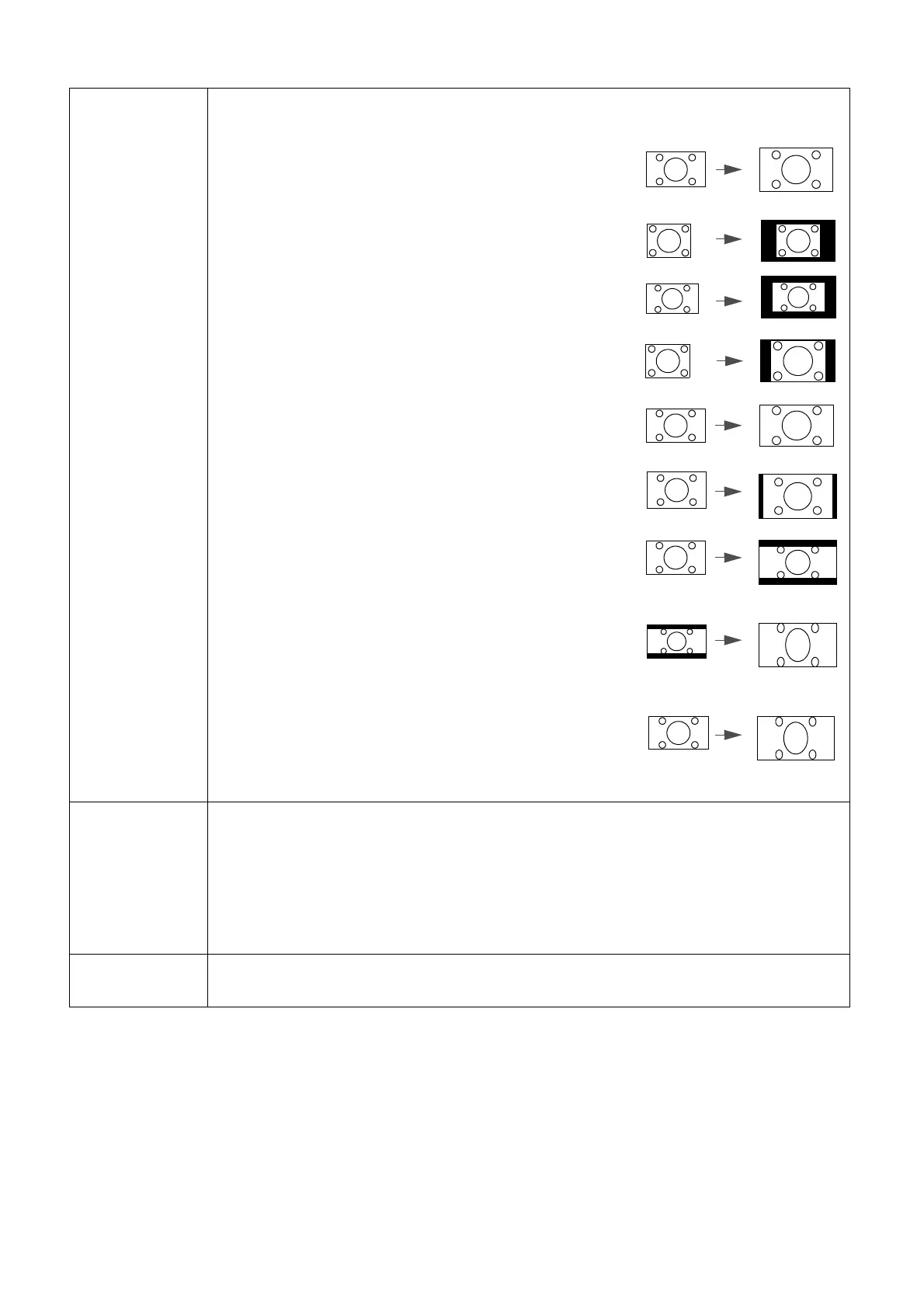
There are several options to set the image's aspect ratio depending on your input
signal source.
• Auto: Scales an image proportionally to fit the
projector's native resolution in its horizontal or vertical
width.
• Real: Projects an image as its original resolution and
resizes it to fit within the display area. For input signals
with lower resolutions, the projected image will be
displayed in its original size.
• 4:3: Scales an image so that it is displayed in the center
of the screen with a 4:3 aspect ratio.
• 16:9: Scales an image so that it is displayed in the
center of the screen with a 16:9 aspect ratio.
• 16:10: Scales an image so that it is displayed in the
center of the screen with a 16:10 aspect ratio.
• 2.4:1: Scales an image so that it is displayed in the
center of the screen with a 2.4:1 aspect ratio.
• Anamorphic 2.4:1: Vertically stretches an image to
fit the anamorphic lens. It keeps the native resolution in
its horizontal width and resizes the resolution in its
vertical height to 1.32 times of the original image.
• Anamorphic 16:9: Horizontally squeezes an image to
fit the anamorphic lens. It keeps the native resolution in
its vertical height and resizes the resolution in its
horizontal width to 0.75 times of the original image.
12V Trigger
There is one 12V trigger that works independently according to your needs for
installation scenarios.
• Off: If this is selected, the projector will not send electronic signal out when it
is turned on.
• On: The projector will send a low to high electronic signal out when it is
turned on, a high to low signal out when it is turned off.
LED Indicator
Selects to turn off the LED warning lights. This is to avoid any light disturbance
when viewing images in a dark room.


 To Next Page