9 Introduction
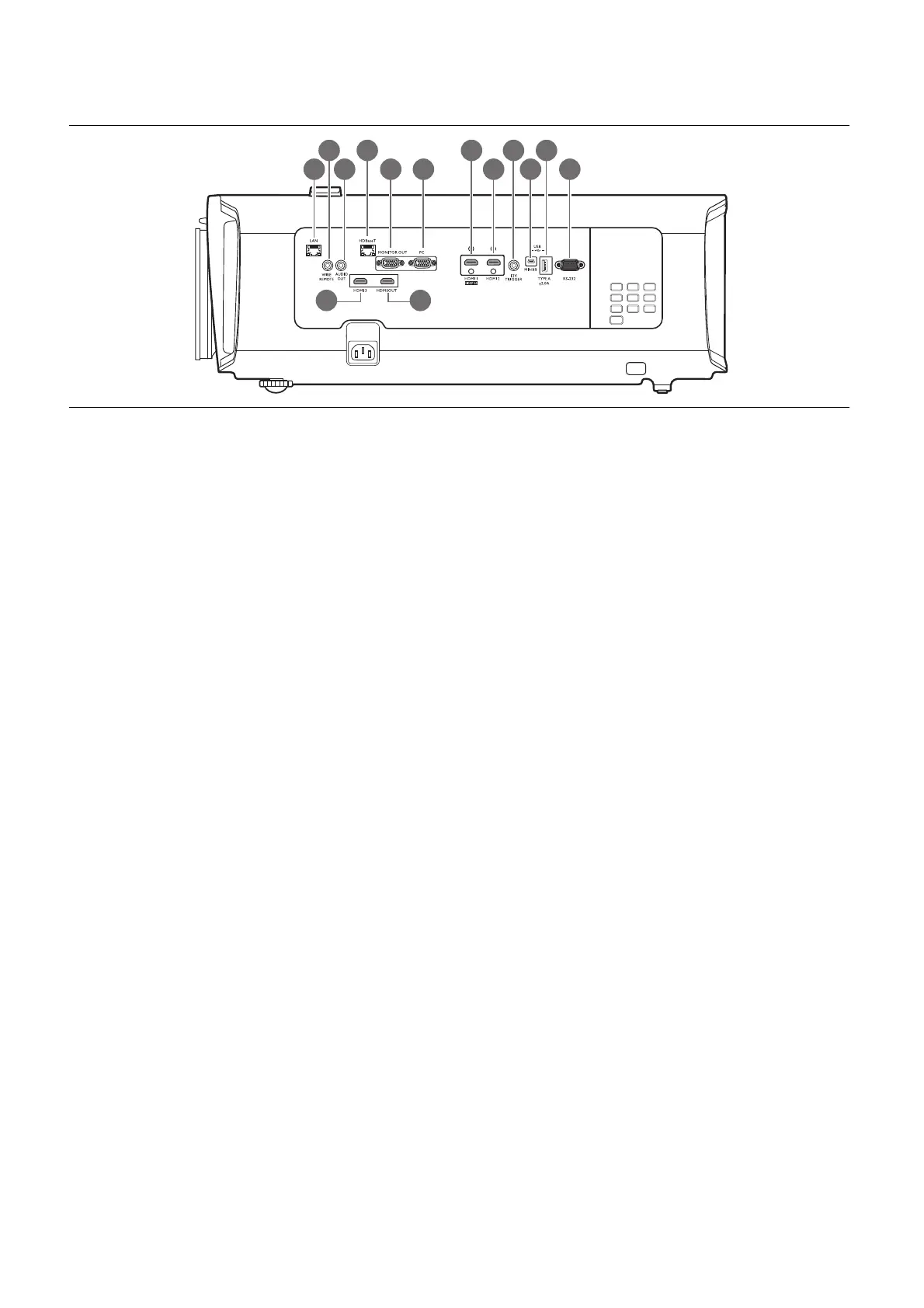
Control terminals
1. LAN
For connection to RJ45 Cat5/Cat6 Ethernet
cable to control the projector through a
network.
2. WIRED REMOTE
For connection to a wired remote control.
3. AUDIO OUT
Connection to a speaker or headset.
4. HDBaseT
For connection to RJ45 Cat5/Cat6 cable to
input uncompressed high-definition video
(HD).
5. MONITOR OUT
Connection to other display equipment for
concurrent playback display. (Used with PC
port.)
6. PC
15-pin VGA port for connection to RGB
source or PC.
7. HDMI 3
Connection to HDMI source. (Up to 1080p
and 3D supported.)
8. HDMI OUT
Connection to other display equipment for
concurrent playback display. (Used with
HDMI 3 port.)
9. HDMI 1 (HDCP2.2)
Connection to HDMI (4K) source with HDR
supported.
10. HDMI 2
Connection to HDMI source. (Up to 1080p
and 3D supported.)
11. 12V TRIGGER
Trigger external devices such as an electric
screen or light control, etc.
12. USB MINI-B
For firmware upgrade only.
13. USB TYPE A
This port supports 5V/2A output.
14. RS232
Standard 9-pin D-sub interface for connection
to PC control system and projector
maintenance.



 To Next Page