6 Introduction
Introduction
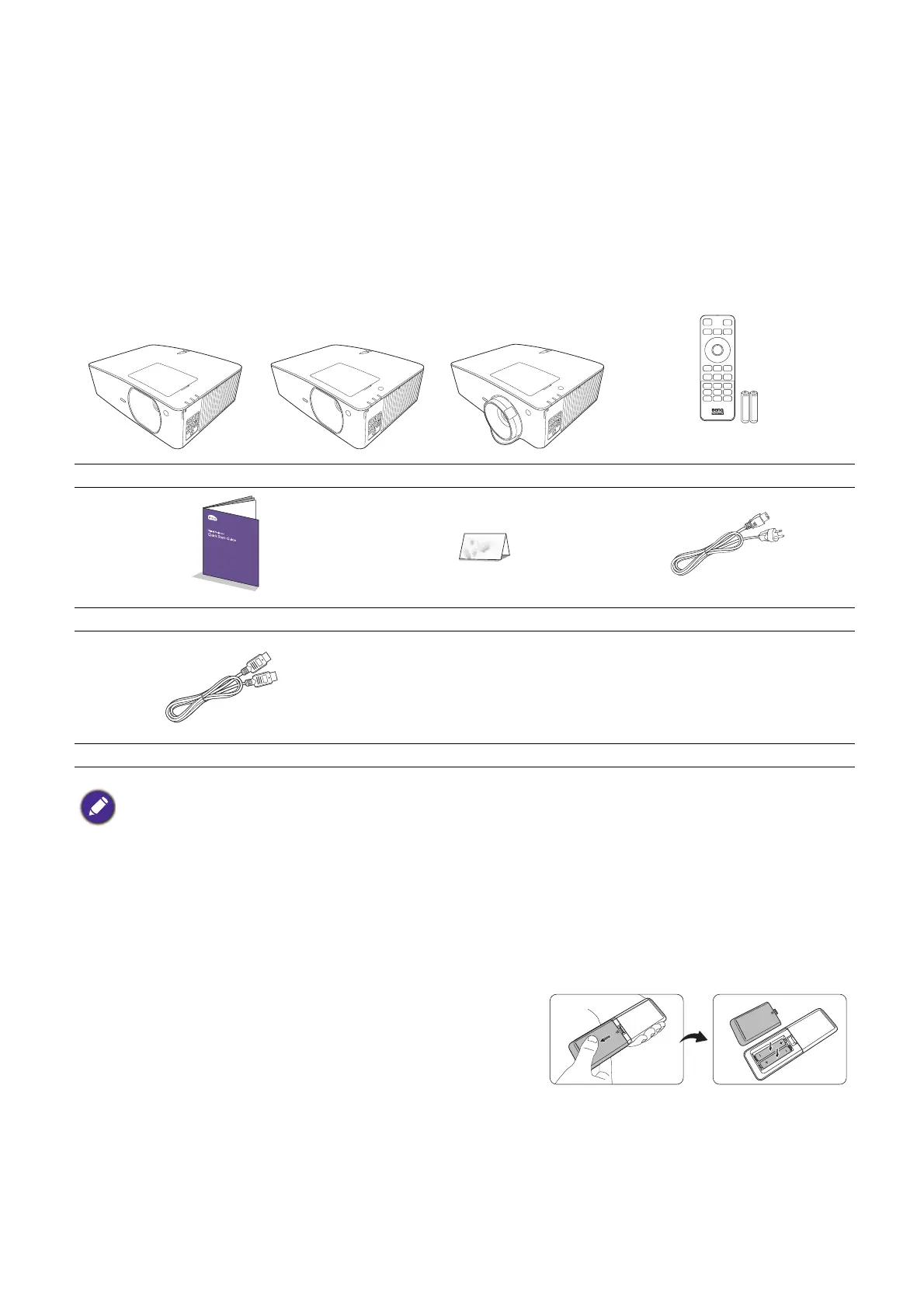
Shipping contents
Carefully unpack and verify that you have all of the items shown below. If any of these items are missing,
please contact your place of purchase.
Standard accessories
Optional accessories
Replacing the remote control batteries
1. Press and slide off the battery cover, as illustrated.
2. Remove the old batteries (if applicable) and install two
AAA batteries. Make sure that the positive and negative
ends are positioned correctly, as illustrated.
3. Slide the battery cover in until it clicks into place.
Projector Remote control with batteries
Quick start guide Warranty card* Power cord
HDMI cable
• The supplied accessories will be suitable for your region, and may differ from those illustrated.
• *The warranty card is only supplied in some specific regions. Please consult your dealer for detailed information.
1. 3D glasses
2. InstaShow™ (WDC10/WDC20)
3. Wireless dongles (QCast Mirror)
LX710/LX710D/LU710/
LU710D/LH710/LH710D
LX730/LX730D LU930/LU930D/LH930/
LH930D



 To Next Page