9 Introduction
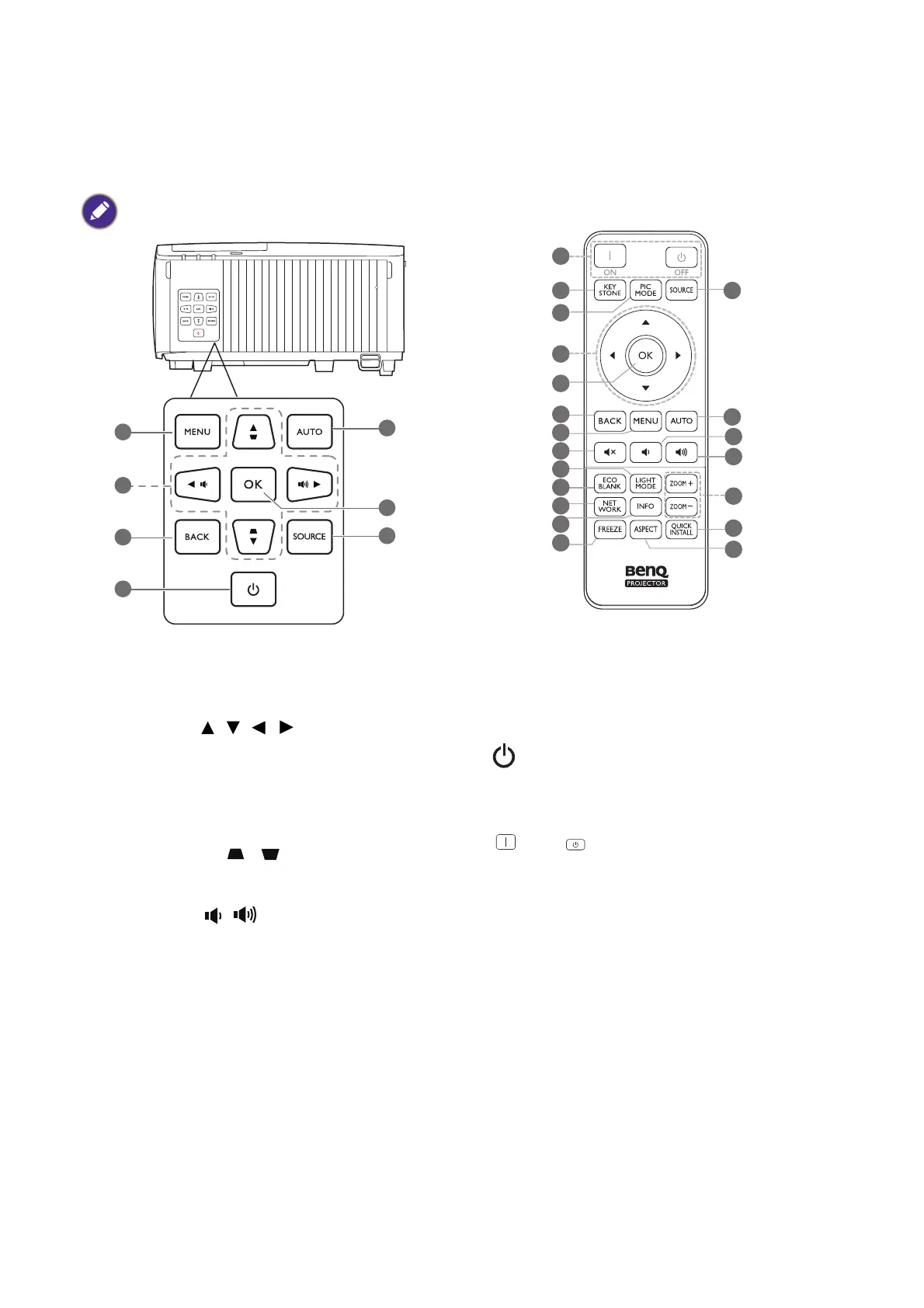
Controls and functions
Projector & Remote control
1. MENU
Turns on the On-Screen Display (OSD) menu.
2. Arrow keys ( , , , )
When the On-Screen Display (OSD) menu is
activated, these keys are used as directional
arrows to select the desired menu items and
to make adjustments.
Keystone keys ( , )
Displays the keystone correction page.
Volume keys /
Decreases or increases the projector volume.
3. BACK
Goes back to previous OSD menu, exits and
saves menu settings.
4. POWER
Toggles the projector between standby mode
and on.
ON/ Off
Toggles the projector between standby mode
and on.
5. AUTO
Automatically determines the best picture
timings for the displayed image when PC signal
(analog RGB) is selected.
All the key presses described in this document
are available on the remote control or projector.
10
16
17
18
19
20
11
12
13
14
15
4
8
7
5
6
3
1
9
2



 To Next Page