16 Positioning your projector
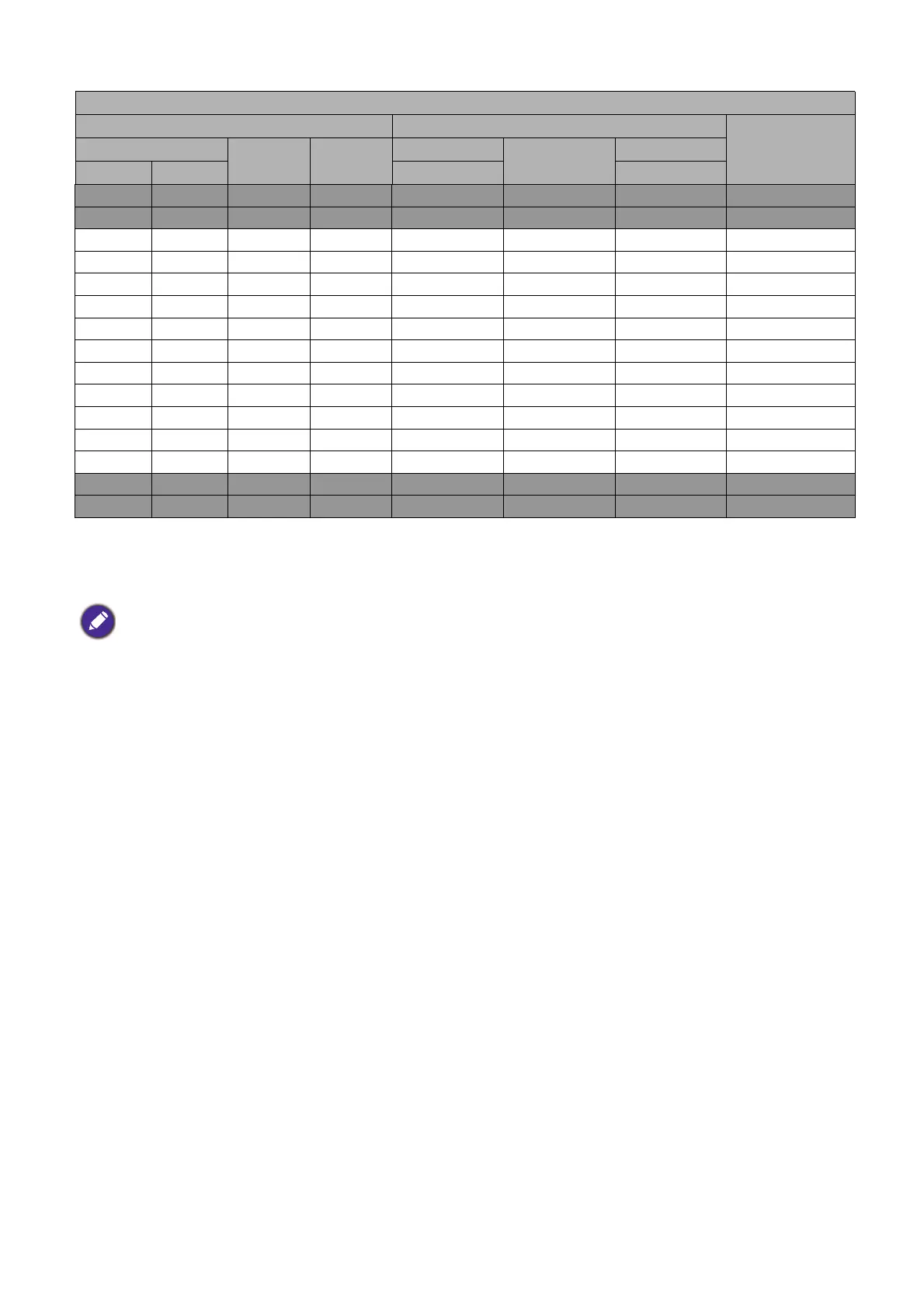
For example, if you are using a 120-inch screen, the recommended projection distance is 4702 mm.
If your measured projection distance is 4000 mm, the closest match in the "Projection distance (mm)"
column is 3918 mm. Looking across this row shows that a 100'' (about 2.5 m) screen is required.
Mounting the projector
If you intend to mount your projector, we strongly recommend that you use a proper fitting BenQ
projector mounting kit and that you ensure it is securely and safely installed.
If you use a non-BenQ brand projector mounting kit, there is a safety risk that the projector may fall
down due to an improper attachment through the use of the wrong gauge or length screws.
Before mounting the projector
• Purchase a BenQ projector mounting kit from the place you purchased your BenQ projector.
• BenQ recommends that you also purchase a separate Kensington lock compatible security cable and
attach it securely to both the anti-theft lock slot on the projector and the base of the mounting
bracket. This will perform the secondary role of restraining the projector should its attachment to the
mounting bracket become loose.
• Ask your dealer to install the projector for you. Installing the projector on your own may cause it to
fall and result in injury.
• Take necessary procedures to prevent the projector from falling off such as during an earthquake.
• The warranty doesn’t cover any product damage caused by mounting the projector with a non-BenQ
brand projector mounting kit.
LH930/LH930D
Screen size Projection distance (mm)
Offset (mm)Diagonal
H (mm) W (mm)
Min distance
Average
Max distance
Inch mm (max. zoom) (min. zoom)
30 762 374 664 903 1176 1448 0
50 1270 623 1107 1505 1959 2413 0
60 1524 747 1328 1806 2351 2896 0
70 1778 872 1550 2108 2743 3378 0
80 2032 996 1771 2409 3135 3861 0
90 2286 1121 1992 2710 3527 4343 0
100 2540 1245 2214 3011 3918 4826 0
110 2794 1370 2435 3312 4310 5309 0
120 3048 1494 2657 3613 4702 5791 0
130 3302 1619 2878 3914 5094 6274 0
140 3556 1743 3099 4215 5486 6757 0
150 3810 1868 3321 4516 5878 7239 0
200 5080 2491 4428 6022 7837 9652 0
250 6350 3113 5535 7527 9796 12065 0
300 7620 3736 6641 9032 11755 14478 0
• To optimize your projection quality, we suggest you do the projection within non-gray area.
• All measurements are approximate and may vary from the actual sizes.
BenQ recommends that if you intend to permanently install the projector, you should physically test the
projection size and distance using the actual projector in situ before you permanently install it, so as to make
allowance for this projector's optical characteristics. This will help you determine the exact mounting position so
that it best suits your installation location.



 To Next Page