12 Positioning your projector
Obtaining a preferred projected image size
The distance from the projector lens to the screen, the zoom setting (if available), and the video format
each factors in the projected image size.
Projection dimensions
LX710/LX710D/LX730/LX730D
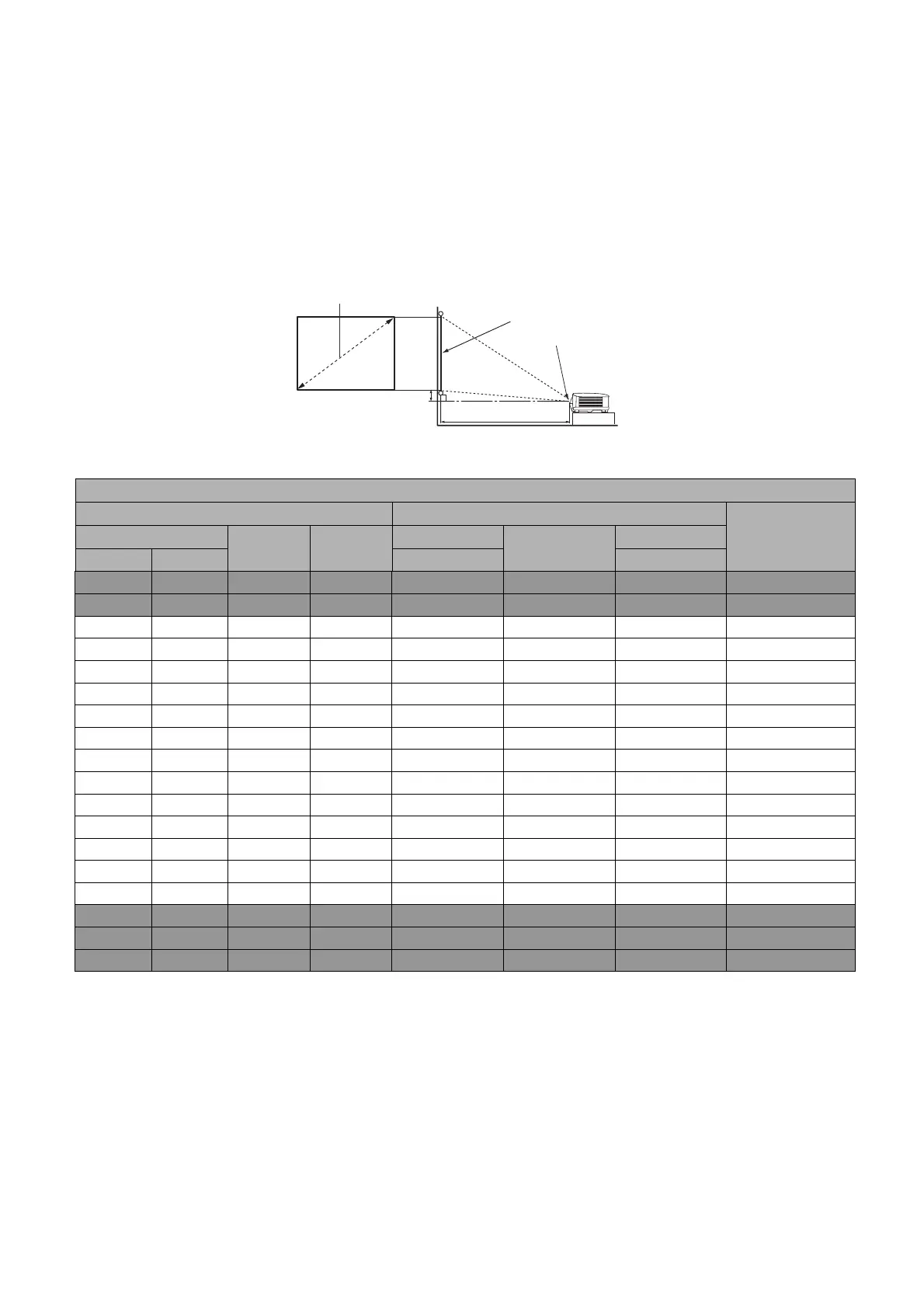
• The screen aspect ratio is 4:3 and the projected picture is in a 4:3 aspect ratio
For example, if you are using a 120-inch screen, the recommended projection distance is 4243 mm.
If your measured projection distance is 6000 mm, the closest match in the "Projection distance (mm)"
column is 6005 mm. Looking across this row shows that a 150'' (about 3.8 m) screen is required.
LX710/LX710D
Screen size Projection distance (mm)
Offset (mm)Diagonal
H (mm) W (mm)
Min distance
Average
Max distance
Inch mm (max. zoom) (min. zoom)
30 762 457 610 920 1061 1201 34
50 1270 762 1016 1534 1768 2002 57
60 1524 914 1219 1841 2121 2402 69
70 1778 1067 1422 2148 2475 2802 80
80 2032 1219 1626 2455 2829 3202 91
90 2286 1372 1829 2761 3182 3603 103
100 2540 1524 2032 3068 3536 4003 114
110 2794 1676 2235 3375 3889 4403 126
120 3048 1829 2438 3682 4243 4804 137
130 3302 1981 2642 3989 4596 5204 149
140 3556 2134 2845 4296 4950 5604 160
150 3810 2286 3048 4602 5304 6005 171
160 4064 2438 3251 4909 5657 6405 183
170 4318 2591 3454 5216 6011 6805 194
180 4572 2743 3658 5523 6364 7205 206
200 5080 3048 4064 6137 7071 8006 229
250 6350 3810 5080 7671 8839 10008 286
300 7620 4572 6096 9205 10607 12009 343
H
W
Projection distance
Center of lens
Screen
4:3 Screen diagonal



 To Next Page