15 Positioning your projector
LH710/LH710D/LH930/LH930D
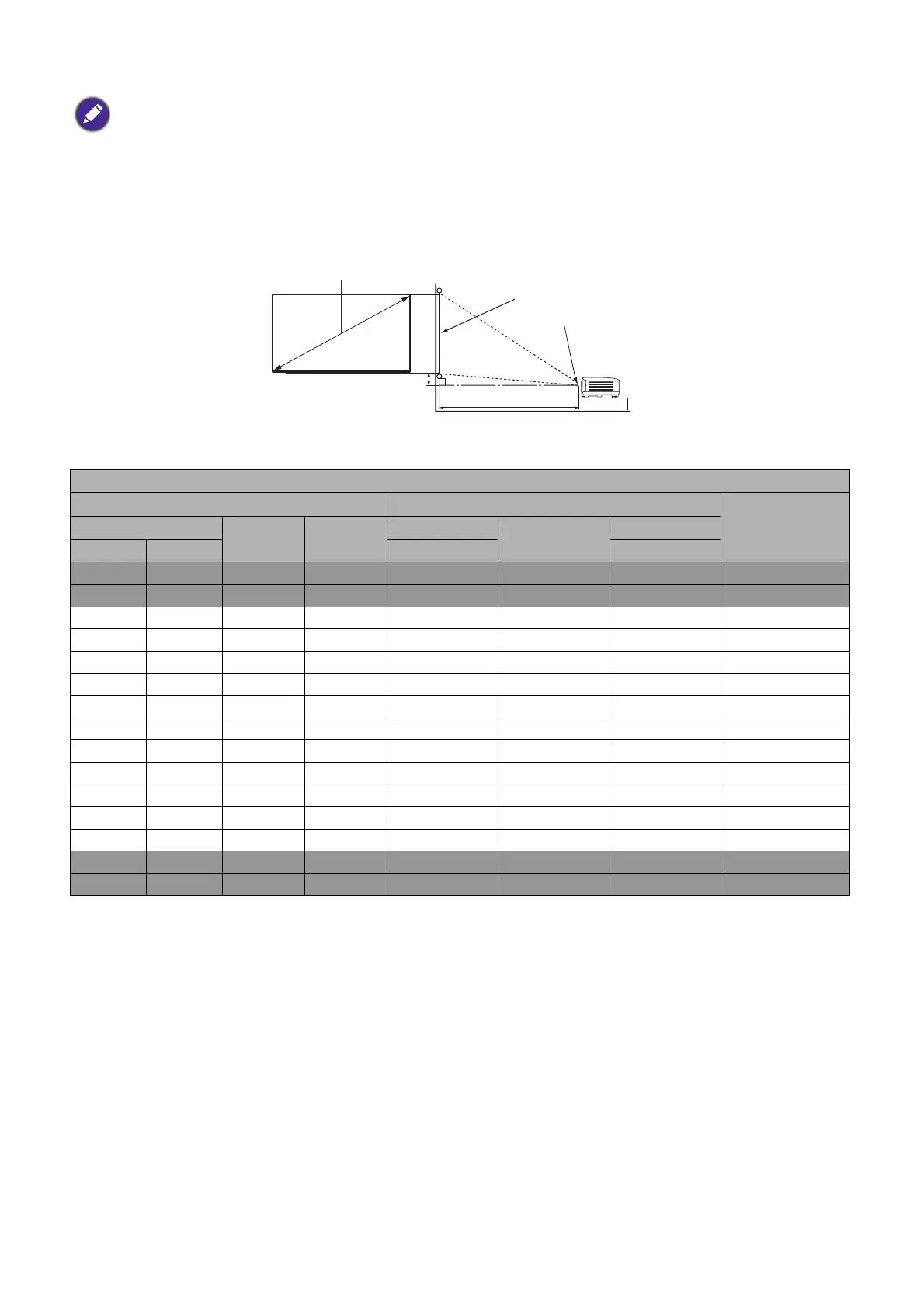
• The screen aspect ratio is 16:9 and the projected picture is in a 16:9 aspect ratio
For example, if you are using a 120-inch screen, the recommended projection distance is 3440 mm.
If your measured projection distance is 4000 mm, the closest match in the "Projection distance (mm)"
column is 4014 mm. Looking across this row shows that a 140'' (about 3.6 m) screen is required.
• To optimize your projection quality, we suggest you do the projection within non-gray area.
• All measurements are approximate and may vary from the actual sizes.
BenQ recommends that if you intend to permanently install the projector, you should physically test the
projection size and distance using the actual projector in situ before you permanently install it, so as to make
allowance for this projector's optical characteristics. This will help you determine the exact mounting position so
that it best suits your installation location.
LH710/LH710D
Screen size Projection distance (mm)
Offset (mm)Diagonal
H (mm) W (mm)
Min distance
Average
Max distance
Inch mm (max. zoom) (min. zoom)
30 762 374 664 750 860 970 19
50 1270 623 1107 1251 1433 1616 31
60 1524 747 1328 1501 1720 1939 37
70 1778 872 1550 1751 2007 2263 44
80 2032 996 1771 2001 2293 2586 50
90 2286 1121 1992 2251 2580 2909 56
100 2540 1245 2214 2502 2867 3232 62
110 2794 1370 2435 2752 3154 3555 68
120 3048 1494 2657 3002 3440 3879 75
130 3302 1619 2878 3252 3727 4202 81
140 3556 1743 3099 3502 4014 4525 87
150 3810 1868 3321 3752 4300 4848 93
200 5080 2491 4428 5003 5734 6464 125
250 6350 3113 5535 6254 7167 8080 156
300 7620 3736 6641 7505 8601 9696 187
H
W
Projection distance
Center of lens
Screen
16:9 Screen diagonal
Offset



 To Next Page