Introduction14
Replacing the remote control battery
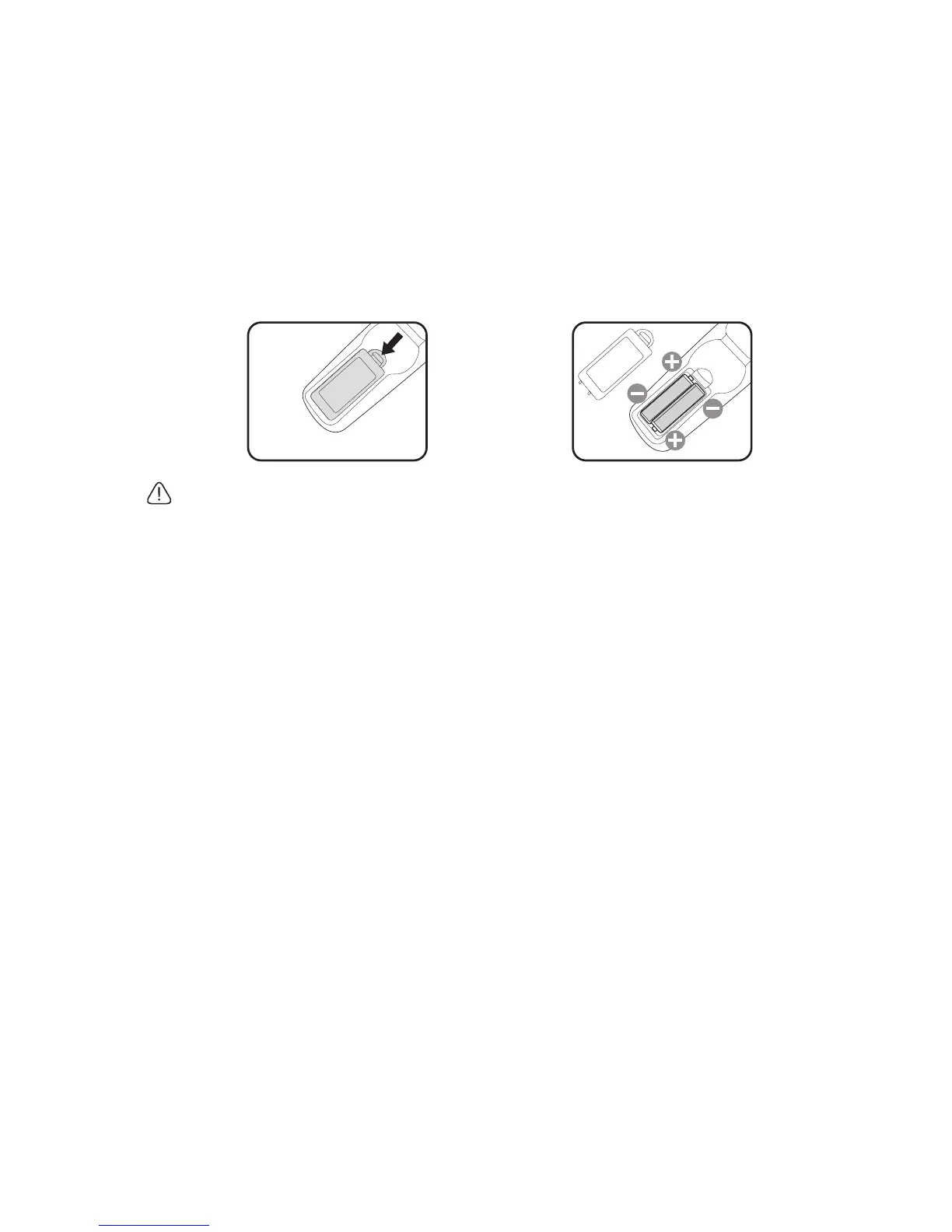
1. To open the battery cover, turn the remote control over to view its back, push on
the finger grip on the cover and slide it up in the direction of the arrow as illustrated.
The cover will slide off.
2. Remove any existing batteries (if necessary) and install two AAA batteries observing
the battery polarities as indicated in the base of the battery compartment. Positive
(+) goes to positive and negative (-) goes to negative.
3. Refit the cover by aligning it with the base and sliding it back down into position. Stop
when it clicks into place.
• Avoid excessive heat and humidity.
• There may be battery damage if the battery is incorrectly replaced.
• Replace only with the same or equivalent type recommended by the battery manufacturer.
• Dispose of the used battery according to the battery manufacturer’s instructions.
• Never throw a battery into a fire. There may be danger of an explosion.
• If the battery is dead or if you will not be using the remote control for a long time, remove
the battery to prevent damage to the remote control from possible battery leakage.



 To Next Page