Connection20
Connection
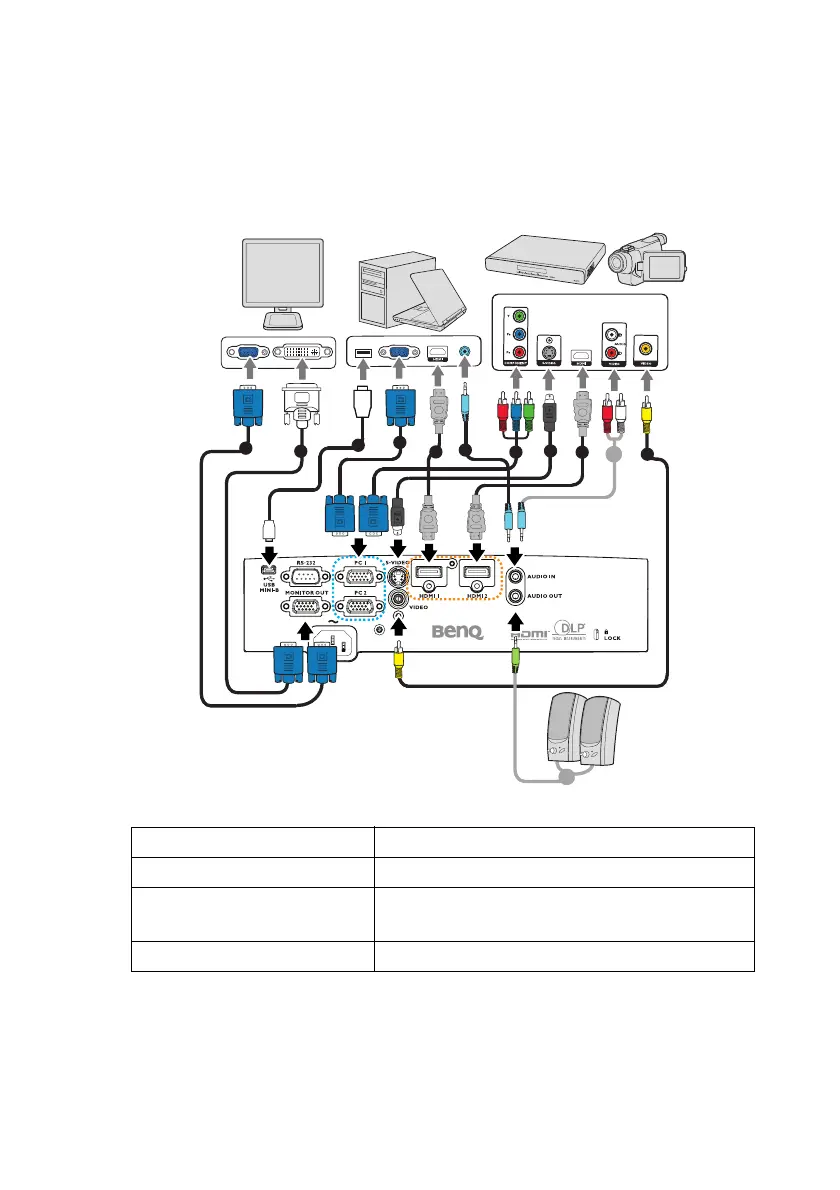
When connecting a signal source to the projector, be sure to:
1. Turn all equipment off before making any connections.
2. Use the correct signal cables for each source.
3. Ensure the cables are firmly inserted.
1. VGA cable 2. VGA to DVI-A cable
3. USB Cable 4. HDMI cable
5. Audio cable (PC/RCA
jack)
6. Component Video to VGA (DSub) adapter
cable
7. S-Video cable 8. Video cable
4
1
2
1
5
6
7
4
5 8
5
3



 To Next Page