EasyManua.ls Logo

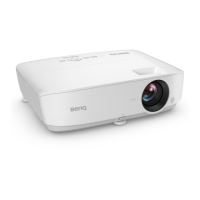
BenQ MS536 - User Manual

BenQ MS536
48 pages
Print Icon
To Next Page IconTo Next Page
Loading...
Digital Projector
User Manual
MS536 / MX536 / MW536 / MH536 / TH536
V1.00

Other manuals for BenQ MS536

Questions and Answers

  • M
    Mr. Brian CarterJul 29, 2025
    What to do if BenQ Projector remote control does not work?
    • T
      Timothy SmithJul 29, 2025
      If your BenQ Projector's remote control isn't working, there are a few potential reasons. First, the batteries may be dead, so try replacing them with new ones. Second, an obstacle might be blocking the signal between the remote and the projector; make sure there's a clear line of sight. Finally, you might be too far away; try standing within 8 meters (26 feet) of the projector.
  • T
    Theresa PopeAug 4, 2025
    How to fix BenQ Projector that does not turn on?
    • S
      Sarah SmithAug 4, 2025
      If your BenQ Projector isn't turning on, first, ensure the power cord is securely plugged into both the projector's AC power jack and a functioning power outlet, and that the outlet switch is on, if applicable. Also, if you've recently tried turning it on, wait until the cooling down process has completed before attempting to power it on again.
  • W
    Wesley MckenzieAug 12, 2025
    Why BenQ MS536 has no picture?
    • R
      Ryan LevineAug 12, 2025
      If your BenQ Projector displays no picture, it could be due to a few reasons. Ensure that the video source is turned on and correctly connected. Also, verify that the projector is correctly connected to the input signal device. Finally, make sure the correct input signal is selected using the SOURCE key.
  • K
    Kenneth DeleonAug 19, 2025
    Why is my BenQ MS536 image blurred?
    • B
      brittanybennettAug 19, 2025
      If your BenQ Projector image appears blurred, it might be because the projection lens isn't correctly focused; try adjusting the focus using the focus ring. Also, check if the projector and the screen are not aligned properly; adjust the projection angle, direction, and height of the projector as needed.

Summary

Warranty and Copyright Information

Limited Warranty

Terms, conditions, and claim procedures for product warranty.

Copyright and Disclaimer

Legal notices regarding content usage and company liability.

Patents

Location for checking projector patent coverage.

Important Safety Instructions

General Operation and Handling Safety

Precautions for safe projector use and operation.

Electrical, Ventilation, and Stability Safety

Guidelines for power, airflow, placement, and avoiding blockages.

Environmental and Physical Safety

Warnings about liquids, mounting, and unsuitable operating environments.

Introduction

Shipping Contents and Accessories

List of items included and optional accessories.

Remote Control Battery Replacement

Step-by-step guide for changing batteries.

Projector Exterior View

Component Identification and Ports

Labels for all external parts and connectors on the projector.

Controls and Functions

Projector and Remote Control Operations

Description of buttons and their functions.

Remote Control Effective Range

Guidelines for optimal remote control usage distance and angle.

Positioning Your Projector

Choosing a Location

Factors to consider when selecting a projector placement.

Obtaining a Preferred Projected Image Size

SVGA Projection Dimensions

Image size and distance data for SVGA resolution.

XGA Projection Dimensions

Image size and distance data for XGA resolution.

WXGA Projection Dimensions

Image size and distance data for WXGA resolution.

1080 p Projection Dimensions

Image size and distance data for 1080p resolution.

Mounting the Projector

Pre-Mounting Procedures and Safety

Steps and precautions before installation.

Ceiling;Wall Mount Installation Diagram

Visual guide for mounting.

Adjusting the Projected Image

Projection Angle and Auto Adjustment

Correcting trapezoid and optimizing image quality.

Image Size and Clarity Tuning

Using zoom and focus rings.

Correcting Keystone

Keystone Correction Methods

Using remote control or OSD menu for correction.

Connection

Signal Source Connection Guide

Steps and cable types for connecting sources.

Audio and InstaShow Connection

Projector audio features and InstaShow setup.

Operation

Starting Up the Projector

Power on sequence and initial setup.

Using the Menus

Basic OSD Menu Overview

Explanation of the basic menu structure.

Advanced Menu

Advanced OSD Menu Structure

Details of the advanced menu layout.

Switching Menu Types

Procedure to toggle between Basic and Advanced menus.

Securing the Projector

Physical Security and Password Function

Cable lock and password setup.

Password Management and Recall

Changing, disabling, and recovering passwords.

Switching Input Signals

Selecting active video sources.

Operation

Shutting Down and Direct Power Off

Proper procedures for turning off the projector.

Menu Operation

Basic Menu Settings

Brightness, Aspect Ratio, Picture Mode, etc.

Advanced Menu Settings

Detailed picture, display, system, and operation settings.

Specific Menu Features

Test patterns, 3D, HDMI format, digital zoom, operation settings.

System and Information

Language, standby, audio, factory reset, and status information.

Maintenance

Projector Care and Storage

Cleaning, storing, and transporting the projector.

Lamp Information and Replacement

Lamp hour, life extension, and replacement procedure.

Lamp Timer Reset

Resetting the timer after lamp replacement.

Indicators

Status Light Descriptions

Explains meanings of power, temp, and light indicators.

Troubleshooting

Common Issues and Solutions

Addresses projector not turning on, no picture, blurred image, and remote issues.

Specifications

Projector Technical Specifications

Optical, electrical, mechanical, and input/output details.

Environmental and Transport Requirements

Operating conditions and shipping advice.

Timing Charts

Supported input timings for PC, HDMI, Video, and Component signals.

BenQ MS536 Specifications

General IconGeneral
Typelamp
Colorwhite
Displaydlp
Throw Typestandard throw
Resolution600p
Native Resolution800 x 600
Aspect Ratio4:3
Remote Controlyes
Power Sourceac/dc power (plug-in)
Voltage110 volts

Related product manuals