15 Positioning your projector
1080p
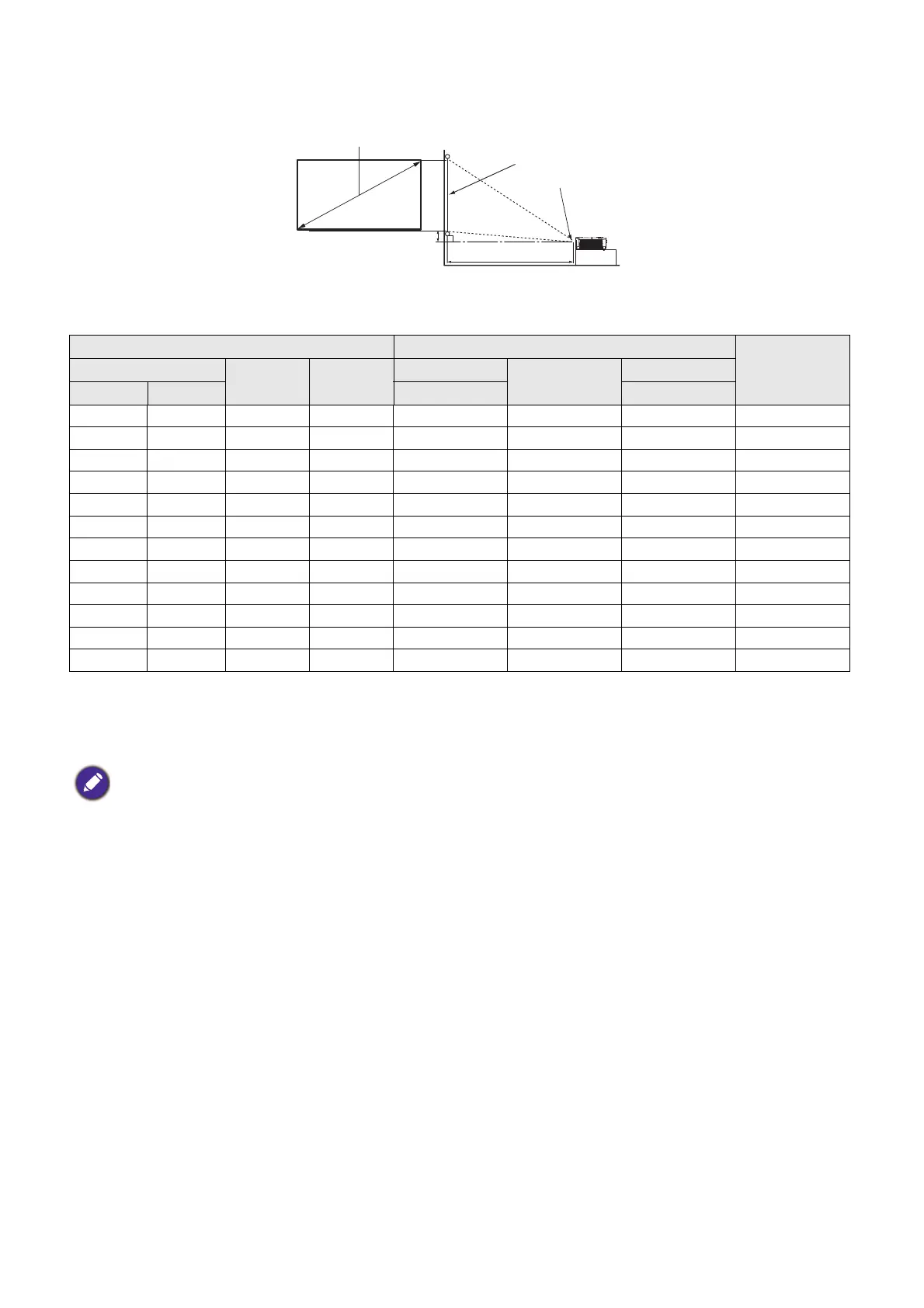
• The screen aspect ratio is 16:9 and the projected picture is in a 16:9 aspect ratio
For example, if you are using a 120-inch screen, the recommended projection distance is 4356 mm.
• If your measured projection distance is 5000 mm, the closest match in the "Projection distance (mm)"
column is 5458 mm. Looking across this row shows that a 150'' (about 3.8 m) screen is required.
Screen size Projection distance (mm)
Vertical offset
(mm)
Diagonal
W (mm) H (mm)
Min distance
Average
Max distance
Inch mm (max. zoom) (min. zoom)
40 1016 886 498 1294 1415 1535 35
50 1270 1107 623 1631 1782 1933 44
61.5 1562 1361 766 2020 2205 2390 54
80 2032 1771 996 2644 2885 3125 70
95 2413 2103 1183 3151 3437 3722 83
100 2540 2214 1245 3320 3620 3920 87
120 3048 2657 1494 3995 4356 4716 105
150 3810 3321 1868 5008 5458 5908 131
200 5080 4428 2491 6696 7296 7896 174
220 5588 4870 2740 7372 8032 8691 192
250 6350 5535 3113 8385 9135 9884 218
300 7620 6641 3736 10073 10972 11871 262
All measurements are approximate and may vary from the actual sizes.
BenQ recommends that if you intend to permanently install the projector, you should physically test the projection
size and distance using the actual projector in situ before you permanently install it, so as to make allowance for this
projector's optical characteristics. This will help you determine the exact mounting position so that it best suits your
installation location.
H
W
Projection distance
Center of lens
Screen
16:9 Screen diagonal
Vertical offset


 To Next Page