17 Positioning your projector
Adjusting the projected image
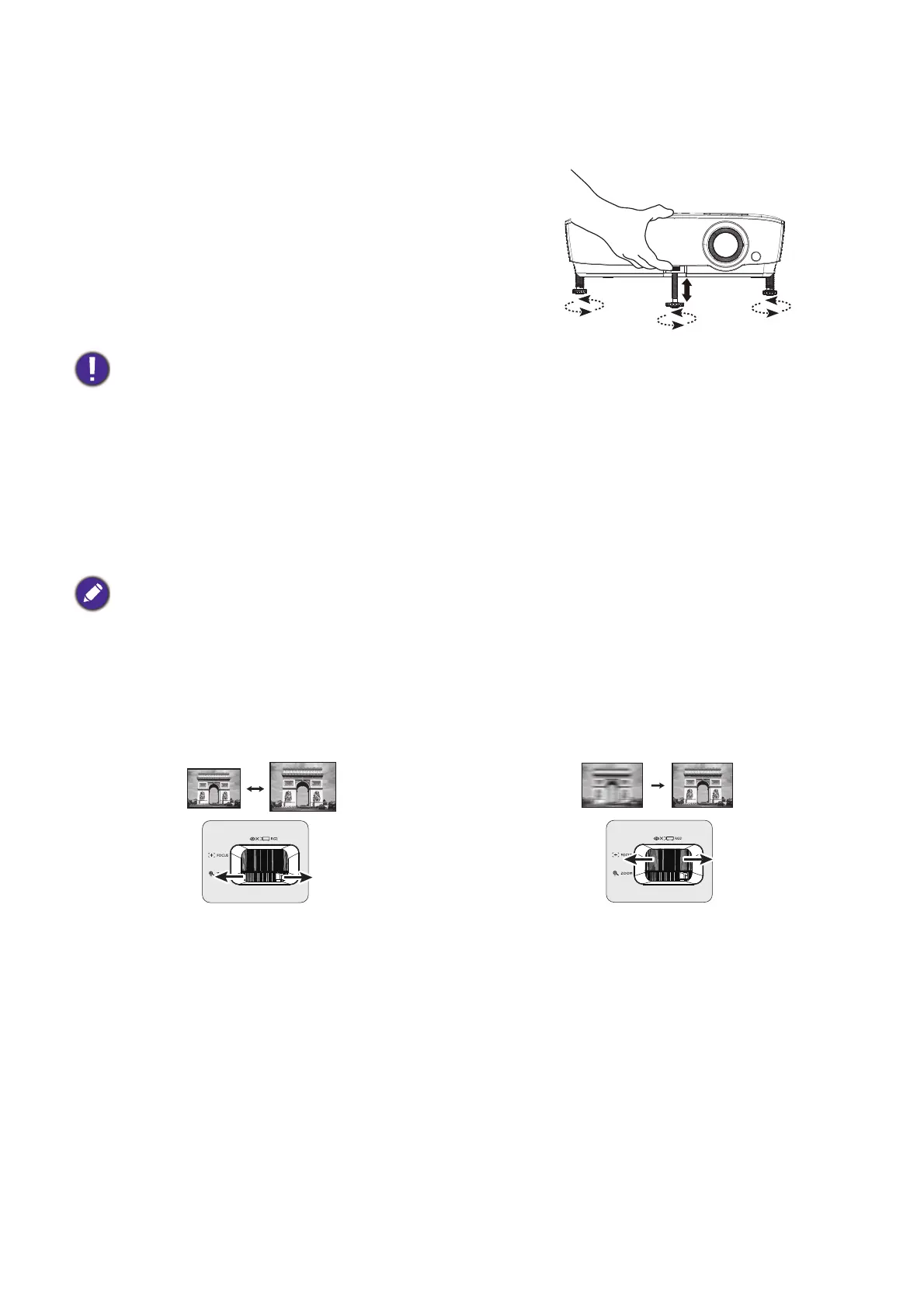
Adjusting the projection angle
If the projector is not placed on a flat surface or the
screen and the projector are not perpendicular to each
other, the projected image becomes trapezoidal. You can
screw the adjuster feet to fine-tune the horizontal angle.
To retract the feet, screw the adjuster feet in a reverse
direction.
Auto-adjusting the image
In some cases, you may need to optimize the picture quality. To do this, press AUTO. Within 3
seconds, the built-in Intelligent Auto Adjustment function will re-adjust the values of Frequency and
Clock to provide the best picture quality.
The current source information will be displayed in the corner of the screen for 3 seconds.
Fine-tuning the image size and clarity
Do not look into the lens while the lamp is on. The strong light from the lamp may cause damage to your eyes.
This function is only available when PC signal (analog RGB) is selected.
Adjust the projected image to the size that you
need using the zoom ring.
Sharpen the image by rotating the focus ring.


 To Next Page