48
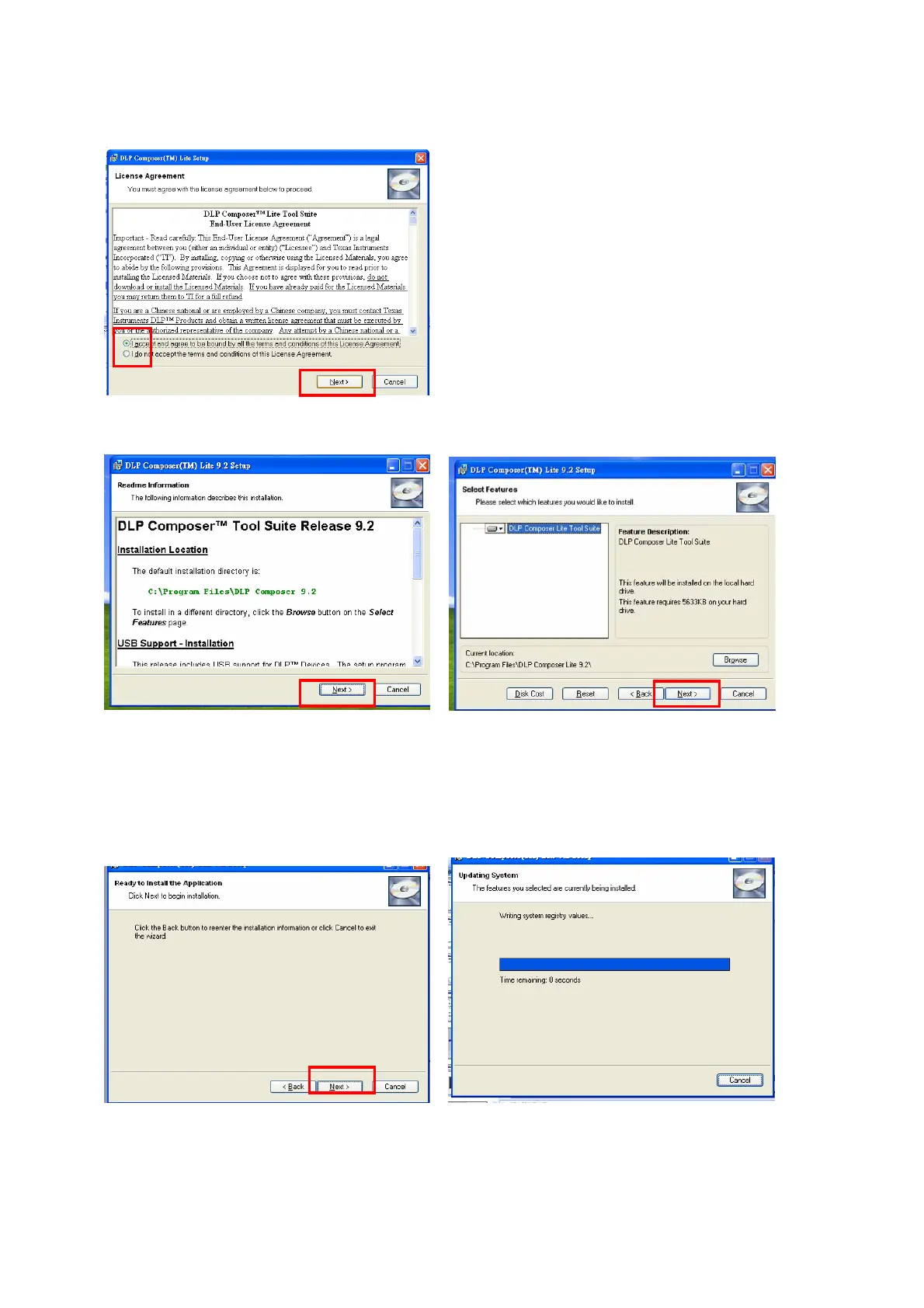
3. Select to accept the License Agreement, than click “Next”
4. Click “Next” in the following steps to continue installation process.
Note:
The default installation directory is:
C:\Program Files\DLP Composer Lite9.2
If you want to install to a different directory (perhaps alongside a prior release of DLP Composer™
Lite), click the "Browse" button on the "Select Features" page.



 To Next Page