47
B. Download MCU Code and Firmware
(a) Auto MCU Code Download:(for Low-Power Standby)
Condition:
Auto Detect, download by MCU itself.
Situation 1:MCU code is empty (The 1st time to plug in power cord)
Situation 2:MCU version update
System Action:
System needs around 2 sec to download MCU itself automatically.
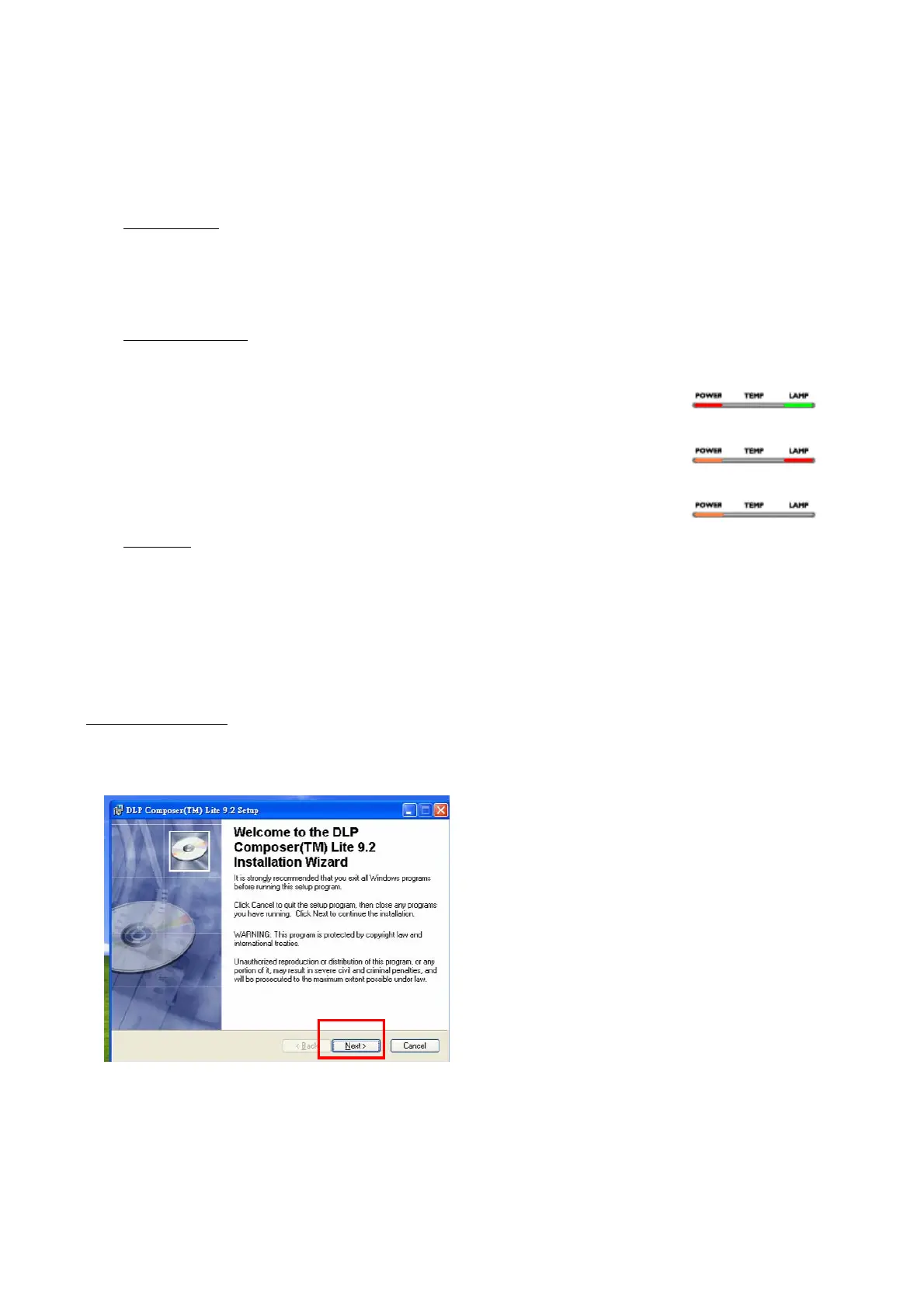
Downloading:Power LED will show Red and Lamp LED will show Green.
Download Fail:Power LED will show Orange and Lamp LED will show Red.
Download Success:System will go back standby mode and Power LED will show Orange.
Notice:
Do NOT interrupt power when downloading.
(b) Download Firmware
i. DLP Composer lite install procedure
(1) Installation
1. Double click the Setup file for DLP Composer Lite to start to install program.(9.0 or above
version)
2. When the Installation Wizard appears, click “Next”.



 To Next Page