50
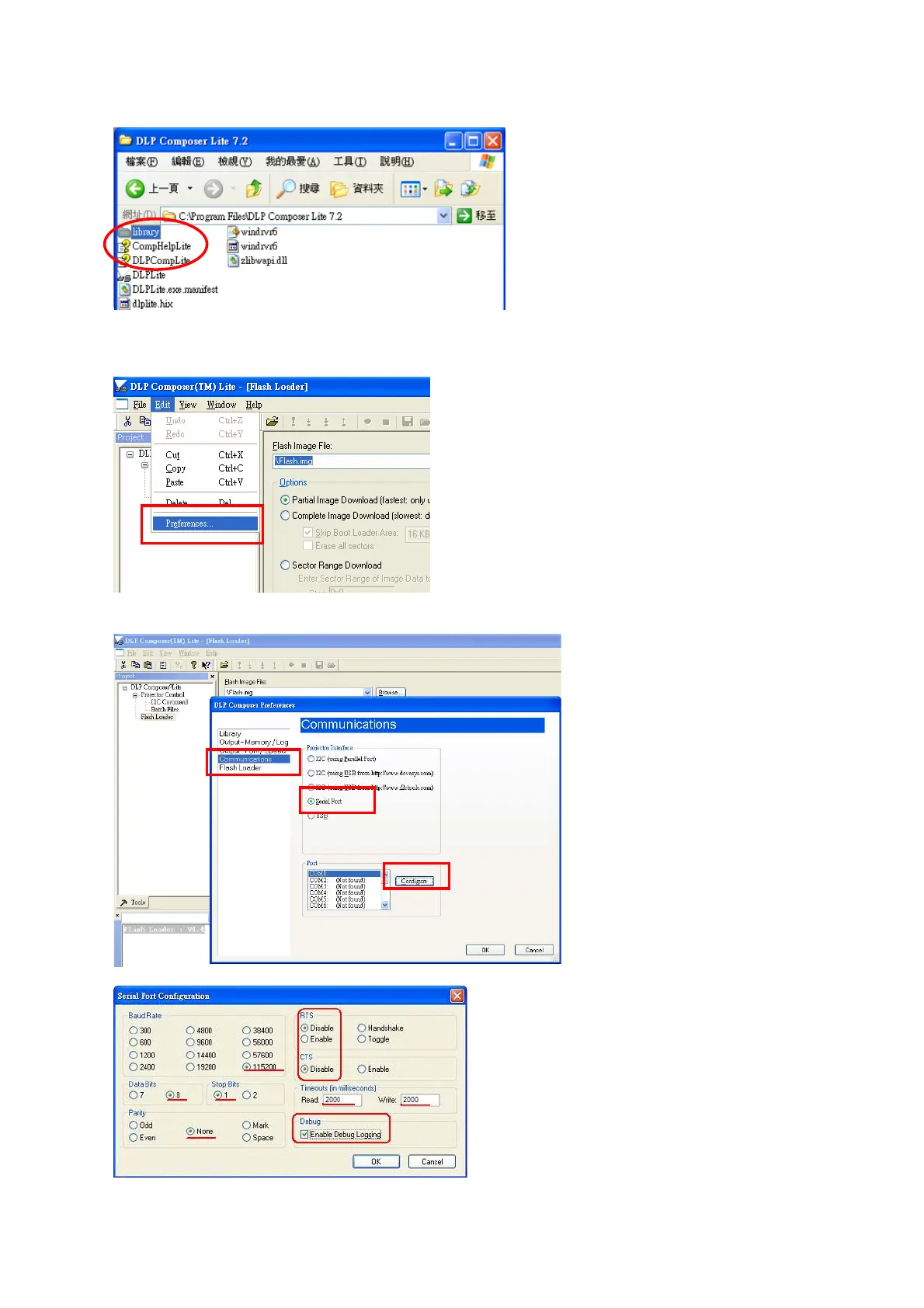
2. Check if there are library files in the assigned path. If not, unzip the library file into the path.
z Set communication (for download by RS232):
1. Select “Edit”->”Preference”.
2. Select “Communications”-> “Serial Port” -> ”Config”.
3. Make sure the settings are the same as below figure-> Click ”OK”.



 To Next Page