52
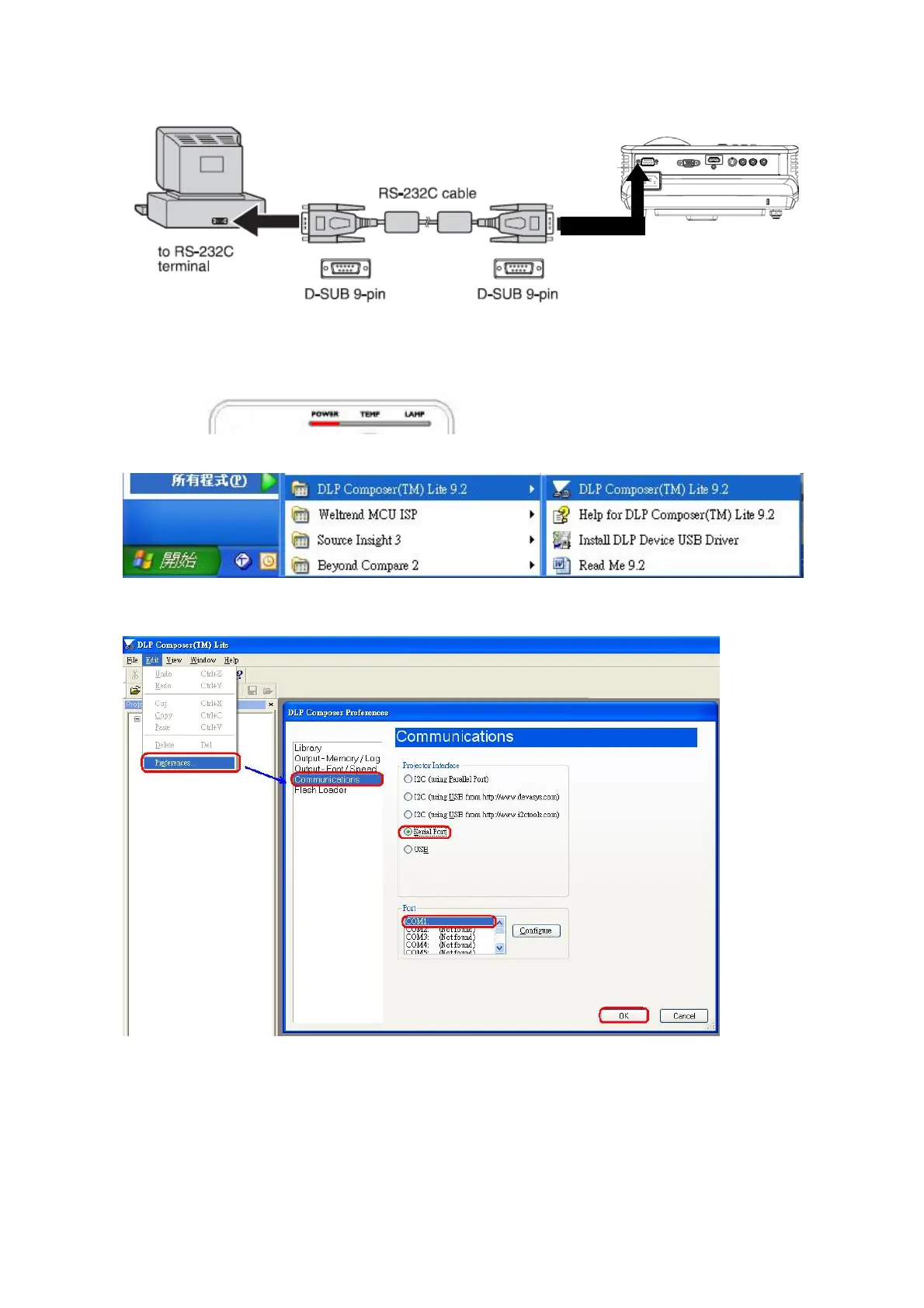
2. Let projector be in Download Mode :
-> Press and hold keypad Power and Auto together, then plug in power cord.
-> Release the two keypads.
-> Power LED will show red light continuously as below figure.
3. Execute DLP Composer Lite 9.2 program
4. To select the RS-232 communications interface, choose "Preferences" from the "Edit" menu,
click the "Communications" page and choose "Serial Port".



 To Next Page