89
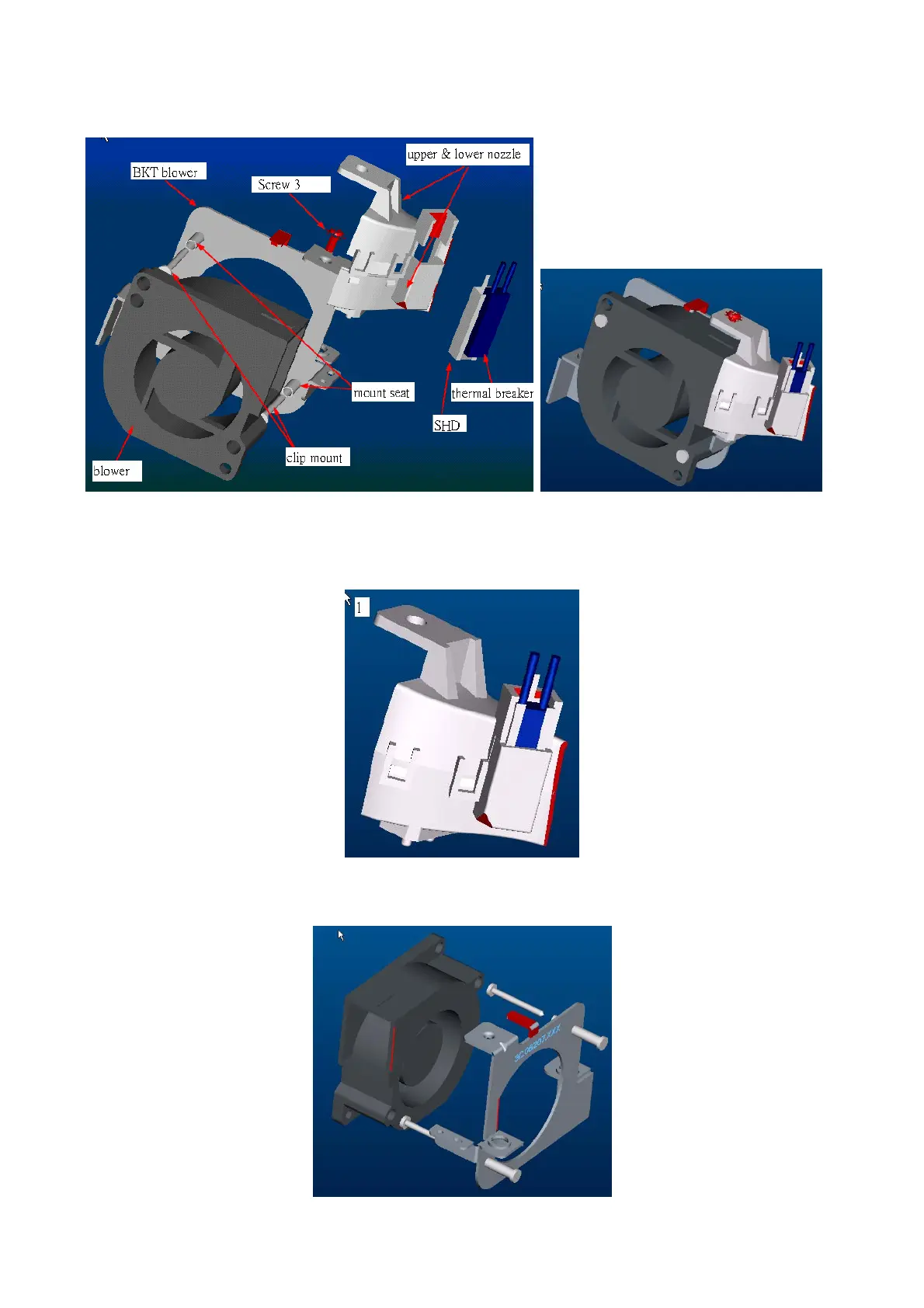
4. Nozzle module assembly
Step1.Place thermal breaker in the nozzles and check words side is outside. Next insert the SHD as
figure shows, and check copper surface is inside.
Step2. Insert the clip mount and mount seat to combine the blower and BKT.
(Check the red edge on blower and BKT is the same direction.)



 To Next Page