Connection28
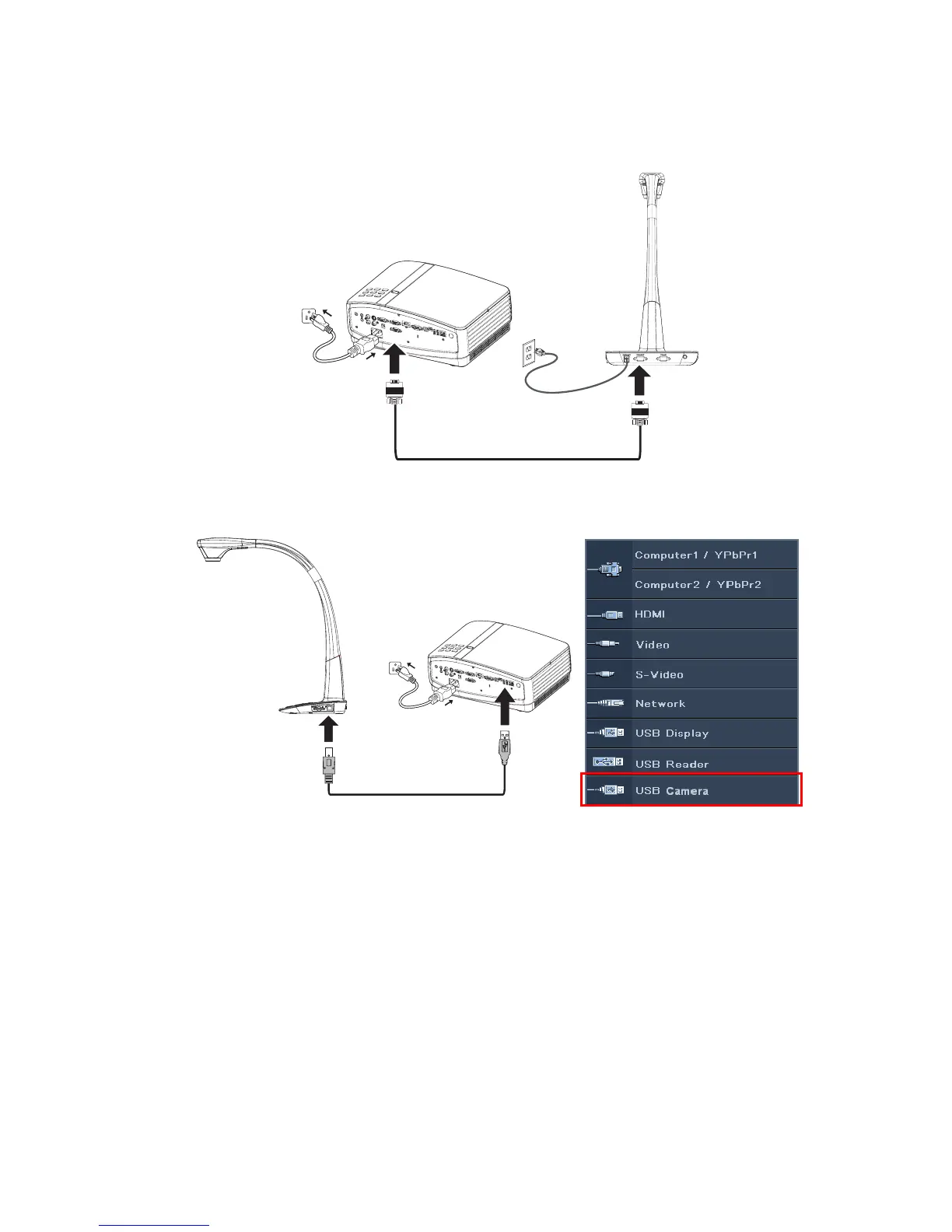
Connecting with document camera
1. To connect the projector to a document camera via VGA:
2. To connect the projector to a document camera via USB:
i. The document camera is powered by the USB cable so a power cord is no need.
ii. Press SOURCE on the projector or remote control. Switch the input signal to
USB Camera and press MODE/ENTER. Once detected, the image from the
document camera will display on the screen.



 To Next Page