Operation
70
PointDraw™ Pen
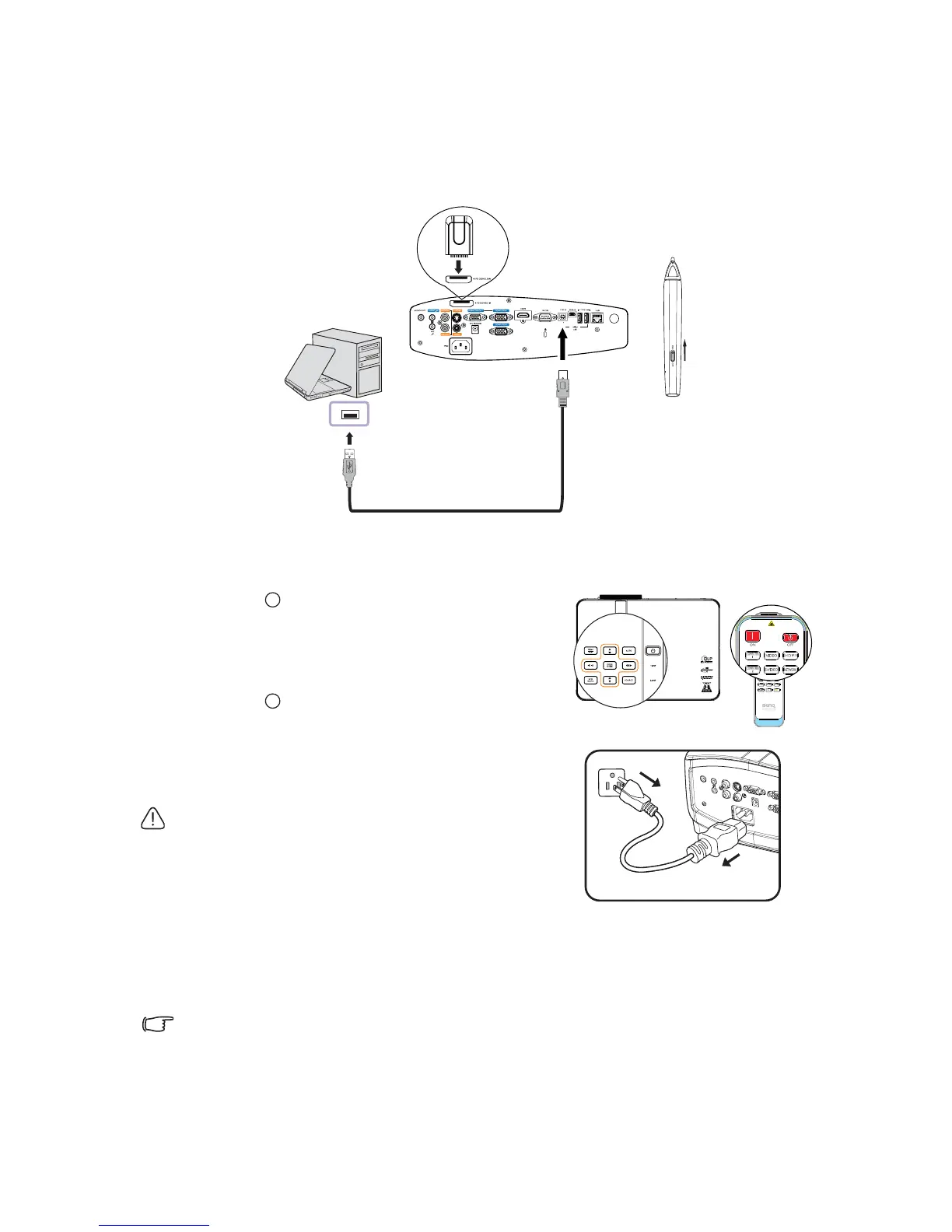
The PointDraw™ pen works like a wireless mouse - but one that works in midair, not on
your desktop. Just hold the pen in your hand, and point it at the projected image to point,
click and drag. Please find latest compatible PointDraw™ pen user guide for more detail.
Shutting down the projector
1. Press Power on the projector. A
confirmation message displays prompting you.
If you don't respond in a few seconds, the
message will disappear. If you use the remote
control, press OFF to shut down the projector.
2. Press Power on the projector a second
time. The POWER indicator light flashes
orange, the projection lamp shuts down, and
the fans will continue to run to cool down the
projector.
• To protect the lamp, the projector will not respond
to any commands during the cooling process.
• To shorten the cooling time, you can also activate
the Quick Cooling function. See "Quick Cooling"
on page 80 for details.
3. Once the cooling process finishes, the POWER indicator light is a steady orange
and fans stop.
4. Disconnect the power cord from the power putlet if the projector will not be used
in an extended period of time.
• If the projector is not properly shut down, to protect the lamp, when you attempt to re-start
the projector, the fans will run for a few minutes to cool down. Press Power again to start
the projector after the fans stop and the POWER indicator light turns orange.
• Actual lamp lives may vary due to different environmental conditions and usage.
I
I
I
I



 To Next Page