Preparation for Setup 15
Connecting Touch Module
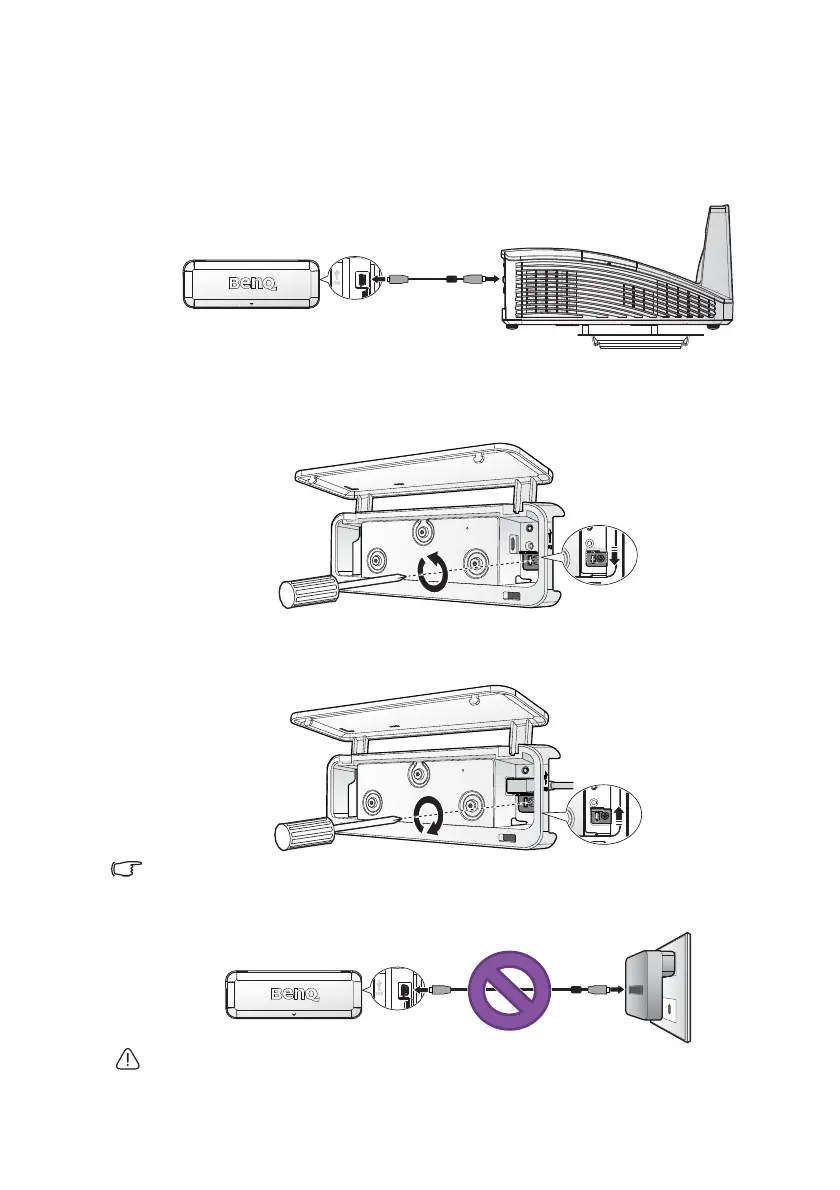
Use the USB cable to connect the touch module for power supply.
Connect Touch Module to Projector (Recommended)
To prevent the connector from coming off, adjust the screw after inserting a
USB cable.
1. Loosen the screw on the holder and move the holder down.
2. Insert a USB cable.
3. Move the holder up to holder the USB connector.
4. Secure the screw on the holder.
USB type-A power is available for selected projector model.
5V USB adapter is not allowed!
Charging of the device through an adapter is not recommended and may
damage the touch module.



 To Next Page