Preparation for Setup 11
Touch Module Installation
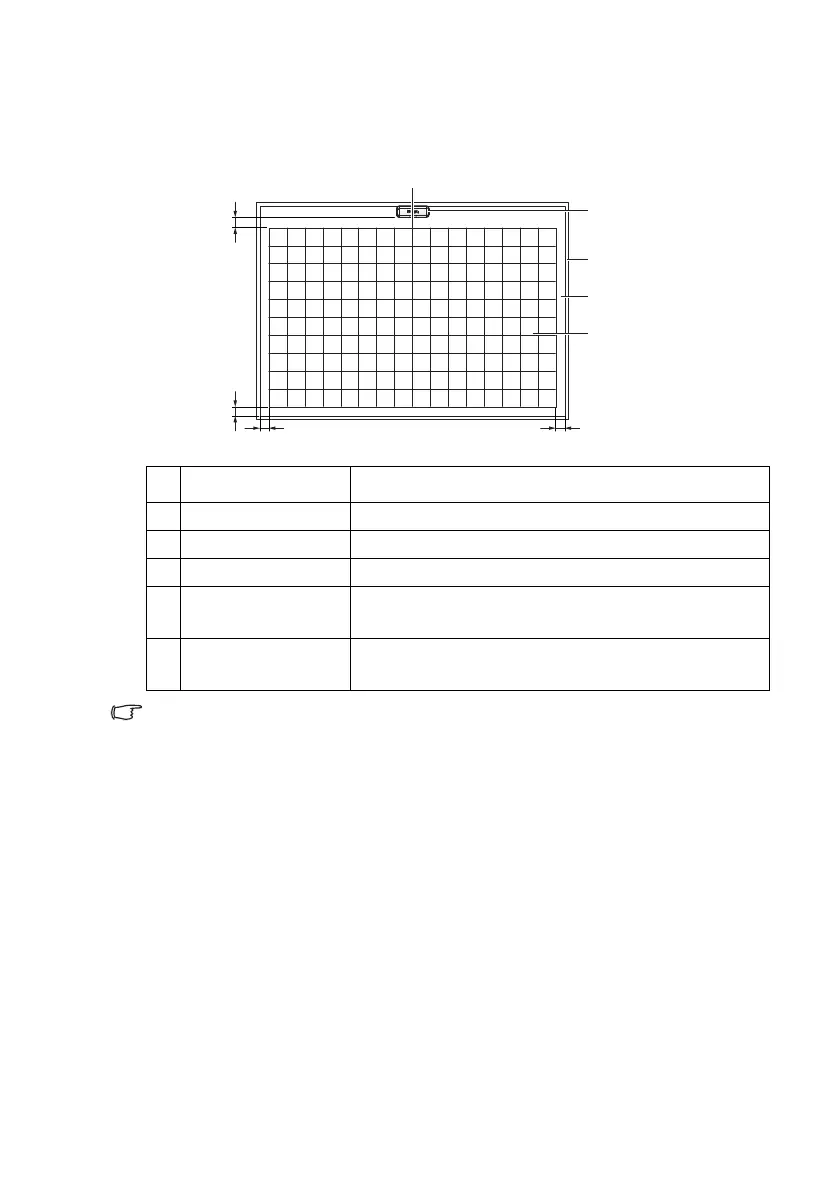
Screen Tolerance
The ambient light or direct sun light may impact the screen size of touch area
or cause interference.
In this case, make screen size smaller or turn to pen mode with PointWrite
pen for better writing quality.
# Item Specification
1 Horizontal Position Center line of touch area.
2 Vertical Position Ceiling Mounting: Top of the screen with Gap.
3 Gap Min: 100 mm, max: 150 mm
4Orientation
Head of laser module should be face to touch
screen.
5Touch Area
Min: 65”, max: 100” (without external lighting
interference)
1. Center line of touch area
Touch module
Frame
Surface
Touch area
3.Gap:100-150mm
50mm
50mm 50mm



 To Next Page