Preparation for Setup12
Connecting PT01
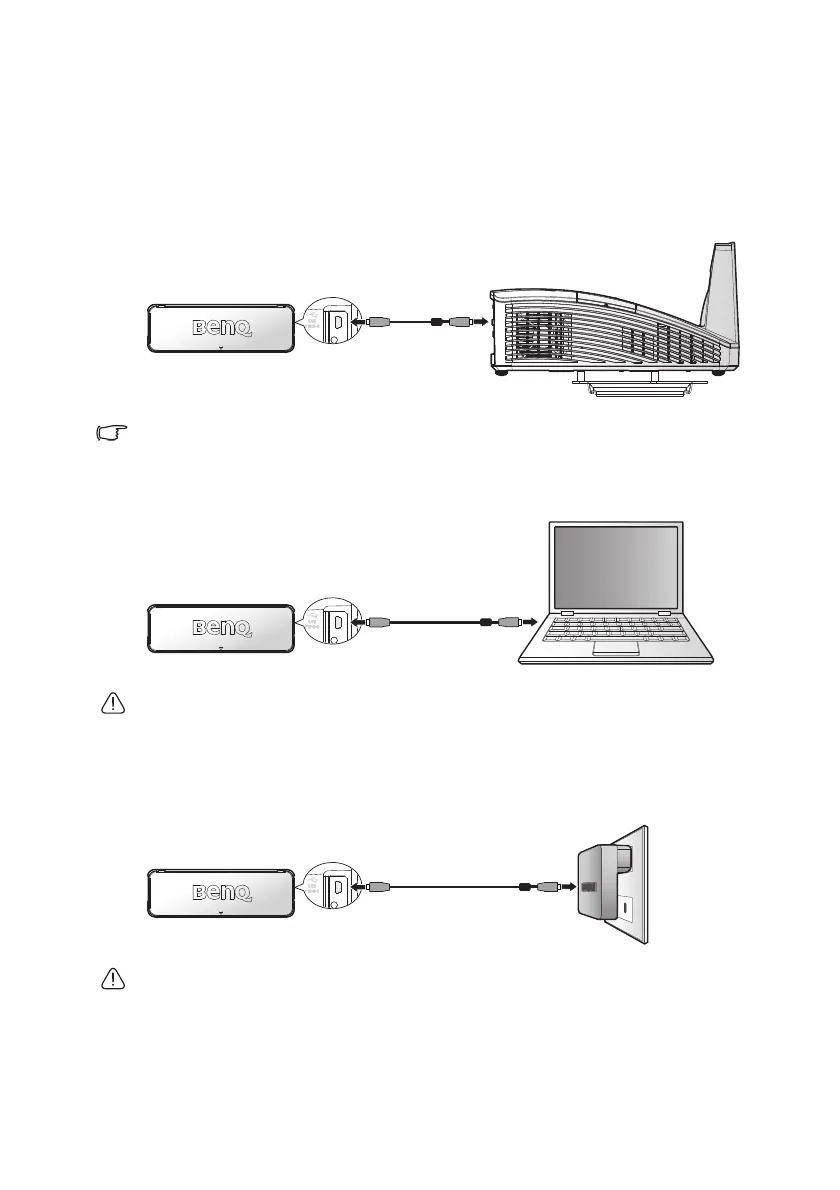
Use the USB cable to connect the PT01 for power supply. There are three
ways to connect the PT01.
Connect PT01 to Projector (Recommended)
USB type-A power is available for selected projector model.
Connect PT01 to Computer
USB power may be unstable under the following conditions:
1. disconnecting AC power
2. all USB ports are populated
Connect PT01 to 5V USB Adapter
It is important to disconnect the adapter when the touch function is not
used. A continuous transmit will decrease the lamp time of the touch
module.



 To Next Page