30
English
Fine-tuning the image size and clarity
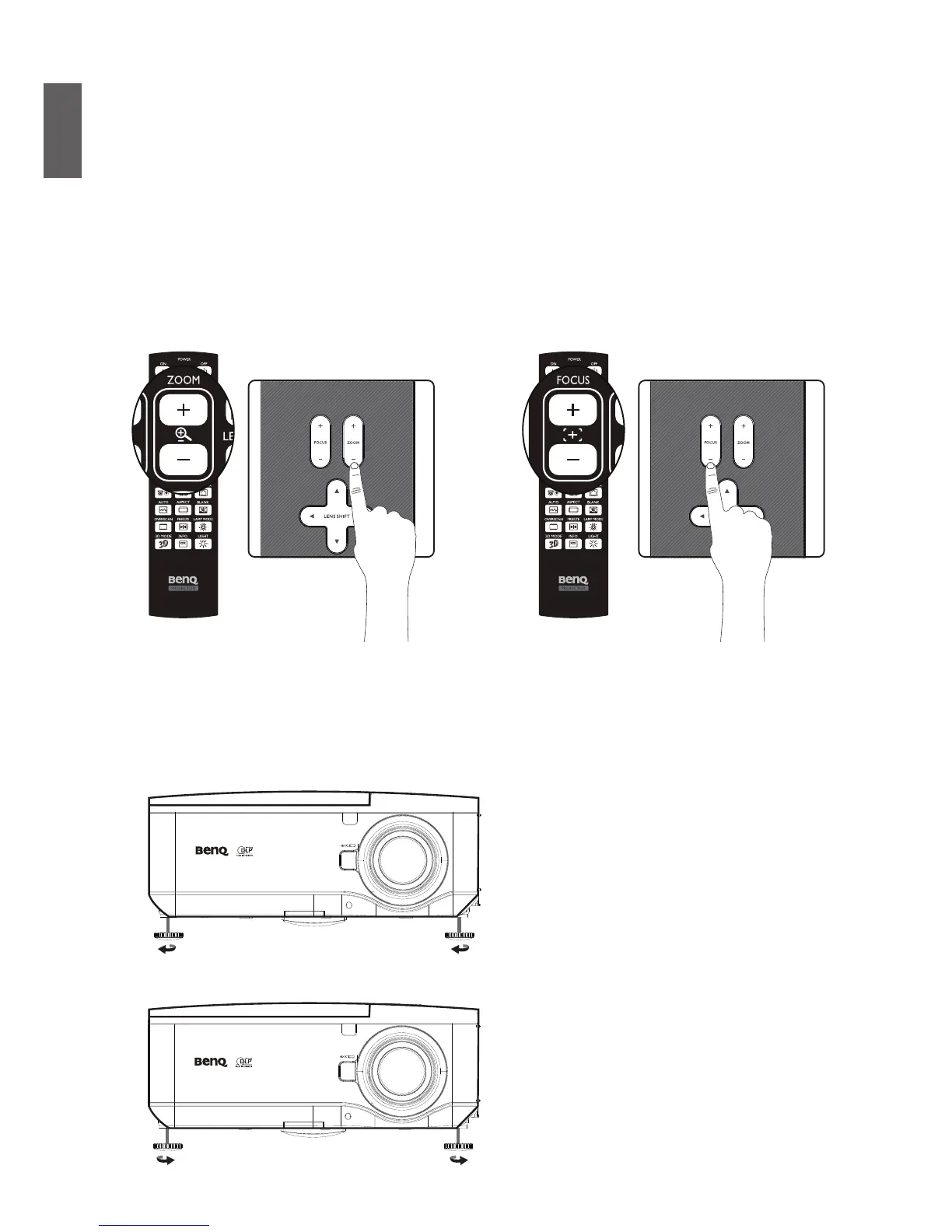
1. Press the ZOOM + or ZOOM- button on the control panel or the remote control to adjust
the projected imaged as you desired.
2. Sharpen the picture by pressing FOCUS+ or FOCUS- button on the control panel or the
remote control.
Adjusting the projection angle
There are two adjuster feet on the bottom of the projector, these can be used if necessary to
change the projection angle. Screw the feet in or out as appropriate to aim and level the projection
angle.
1. Twist the adjusters clockwise to raise the level of the projector.
2. To lower the level of the projector, lift the projector and twist the adjusters counter clockwise.



 To Next Page