64
English
Cleaning the Filters
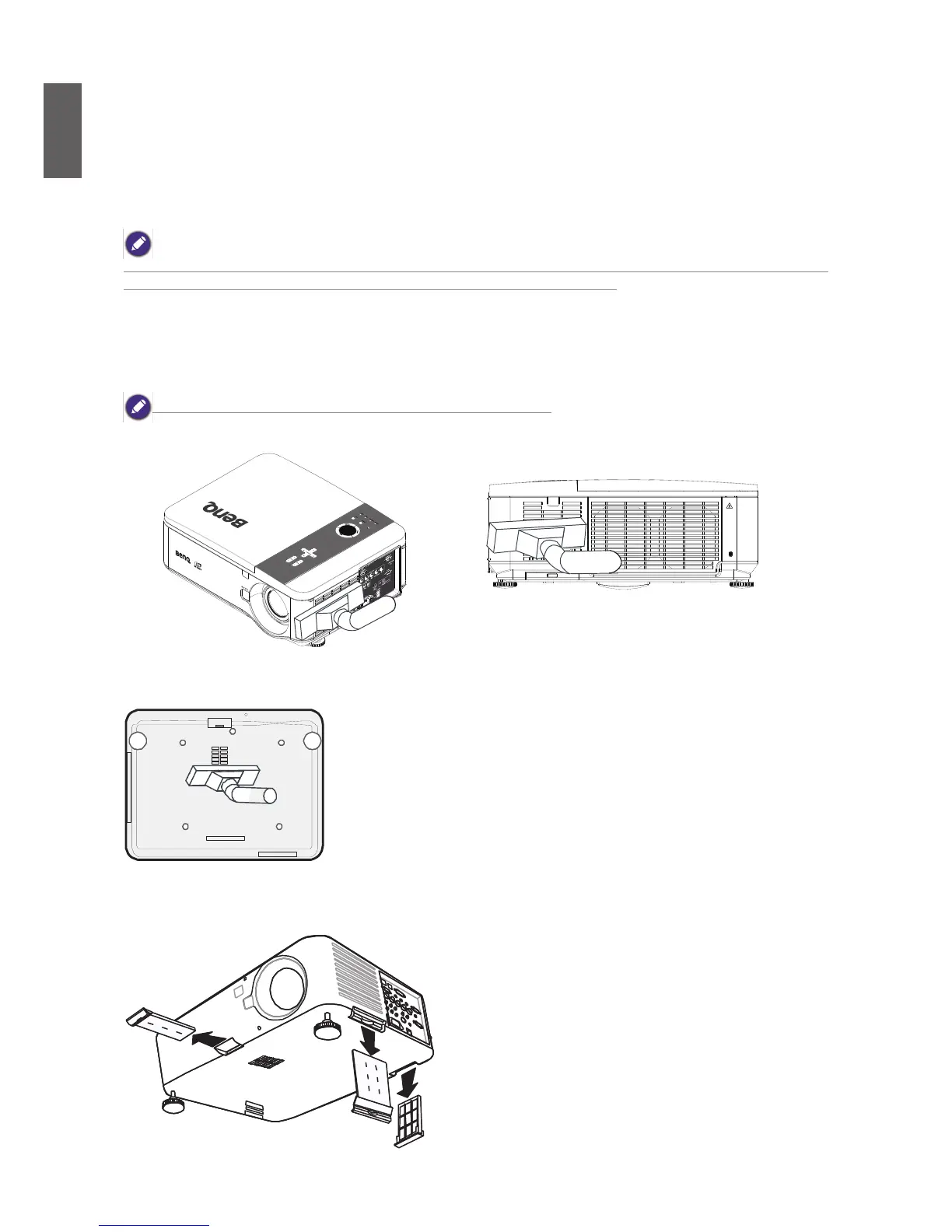
The projector uses three lters to keep the fans free of dust and other particles, and should be
cleaned every 500 hours of operation. In dusty environments, it is recommended to clean the lters
more frequently. If the lter is dirty or clogged, your projector may overheat. When the message
be-low is displayed, the lters must be cleaned.
When the Please clean lter message is displayed, please clean all three lters at the same time to synchronize the
Filter time display. The Filter Message item should be enabled in the Options menu.
Refer to the following guide to clean the lters.
1. The left-side and rear lters can be cleaned as demonstrated in the following images.
Only clean the outside of the exhaust vents with a vacuum cleaner.
2. The bottom exhaust vent can be accessed as shown.
3.Gently slide the ter holders in the direction shown.



 To Next Page