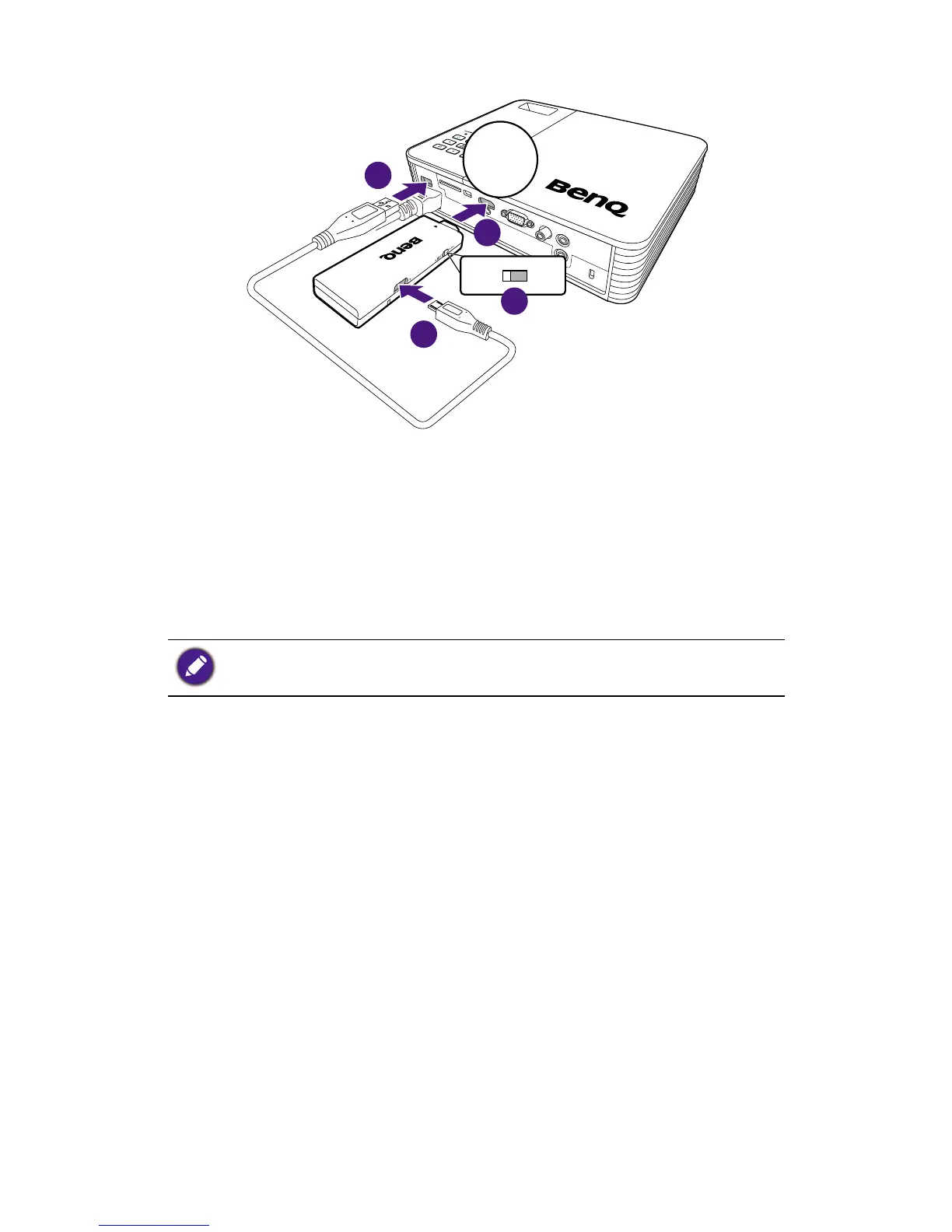
Slide the switcher on the dongle to 1. USB.
Connect the dongle to the HDMI port of your projector.2.
Connect one end of the supplied USB cable to the USB 3.
port of the dongle.
Connect the other end of the USB cable to the USB type 4.
A port of your projector. The dongle is then activated and
the LED indicator lights up in solid blue.
To power up the dongle, the DC power supplied from the
connected USB type A port must be no less than 5V/1A.
Installing BenQ QCast on your
mobile device/computer
Once the dongle has been connected to your projector
successfully, you are requested to download and install an
app/software named BenQ QCast to your mobile device/
computer. The dongle needs to work with BenQ QCast
to perform wireless media streaming.



 To Next Page