28 Video wall installation guide
Cable connections
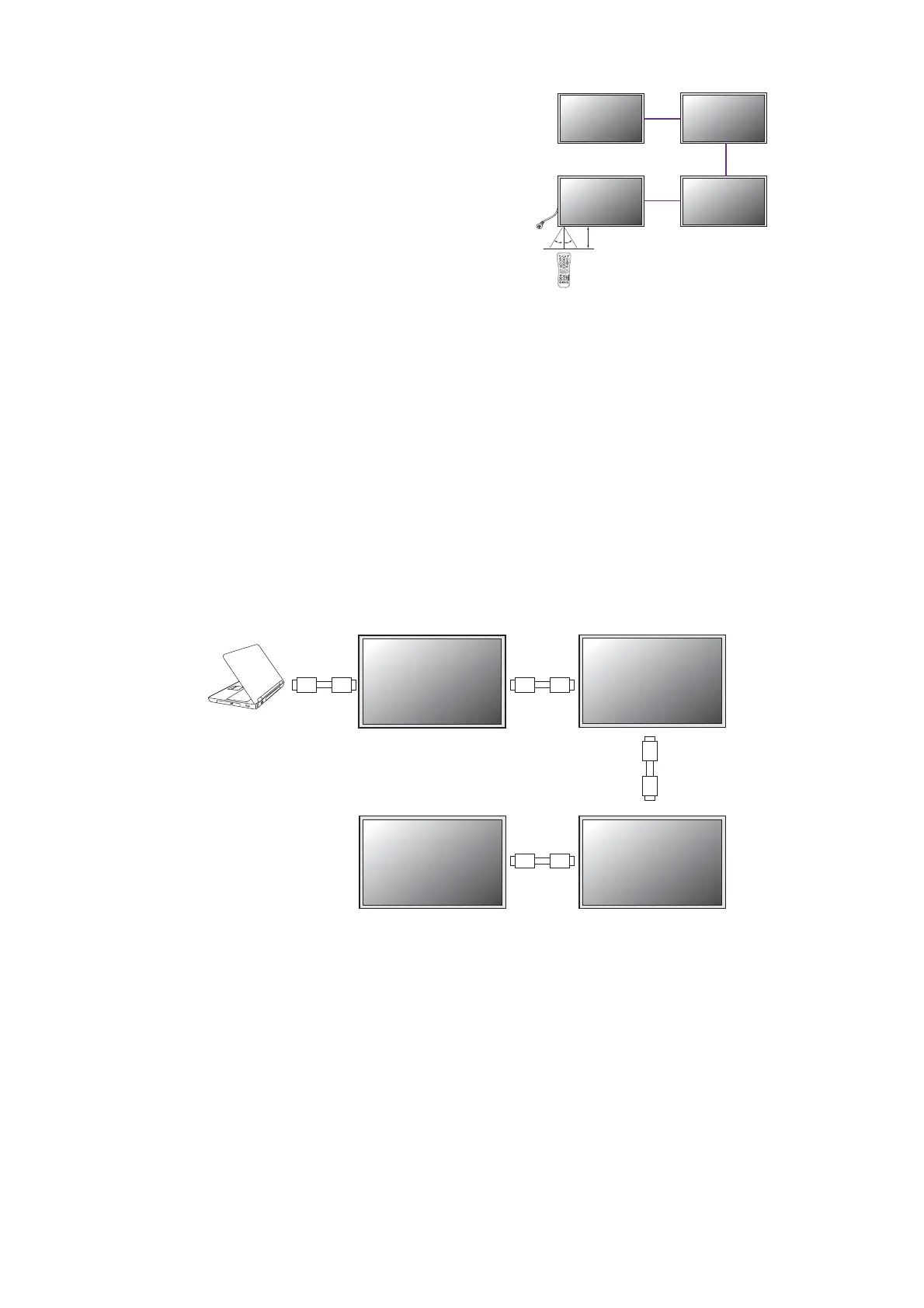
1. Turn off all devices.
2. Connect the first display with the video source (e.g. computer).
3. Connect one end of the cable to the appropriate OUT port on the first display.
4. Connect the other end of the cable to the appropriate IN port on the second display.
Follow Step 2 ~ 3 to connect all displays.
Refer to the user manual of the purchased model for the location of all input and output
ports.
5. Decide the way to manage all the daisy chained
displays. See Managing the daisy chain:
PL460/PH460/PL550/PH550 on page 35 for more
information.
6. Change the display settings to optimize video wall
performance as suggested.See Optimizing the
video wall performance and management: PL460/
PH460/PL550/PH550/PL490/PL552/PL553/PH5501
/PH5502 on page 38 for more information.
30°30°
(in) (in)
(in)
(in)
(out)
(out)
(out)



 To Next Page