Operation 57
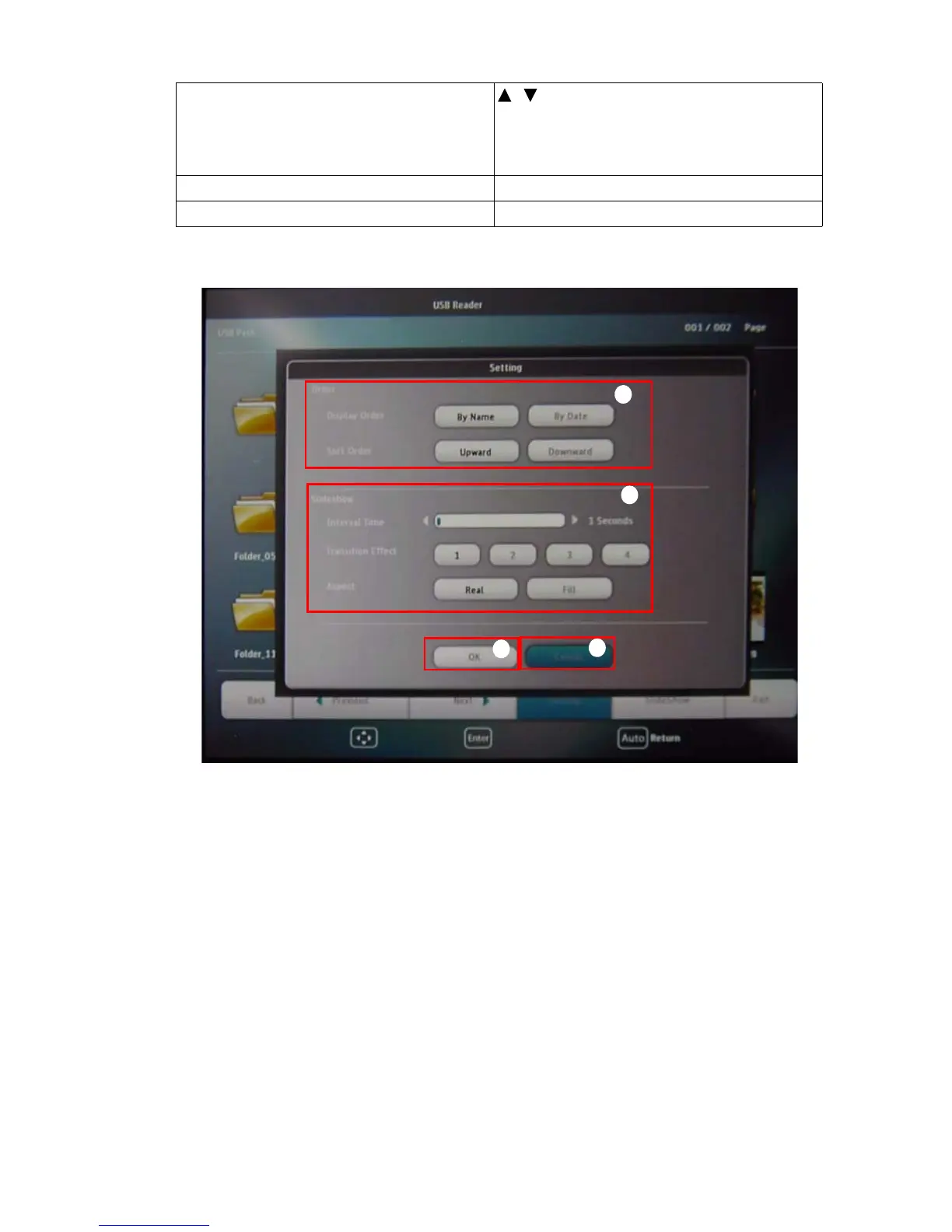
Settings page:
i. You can adjust order settings.
ii. You can adjust Slideshow settings.
iii. Press OK to save the settings.
iv. Press Cancel to ignore the change.
rotate the image by 90 degree clockwise/
counterclockwise
/
(Rotation is temporary; the image returns to
its original orientation when you go back to
thumbnails)
return to a previous page Auto
start/stop slideshow Enter
ii
iii
iv
i



 To Next Page