Operation58
Remote Desktop Control through Q Presenter
The Q Presenter can proceed the Remote Desktop Control (RDC) the host PC from
projector site.
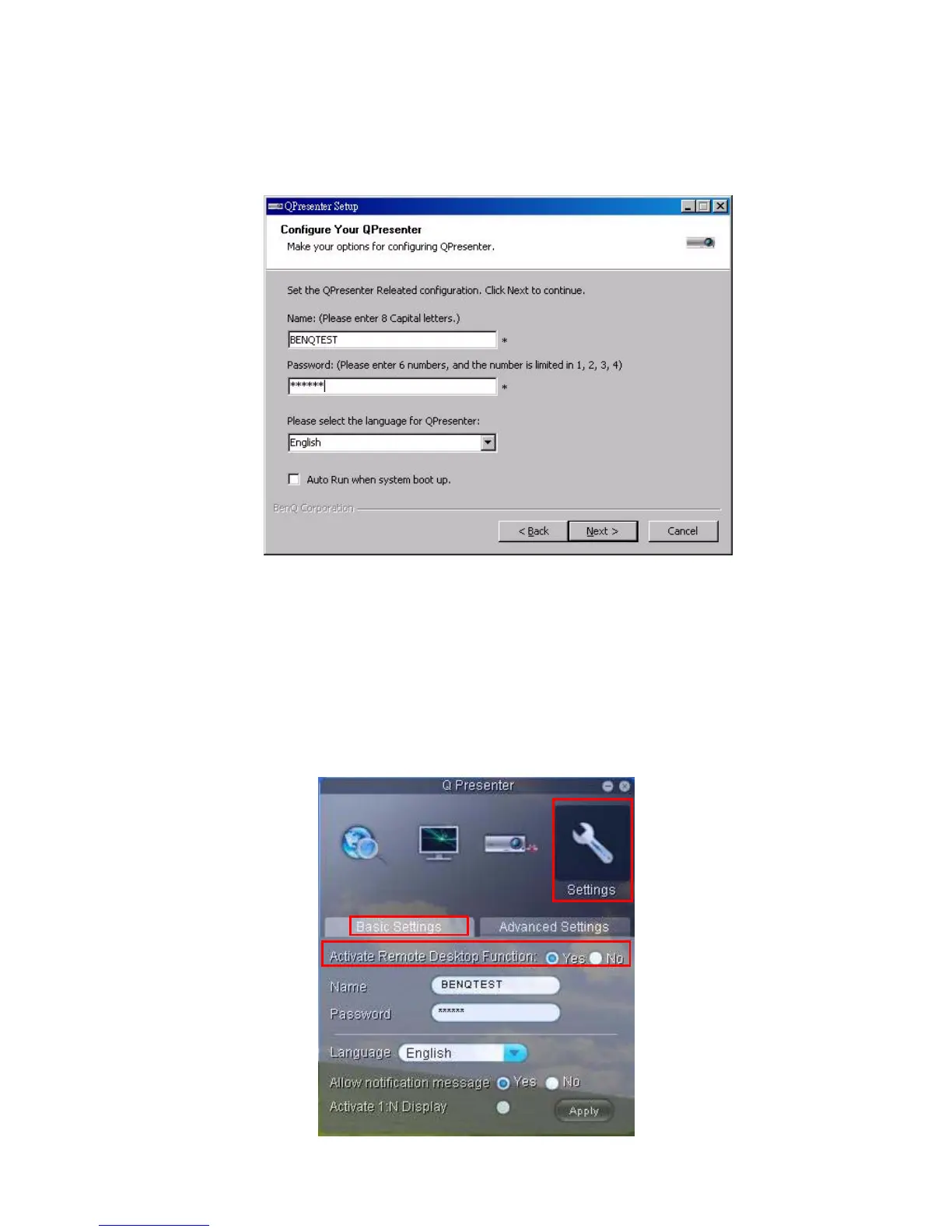
1. Setup the RDC login account (User name and Password ) in Q Presenter.
• Name: must be 8 English capital letters A~Z and number 0 ~9.
• Password: must be 6 digits and limit the range from 1~4.
• If there are lot of audience is watching the display while the user is entering the
password, the number will be transferred to up, left, down, right in order from 1 to
4 of remote control’s or projector’s keypads .
• If multiple same Q Presenter names are found, an error like “duplicate” is
displayed in projector OSD.
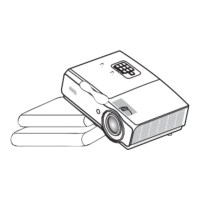
2. Activate Remote Desktop Control Function in Q Presenter > Settings > Basic Settings.



 To Next Page