55
Additional information
English
Resetting the lamp timer
Do not reset the lamp timer if the lamp has not been replaced as this could cause damage.
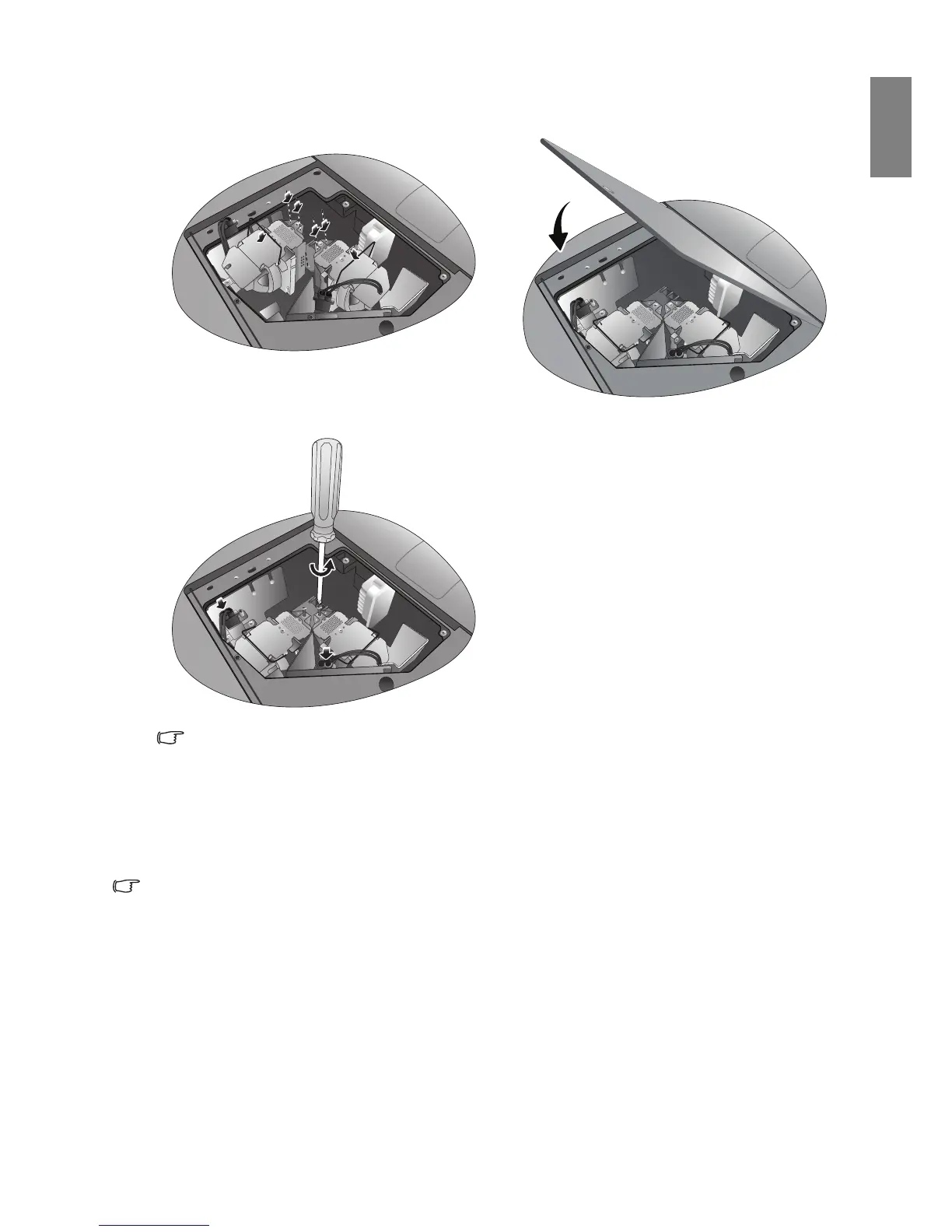
7. Insert the replacement lamp. Make sure it is
pushed fully and firmly in place.
8. Tighten the screw securing the lamp box.
Reconnect the lamp connector.
9. Ensure the handle is fully locked in place.
Notes
• Please be careful to not over-tighten the
screws.
• Loose screws may cause a bad connection,
which could result in malfunction.
10. Replace the lamp cover.
11. Tighten the screws on the lamp cover.
12. Reapply power and turn the projector back on.



 To Next Page