Operation48
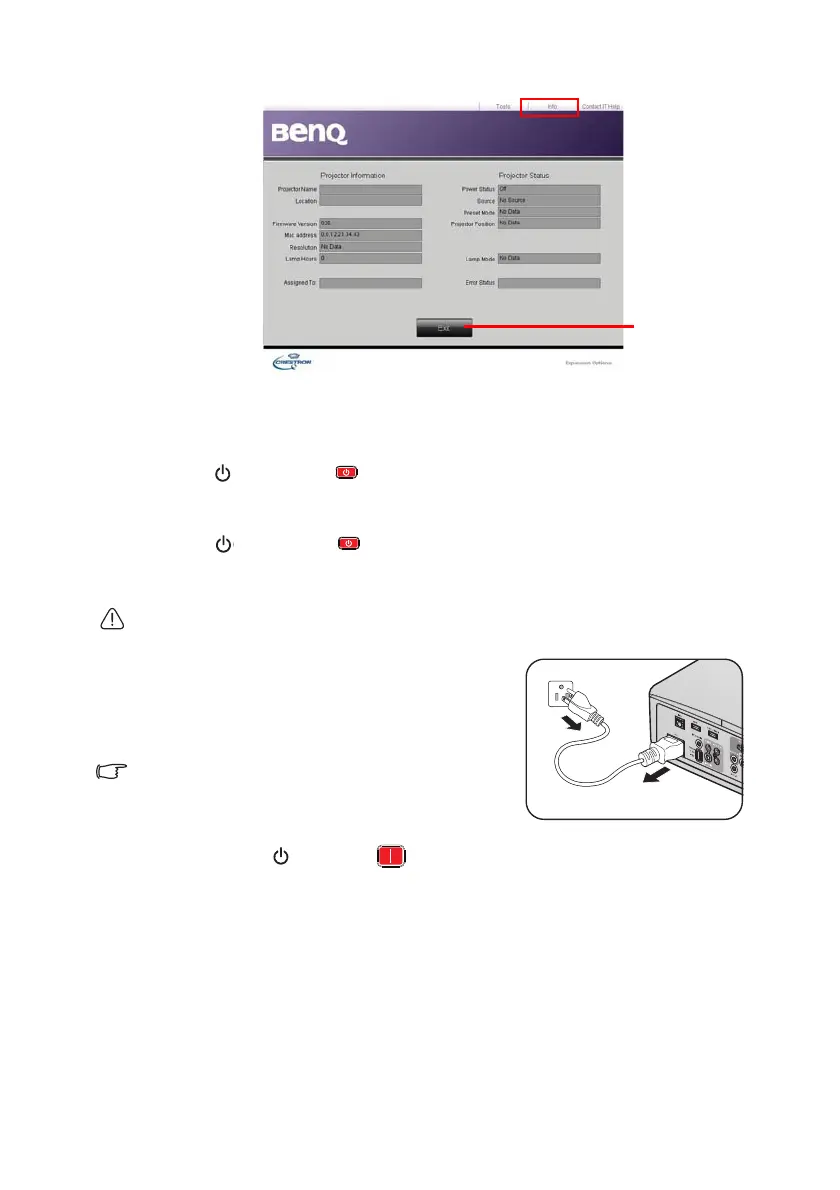
The info page displays the information and status of this projector.
For more information, visit http://www.crestron.com & www.crestron.com/getroomview.
Shutting down the projector
1. Press POWER or OFF and a confirmation message will appear prompting
you.
If you don't respond in a few seconds, the message will disappear.
2. Press POWER or OFF a second time. The POWER indicator light
flashes orange, the projection lamp shuts down, and the fans will continue to run for
approximately 90 seconds to cool down the projector.
To protect the lamp, the projector will not respond to any commands during the cooling
process.
3. Once the cooling process finishes, a "Power Off
Ring Tone" will be heard. The POWER
indicator light is a steady orange and fans stop.
Disconnect the power cord from the power
outlet.
• To turn off the power ring tone, see "Turning off the
Power on/off ring tone" on page 43 for details.
• If the projector is not properly shut down, to protect
the lamp, when you attempt to re-start the projector, the fans will run for a few minutes to
cool down. Press
POWER or ON again to start the projector after the fans stop
and the POWER indicator light turns orange.
• Lamp life results will vary depending on environmental conditions and usage.
Press Exit to go
back to the
remote network
operation page.


 To Next Page