19
Connecting to video equipment
English
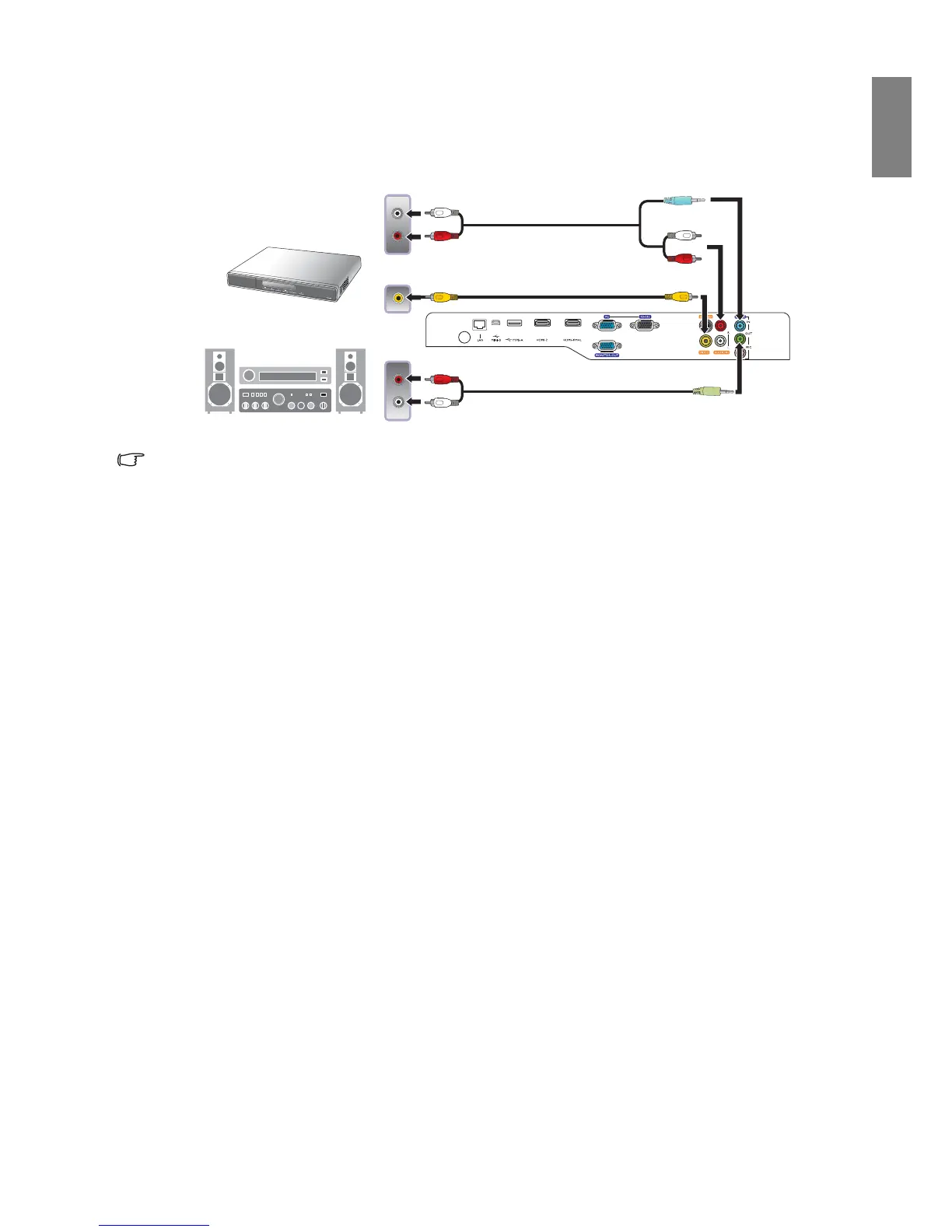
Connecting video devices
The audio connections are provided for informational purposes only. You can also connect the separate
audio cable to a suitable audio amplifier.
• If you have already made a Component Video connection between the projector and the video source
device, you need not connect to this device again using a composite Video connection as this makes an
unnecessary second connection of poorer picture quality.
• If the selected video image is not displayed after the projector is turned on and the correct video source
has been selected, please check that the video source device is turned on and operating correctly. Also
check that the signal cables have been connected correctly.
or



 To Next Page