Appendix 2 29
2. You can use the function bar to operate functions. You can select the function and
press . If you want to close the function bar, press .
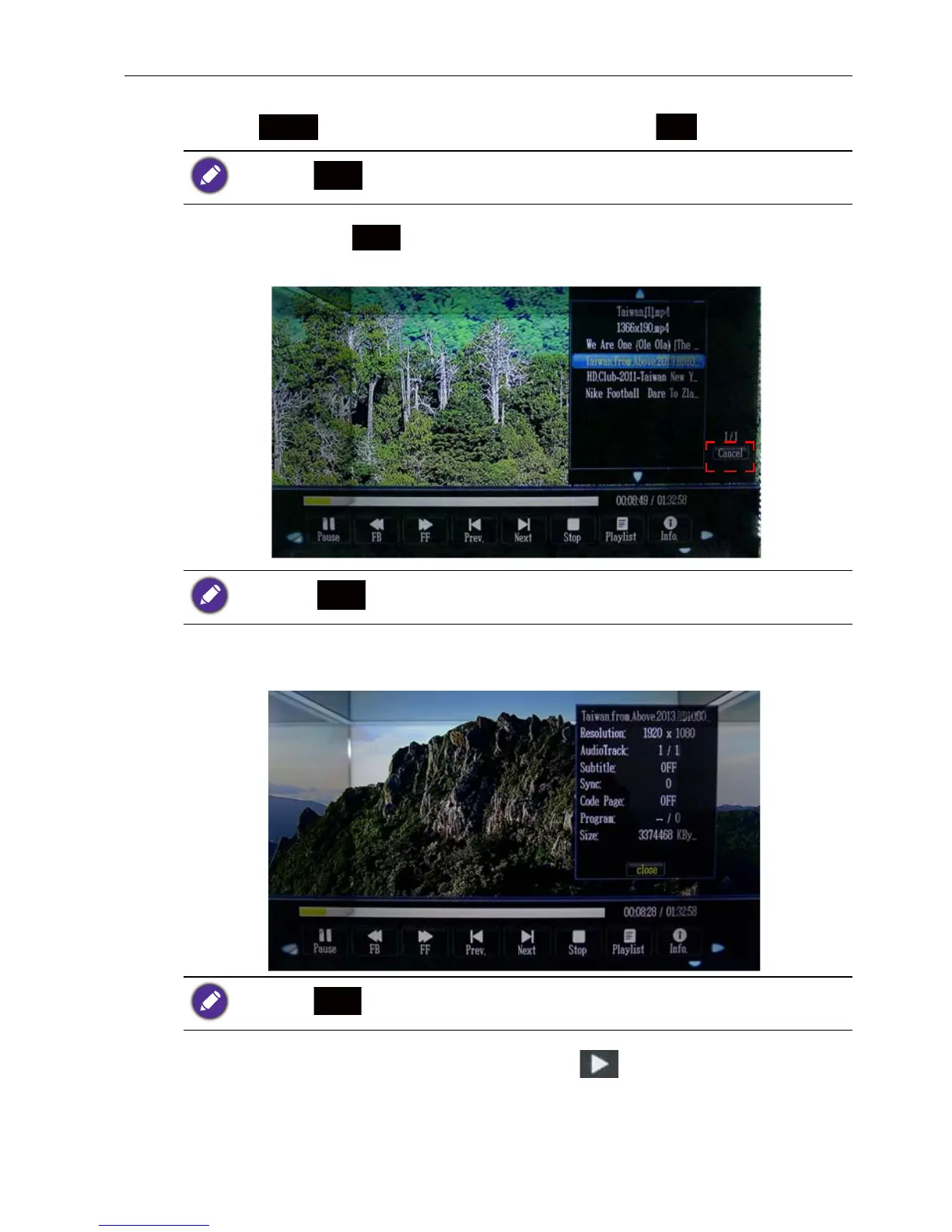
3. Select Playlist or to go to the Playlist page. Select Cancel on the right
bottom to close the playlist page and go to the function bar page.
4. Press Info. to go to file info page. Select Close to close file info page and go back to
the function bar page.
5. R_ALL function (on the next page, please press to the next page) has three
sub-functions to choose from. R ALL, R ONE, R NONE. R ALL is “repeat all”, R
ONE is “repeat one file”, and R NONE is “all file repeat one time”. Press OK to
turn to different functions mentioned above.
If you press , it will exit from playing mode to file select page.
If you press , it will exit from playing mode to file select page.
If you press , it will exit from playing mode to file select page.



 To Previous Page