15 Operation
Operation
Starting up the projector
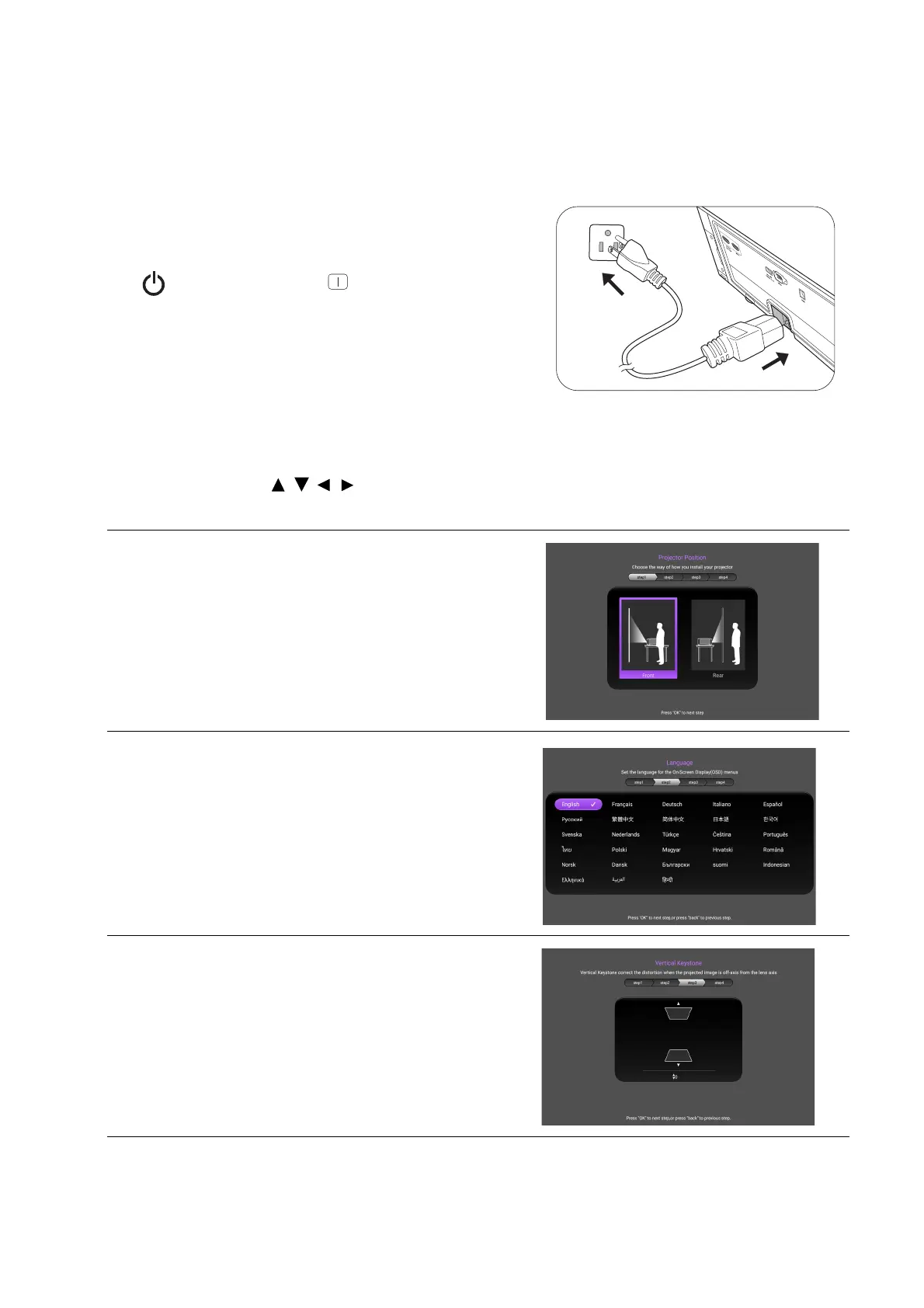
1. Plug the power cord. Turn on the power outlet switch
(where fitted). The power indicator on the projector
lights blue after power has been applied.
2. Press on the projector or on the remote control
to start the projector. The power indicator flashes blue
and stays white when the projector is on.
The start up procedure takes about 30 seconds. In the
later stage of starting up, a start-up logo is projected.
3. If this is the first time you turn on the projector, the
setup wizard appears to guide you through setting up the projector. If you have already done this,
skip this step and move on to the next step.
• Use the arrow keys ( / / / ) on the remote control to move through the menu items.
• Use OK to confirm the selected menu item.
Step 1:
Specify Projector Position.
For more information about projector position, see
Obtaining a preferred projected image size.
Step 2:
Specify OSD Language.
Step 3:
Specify Keystone.
For more information about keystone, see
Correcting keystone.


 To Next Page