EasyManua.ls Logo

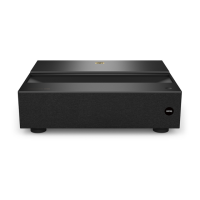
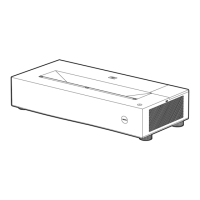
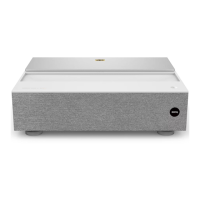
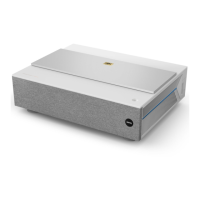
BenQ V6000 - User Manual

BenQ V6000
43 pages
Print Icon
To Next Page IconTo Next Page
Loading...
Digital Projector
User Manual
V6000 / V6050
V 1.00

Questions and Answers

  • N
    Nichole SalazarJul 28, 2025
    How to fix BenQ Projector that does not turn on?
    • C
      cthompsonJul 28, 2025
      If your BenQ Projector does not turn on, ensure the power cord is securely plugged into both the projector's AC power jack and a functioning power outlet, and that the outlet switch is on. Also, if the projector is cooling down, wait until the process is complete before attempting to turn it on again.
  • B
    Brad MurphyAug 5, 2025
    Why isn't my BenQ V6000 Projector remote control working?
    • M
      mary99Aug 5, 2025
      If the remote control for your BenQ Projector isn't working, replace the batteries with new ones. Ensure there are no obstacles between the remote and the projector. Stay within 8 meters (26 feet) of the projector.
  • R
    Ricardo SchwartzAug 12, 2025
    What to do if my BenQ Projector has no picture?
    • K
      Kimberly JonesAug 12, 2025
      If your BenQ Projector displays no picture, first ensure that the video source is powered on and correctly connected. Check the connection between the projector and the input signal device. Use the SOURCE key to select the correct input signal. Also, make sure that the lens cover is open.
  • H
    Hector HollandAug 19, 2025
    How to resolve blurred image on BenQ Projector?
    • M
      Mr. Luis BirdAug 20, 2025
      If the image on your BenQ Projector is blurred, adjust the focus of the lens using the focus ring. Adjust the projection angle, direction, and height of the projector to properly align it with the screen. Ensure that the lens cover is open.

Summary

Important Safety Instructions

User Safety Warnings

Advises against direct eye exposure, seeking qualified service, and notes hot light source.

Placement and Handling Precautions

Warns against unstable surfaces, disassembly, blocking vents, and vertical placement.

Physical Handling and Environment Safety

Prohibits stepping on projector, placing objects, liquids, and lists unsuitable environments.

Laser Safety Classification

Classifies the product as Risk Group 2 and provides laser caution information.

Surface and Placement Safety

Emphasizes using a level surface and avoiding disassembly due to high voltages.

Electrical Safety and Environment

Mandates earthing and warns against placing projector in environments with poor ventilation or dust.

Controls and Functions

Remote Control Button Functions

Details the functions of each button on the remote control.

Positioning Your Projector

Image Clarity and Keystone Correction

Guides on adjusting focus and correcting trapezoidal images.

Operation

Starting Up the Projector and Initial Setup

Step-by-step guide to power on the projector and initial setup wizard.

Using the Menus

Setting and Managing Passwords

Guides on setting, recalling, and changing projector passwords.

Disabling Password Protection

Provides steps to disable password protection on the projector.

Projector Security Features

Details how to use a security cable lock and password function.

Switching Input Signal Sources

Details how to select different input sources for display.

Shutting Down the Projector

Projector Power-Off Procedure

Details the procedure for powering off the projector safely.

Menu Operation

SYSTEM SETUP: ADVANCED Menu

Details options within the SYSTEM SETUP: ADVANCED menu.

PICTURE Menu

Advanced Picture Settings

Details advanced picture settings like Gamma Selection, HDR Brightness, and Color Temperature.

Advanced Picture Settings (Continued)

Details Brilliant Color, Wide Color Gamut, LumiExpert, and Light Mode.

INSTALLATION Menu

Troubleshooting Common Issues

Problem Diagnosis and Solutions

Covers projector power, picture, blurriness, and remote control issues.

BenQ V6000 Specifications

General IconGeneral
Matrix size0.47 \
Matrix typeDMD
Number of colors1.073 billion colors
Native aspect ratio16:9
Projection distance- m
Vertical scan range23 - 120 Hz
Horizontal scan range15 - 135 kHz
Projection technologyDLP
Supported aspect ratios4:3, 16:9
Contrast ratio (typical)3000000:1
Screen size compatibility70 - 120 \
Projector native resolution2160p (3840x2160)
Light source typeLaser
Service life of light source20000 h
Focus-
Throw ratio0.252
Focal length range- mm
Full HDYes
Supported video modes480i, 480p, 576i, 576p, 720p, 1080i, 1080p
Supported graphics resolutions640 x 480 (VGA), 3840 x 2160
DVI portNo
HDMI connector typeFull-size
Serial interface typeRS-232
USB 2.0 ports quantityUSB 2.0 ports have a data transmission speed of 480 Mbps, and are backwards compatible with USB 1.1 ports. You can connect all kinds of peripheral devices to them.
VGA (D-Sub) ports quantity0
USB 3.2 Gen 1 (3.1 Gen 1) Type-A ports quantity1
Noise level34 dB
Number of OSD languages28
Noise level (economic mode)29 dB
On Screen Display (OSD) languagesARA, BUL, CHI (SIMPL), CHI (TR), CRO, CZE, DAN, DEU, DUT, ENG, ESP, FIN, FRE, GRE, HIN, HUN, IND, ITA, JPN, KOR, NOR, POL, POR, RUM, RUS, SWE, THA, TUR
High Dynamic Range (HDR) technologyHigh Dynamic Range 10 (HDR10), Hybrid Log-Gamma (HLG)
RMS rated power10 W
PlacementDesktop
Product typeUltra short throw projector
Product colorGrey, White
Market positioningUltra short throw
Power sourceAC
AC input voltage100 - 240 V
Power consumption (max)500 W
Power consumption (standby)0.5 W
Power consumption (typical)375 W
Power consumption (economy mode)220 W
Operating temperature (T-T)0 - 40 °C
Remote control typeIR
Quantity per pack1 pc(s)
Harmonized System (HS) code85286200
Weight and Dimensions IconWeight and Dimensions
Depth157 mm
Width500 mm
Height388 mm
Weight10000 g

Related product manuals