18 How to assemble your monitor hardware
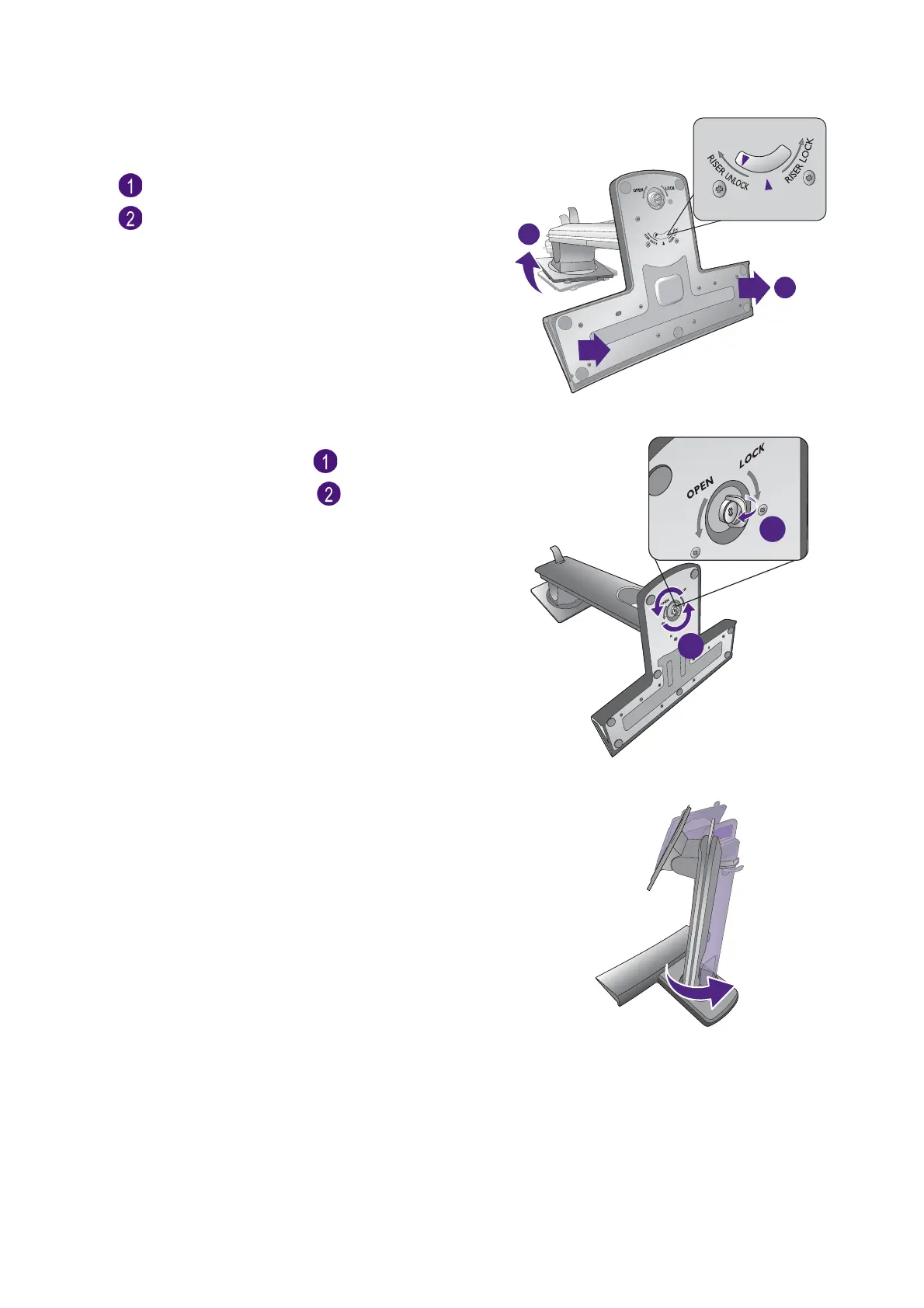
(For XL2420T / XL2420TX)
Turn the stand clockwise so that the arrow on the
bottom of the stand points to RISER UNLOCK
( ). And then detach the base from the stand
().
XL2420T / XL2420TX
(For XL2720T)
Raise the thumbscrew lid ( ) and release the
thumbscrew as illustrated ( ).
XL2720T
Turn the stand counterclockwise until you cannot
go further.
XL2720T


 To Next Page
 Loading...