NOTICE: The installation wire should be 1.5-2.5mm2.
Wifi Series Touch Screen Thermostat
XII. ATT:
Thank you for buying this product!
Please read this manual for complete instructions on installing and
operating your thermostat. If you require further assistance, please
feel free to contact us.
In the box you will find:
Thermostat
External sensor
User Manual
Screws
Our Service:
We offer the warranty of 24 months from the sales day.
During the warranty, if it is belong to the quality issue, we will fix or
replace them for you by free after test them.
If it is not quality problem or beyond the warranty time, we will
charge for the after-sales service.
XXX-EP XXX-WP
√
√
√
√
√
√
√
Model
XXX-WPB
√
√
√
XI. Installation Instruction
This product is suitable for standard 80*80mm wall box and 60 mm
european round box.
1
2
3
4
a
b
a
b
b
a
b
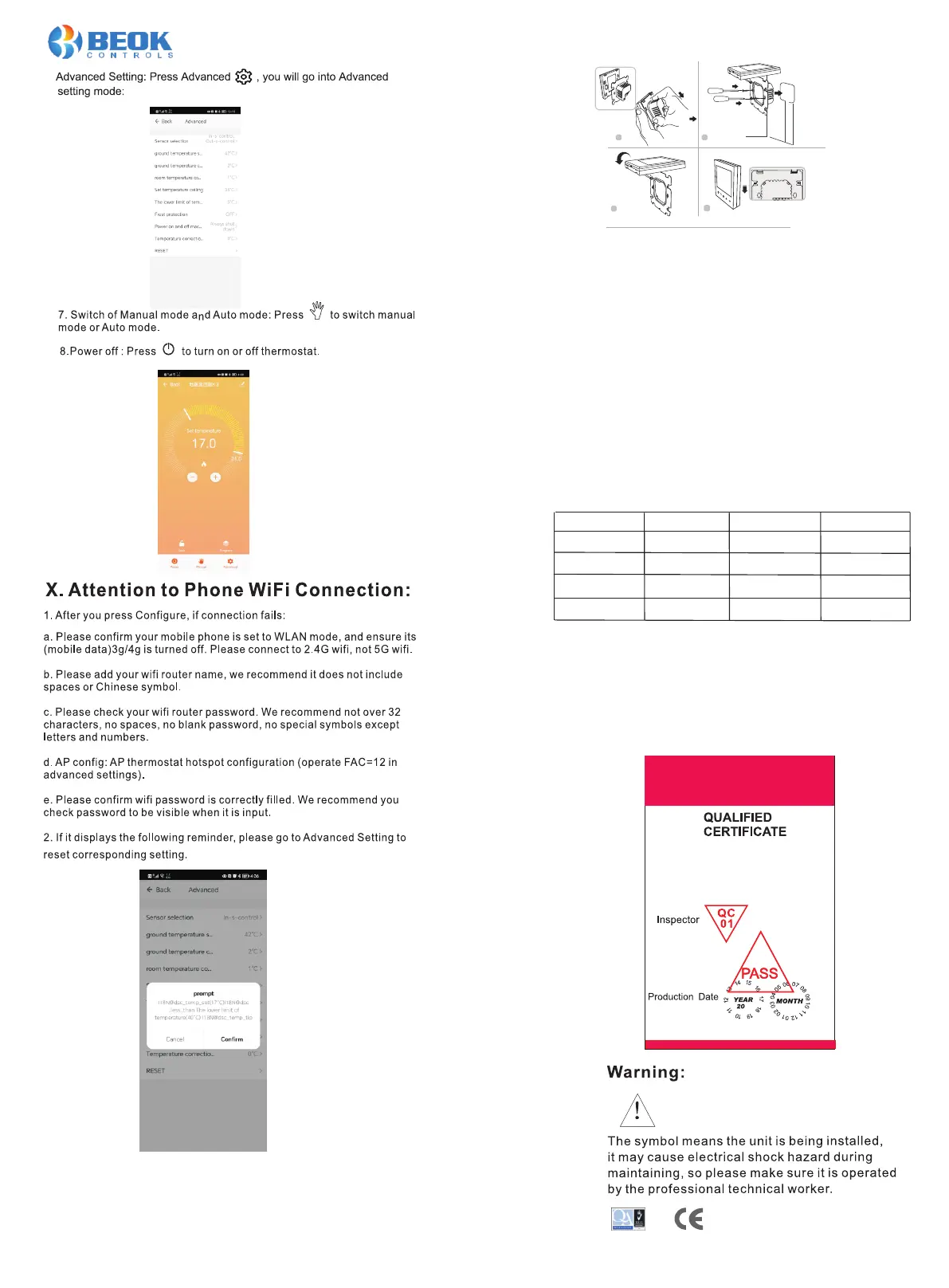
1. Open the main control board as shown in the figure, press the power
part of the thermostat, gently lift it up, and separate it from the mounting
board hook.
2. Connect the wires correctly according to the wiring diagram and
secure the rear cover to the mounting plate with M4 screws
3. Connect the lower cover cable to the upper cover.
4. Insert the back into the four hooks of the mounting plate. Gently press
down on the thermostat to lock the front housing and complete installation
Manual
Power
Or restore factory "RESET”





 To Previous Page