TGR-86 WIFI THERMOSTAT USER GUIDE
Advanced options
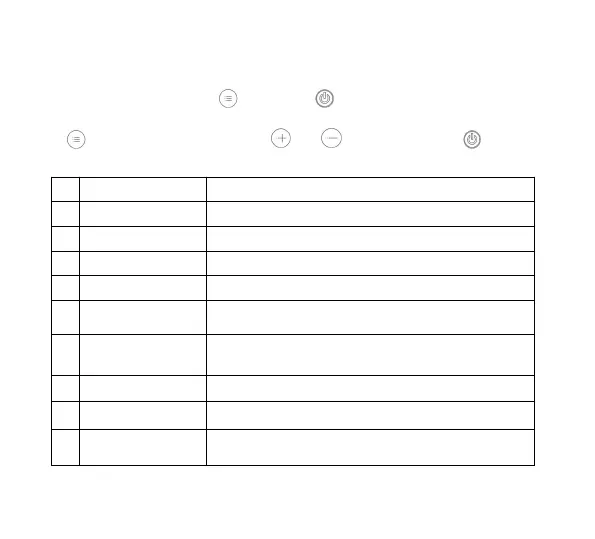
When POWER OFF, press the key and the key for 5 seconds to enter the
advanced option setting.
Press to enter the next option, press and to adjust, and press to exit the
height Level option.
The default value of the calibration room temperature is -2 ℃. Press the up and down keys
to adjust. The adjustable range is 9.9 °C to -9.9 ℃.
The temperature sensor is selected as IN by default. Press the up and down keys to adjust as
IN respectively, indicating that the internal.
Modify the temperature limit
The default temperature limit value is 35 ℃. Press the up and down keys to adjust the range
from 5 ℃ to 60 ℃.
Temperature difference start
The default temperature difference is set to 1 ℃. Press the up and down keys to adjust the
range to 1-10 degrees.
Set the default anti-freeze function to OFF, display OFF, press the up key to tum on
anti-freeze and display ON
Holiday option and turn off weekly
programming
Set tfie default rest day as double OFF. Press the up and down keys to adjust It to double
OFF (1-5), single OFF (1-6), no OFF (1 -7) and tum off week programming (OFF).
Primary and secondary reverse
selection
Set the default main and auxiliary reversal to 0. Press the up and down keys to adjust 0 to
tum off the main and auxiliary reversal. 01 means auxiliary reverse, 02 means auxiliary
reverse, 03 means main and auxiliary reverse, shutdown and antifreeze is not on, stop
output
Passive linkage output delay time
Set the default passive linkage delay time to 0. Press the up and down keys to adjust the
range of 0-5 minutes.
Set upper temperature limit
The default value of the set temperature upper limit i$ 60 'C, and the adjustment range Is
35-95 ℃ by pressing the up and down keys.
Set to restore the factory default setting to display “-”, Press the up button to adjust tfie
display "---”, press the enter button to restore the factory settings





 To Next Page