for the vacuum time. Keep in mind that increasing gas time decrease sealing
pressure. Some vacuum must be kept inside
to
assure proper functioning.
3.3.3.6 Gas flush level setting: (sensor enabled)
For a selected program set the gas flush level following the same procedure as
for the vacuum level; the maximum gas flush level setting is 10% below the
vacuum setting.
3.3.3. 7 Sealing time setting:
For
a selected program set the sealing, starting with the seconds; tl;le
de
_cimal point is
automatically inserted following the first digit entry and the validation'ii
"j,
~µ,tomatically
performed following the third digit entry (the new sealing time is blinking)."
The
sealing
time is truncated to the nearest half hundredth. In a
mid<;UE{
of
an.acquisition, use key
"ENTER" to validate the sealing time and key "ESC" to come backward and start over
with a new acquisition (the old sealing time is blinking).
Examples: 4.50s
-+
keys 4, 5, 0 or 4,
5,
ENTER
or
keys 4,
5,
1 or 4,
5,
2 or 4,
5,
3 or 4, 5, 4
2.
35s-+
keys 2,
3,
5 or
keys
2,
3, 6 or 2,
3,
7 or 2,
3,
8
or
2, 3, 9
0.00s
-+
keys
0,
0, 0 or
0,
ENTER
3.3.4 Vacuum cycle execution:
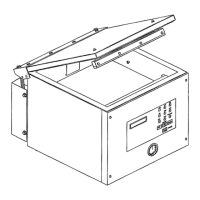
For the manual units and the automatic units set
on
manual, close the cover to initiate
a vacuum cycle. For the automatic units set on semi-automatic
or
on .~~tomatic, use
push button "STOP / START" to initiate
or
interrupt a
vacuum.,
cycle.
'f
A selected
program can be initiated only in the programs menu, wheri
no
modifications are in
progress, and the access to the other programs and functions is denied. During cycle
execution the operation status is sequentially displayed on LCD screen, except for the
parameters established to zero,· which are not displayed: ·' •
- Vacuum time
or
vacuum % status during vacuum sequence,
- Gas time
or
gas % status during gas flush sequence,
- Sealing time status during sealing sequence,
-ATM
message during atmosphere sequence.
During cycle execution, use key "1" to abort the vacuum sequence and execute the
following sequence, which is gas flush or sealing, and key "ENTER" to accede and
modify the program; the parameters become valid only
for
the
following vacuum
cycles.
3.3.5 System monitor:
To accede the diagnostics menu, power up
the
vacuum packaging machine while
keeping pushed in the "ESC" key. Use key "SELECT" to select the system monitor
12


 To Next Page