Special Functions
74
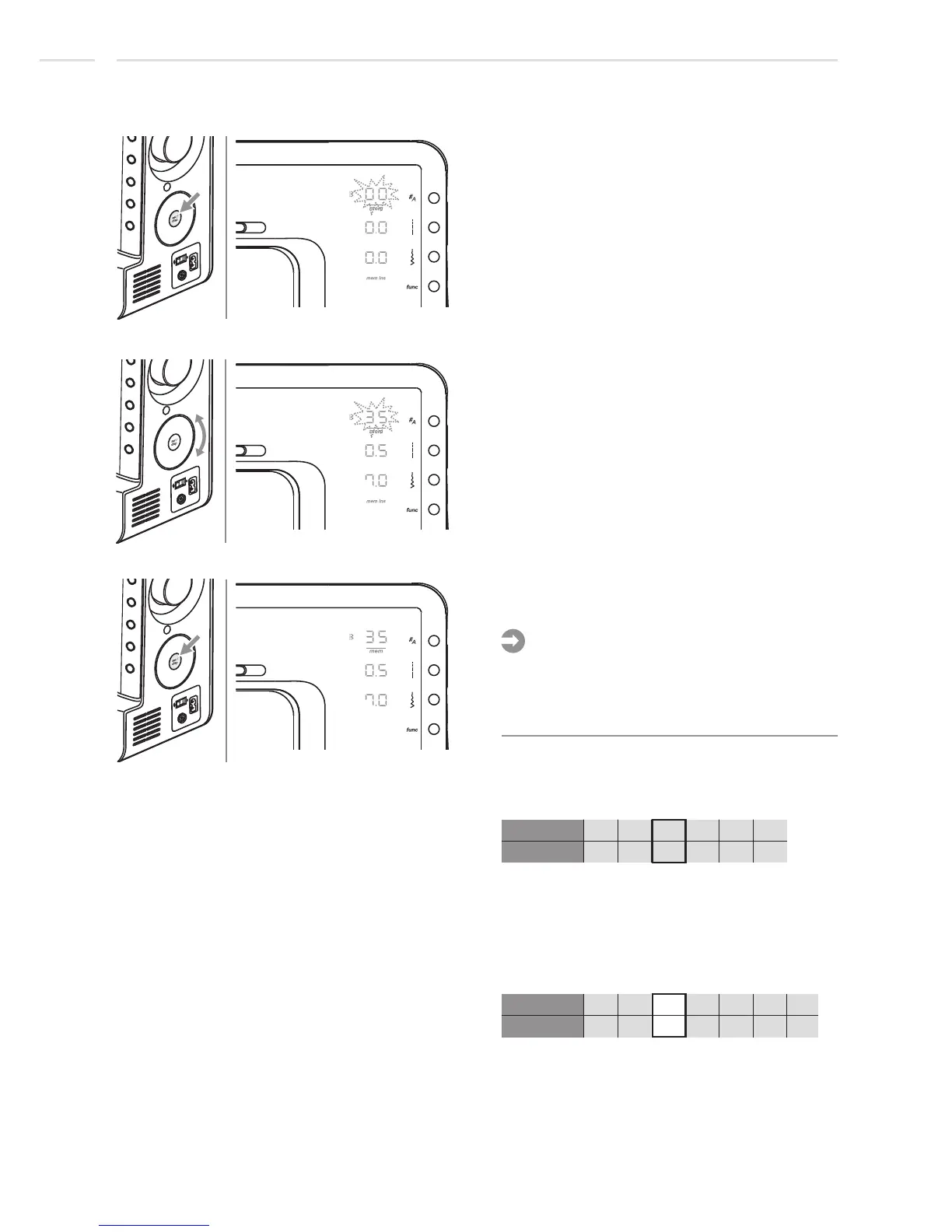
Press set/disp button to insert an empty
memory position.
Use selector wheel to select the desired
stitch. (E.g. stitch 35)
3rd memory position
3rd memory position
3rd memory position
Press set/disp button to store and return to
Memory Review/Edit Mode.
The parameters of the selected stitch, such
as stitch length and stitch width, mirroring
and twin needle, may be adjusted by
pressing the corresponding button.
Please note:
Example:
Stitches in Memory before inserting another
one:
25 26 27 01 30 48
01 02 03 04 05 06
Chose stitch no. 27 which is on 3rd memory
position.
Stitches in Memory after inserting another
one:
25 26 27 01 30 48
01 02 04 05 06 07
New stitch no. 35 is now on 3rd and stitch
no. 27 is now on 4th memory position.
35
03
Stitch no.
mem pos.
stitch no.
mem pos.











 To Next Page