Special Functions
75
Memory Editing functions -
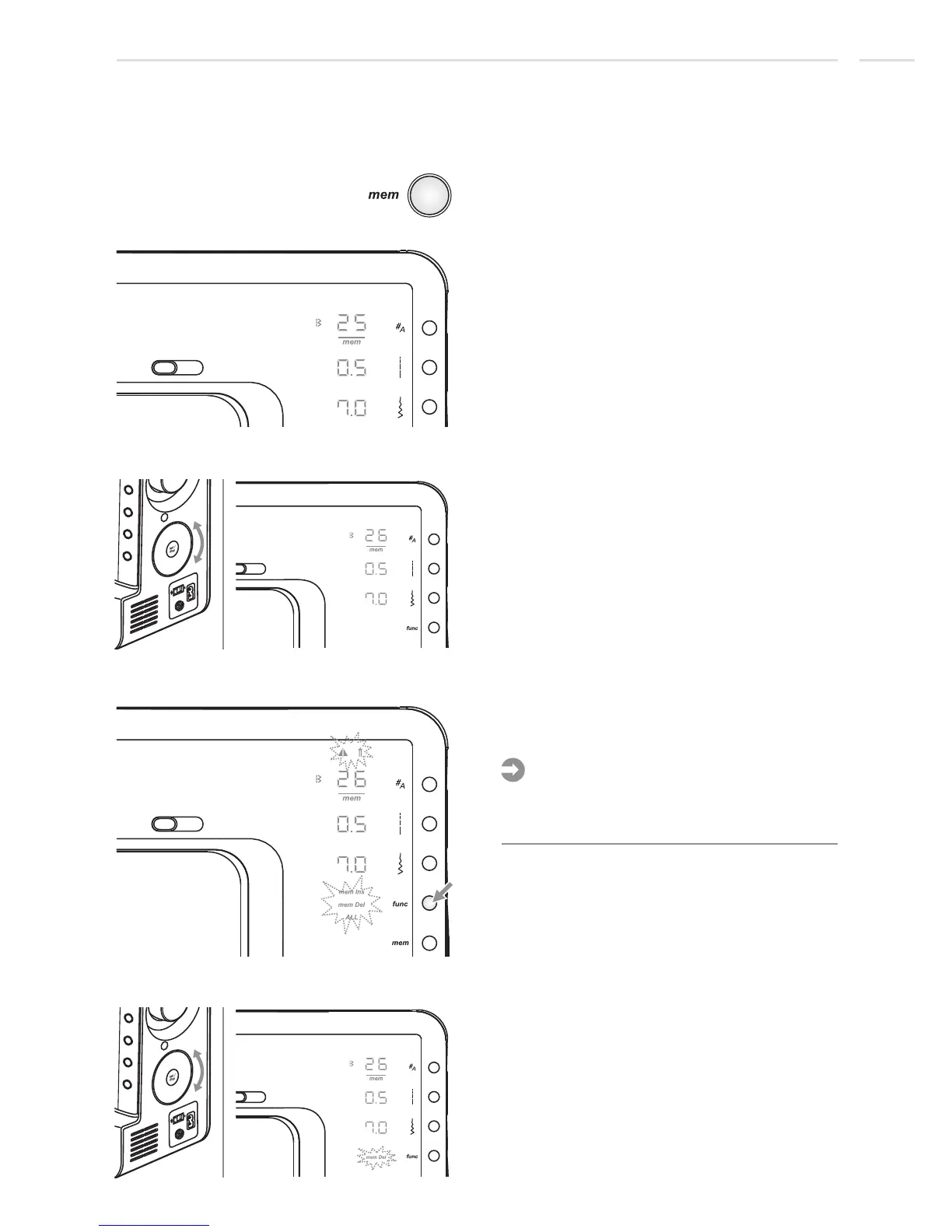
Delete a stored stitch
Press the memory button to enter the
Memory Review/Edit Mode, the screen
shows the stitch of the 1st memory position.
1st memory position
2nd memory position
2nd memory position
2nd memory position
Use selector wheel to select the stitch that
you want to delete.
Press the function button to open the
function program.
Initially all the function symbols are flashing
at the same speed. When starting to scroll
only the selected function is flashing.
Please Note:
Use selector wheel to scroll to the mem
delete function.











 To Next Page