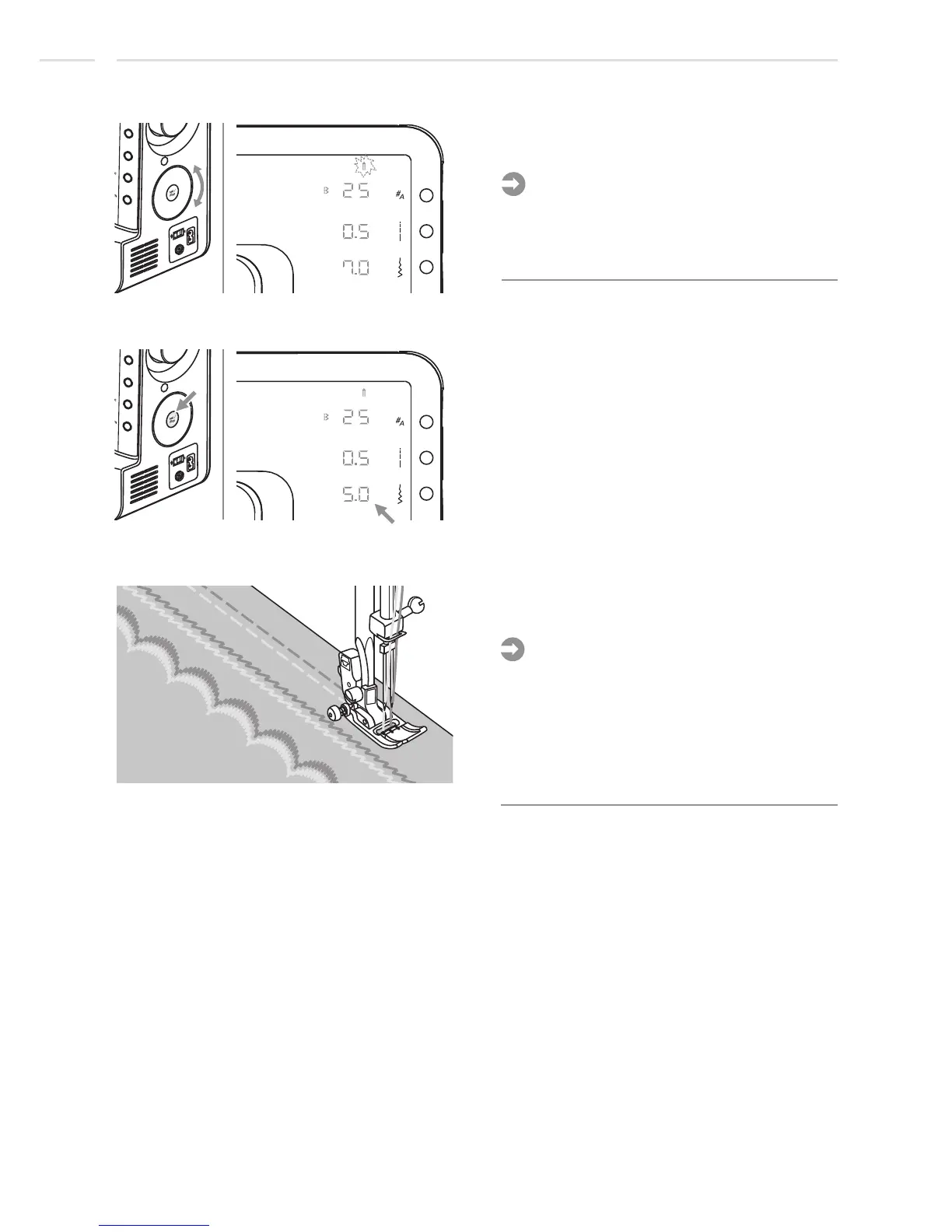
Use selector wheel to scroll to the twin
needle function.
Press Set/disp tobutton toggle twin needle
function and memorize it.
Please Note:
Initially both mirror and twin needle symbol
are flashing at the same speed. When
starting to scroll only the selected function
will flash.
The machine automatically reduces the
maximum width for twin needle sewing.
Start to sew and two lines of stitching are
sewn parallel to each other.
Please Note:
- When sewing with twin needle, always
proceed slowly, and make sure to maintain
a low speed to insure quality stitching.
-W
hen twin needle is selected it will remain
on, even if the stitch is changed. To reset
twin needle select by selection function
twin needle once again.
Special Functions
64












 To Next Page