Key Operations
30
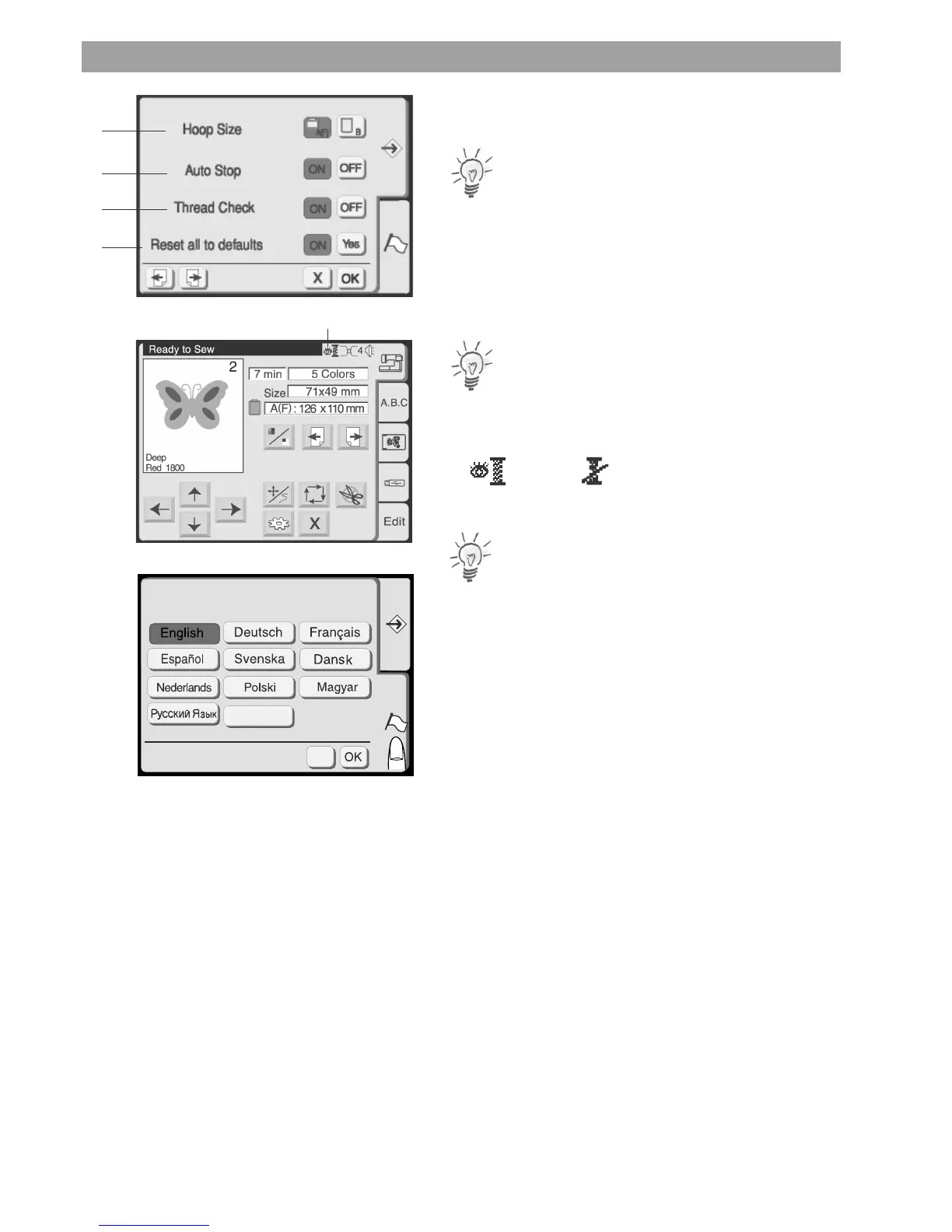
1 Hoop Size Selection
Choose the default hoop size by pressing the corresponding key.
Note:
This selection will only be assigned for monogramming.
2 Auto Stop
Activate to have the embroidery computer automatically stop after 5
stitches in order to allow trimming the thread tail.
3 Thread Check
Choose OFF to disable the lower thread and upper thread sensor.
Note:
There is an icon (5) shown in the embroidery screen indicating the
status of the Thread Check.
ON
OFF
4 Setting all to default
Press the Yes key to return all settings to factory default.
Note:
The language setting remains unchanged.
Press the language tab to get to the
Language Selection
You can select one of the following 10 languages by pressing the
corresponding key:
• English
• German
• French
• Spanish
• Swedish
• Danish
• Dutch
• Polish
• Hungarian
• Russian
• Portuguese
5
X
1
2
3
4
Português










 To Next Page