Key Operations
34
Deleting Designs from Memory
You may delete design files from your Personal Designs, ATA card or
USB Stick provided, that these memory media are not write
protected.
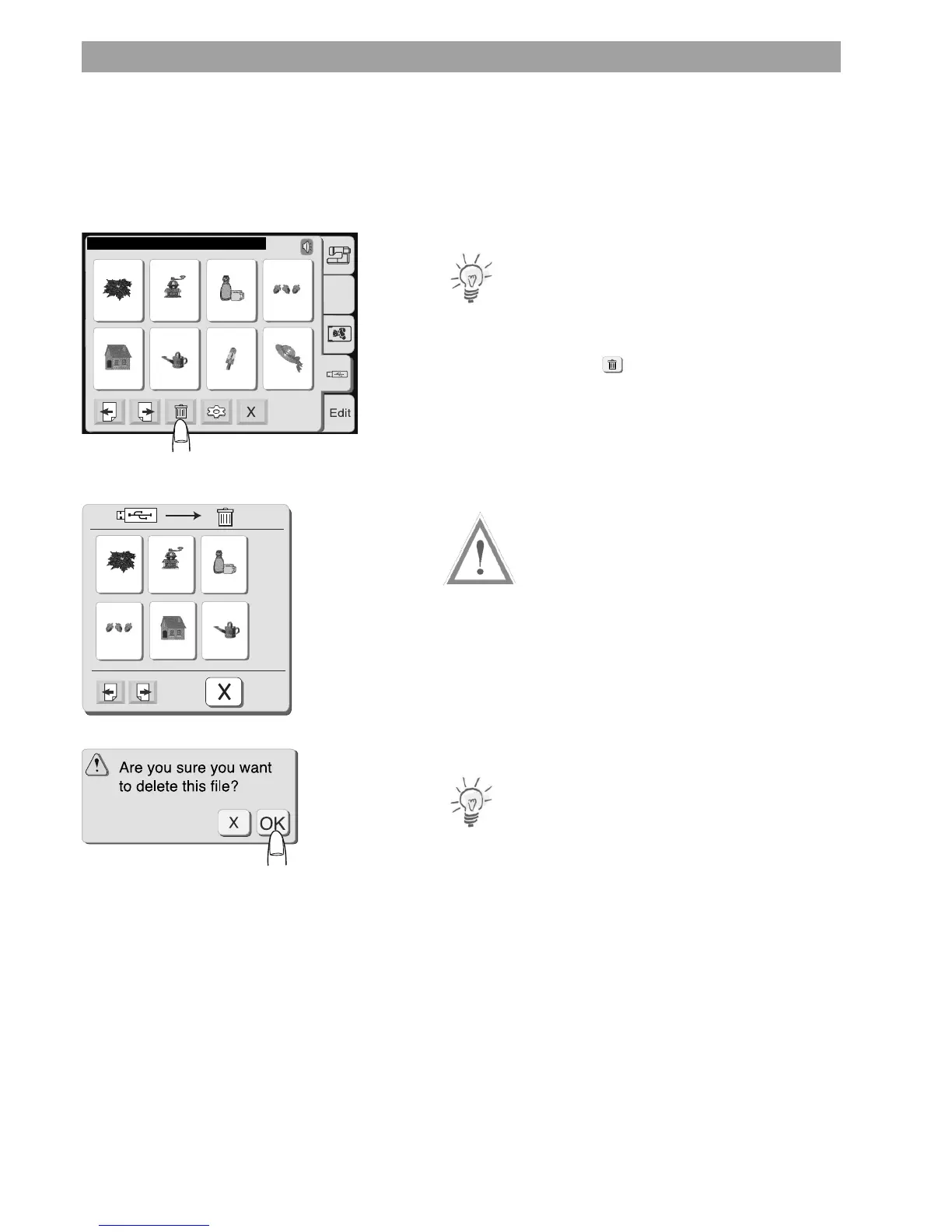
1. In the Pattern Selection Window select the location from which
you want to delete a file by pressing the corresponding tab.
Note:
To delete a design in a folder of a USB Stick you must first select the
correct folder.
2. Press the delete key and a dialog box with all designs in this
location will open.
3. Scroll through the pages to find the design you want to delete
Caution:
On USB Sticks with folders, these will be displayed on the first scroll
pages. To delete single files do not select the folder - If you proceed
the folder with all designs contained will be deleted.
4. Press the key with the design you want to delete.
5. A confirmation dialog will open.
Press OK to delete the selected design file.
Note
To cancel your selection without deleting the file press the close key.
USB










 To Next Page