Editing and Combining Designs
47
Selecting a Design to Edit
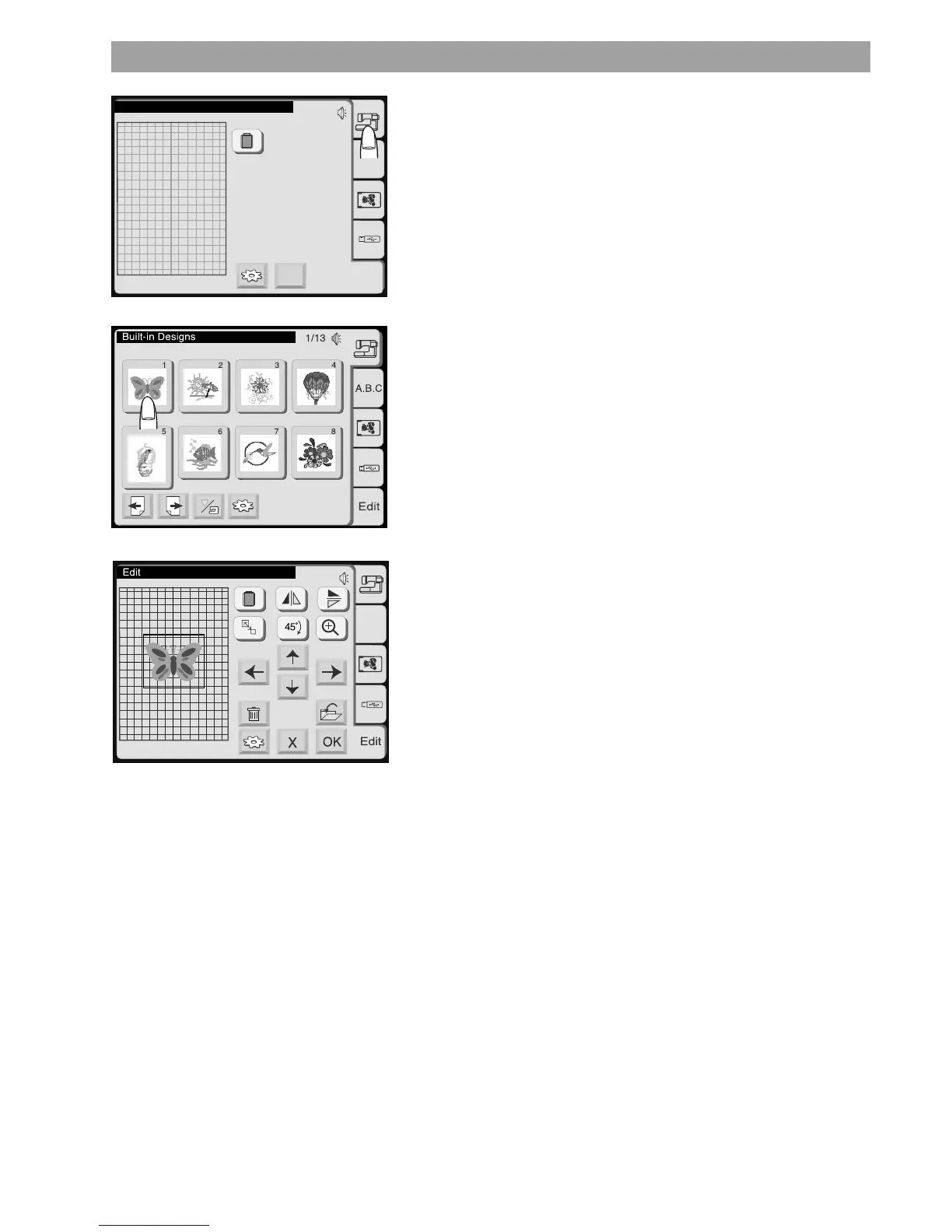
To select a design, press the tab for the location of the desired
design
The Pattern Selection Window will open.
Select the desired pattern.
The selected pattern will be shown in the Editing Window.
A frame around the pattern indicates it is selected.
Alternate Edit Entry Procedure
Starting from the Embroidery Window (with a design already
selected) you may press the Edit tab to open the current design for
modification. Even if you enter the Editing Mode like this, you may
add further design elements and save the new combination as one
design.
B: 140x200mm
Edit
X
A.B.C
Edit
B: 140x200mm
A.B.C










 To Next Page