BT-1 user manual
Page 32 of 70
GS * x y d1...d(x × y × 8)
29 42 x y d1 … d(x×y×8)
1D 2A x y d1 … d(x×y×8)
Hexadecimal:
1≤x≤255
1≤y≤48 (where x×y≤1536)
0≤d≤255
Defines a downloaded bit image using the number of dots specified by x
and y.
λ
λ
x specifies the number of dots in the horizontal direction.
y specifies the number of dots in the vertical direction.
The number of dots in the horizontal direction is x×8; in the vertical
direction it is y×8.
λ
If x×y is out of the specified range, this command is disabled.
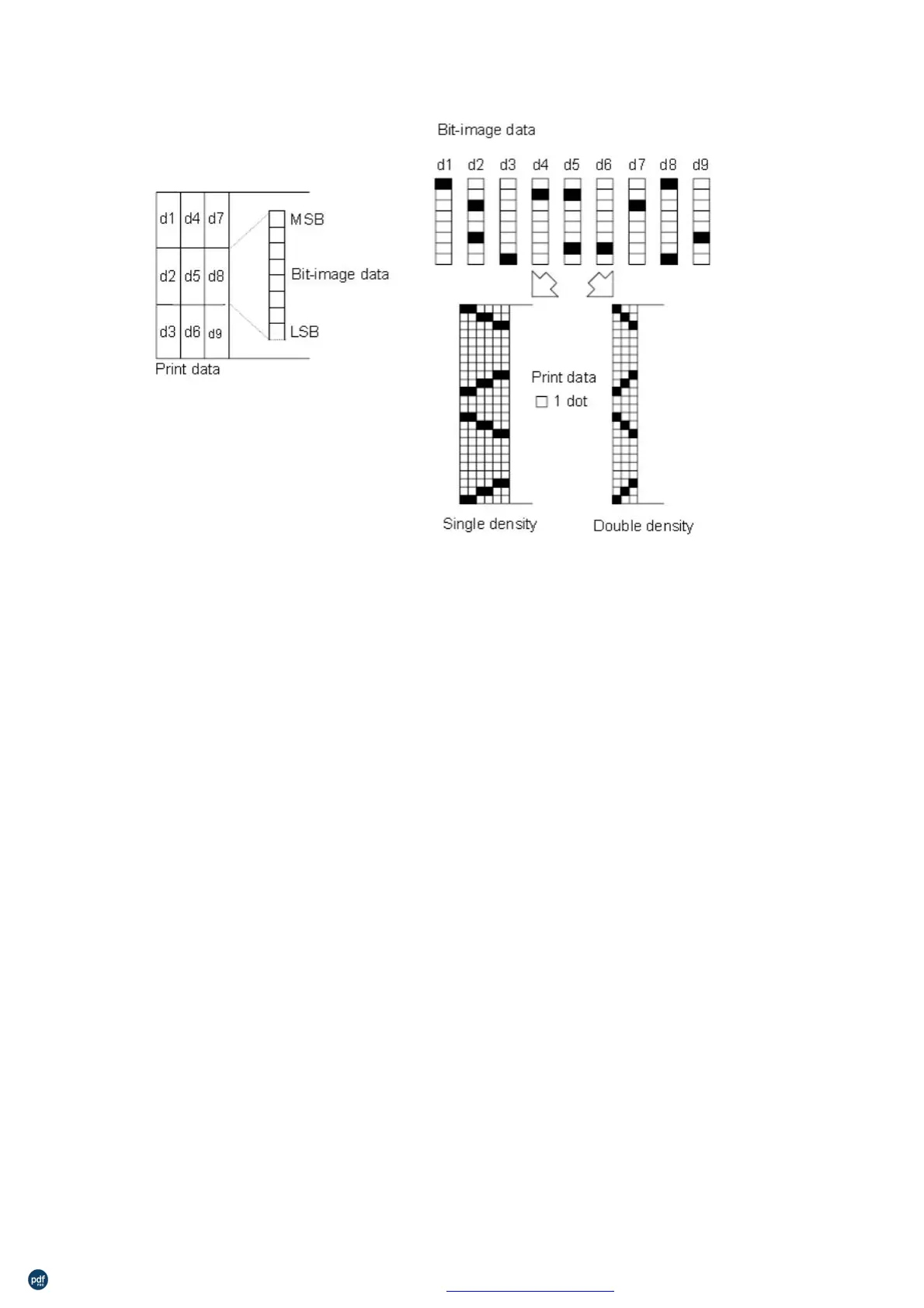
The d indicates bit-image data. Data (d) specifies a bit printed as 1
and not printed as 0.
The downloaded bit image definition is cleared when:
rinter is reset or the power is turned off.
The following figure shows the relationship between the downloaded
利用 pdfFactory Pro 测试版本创建的PDF文档 www.pdffactory.com



 To Next Page