26
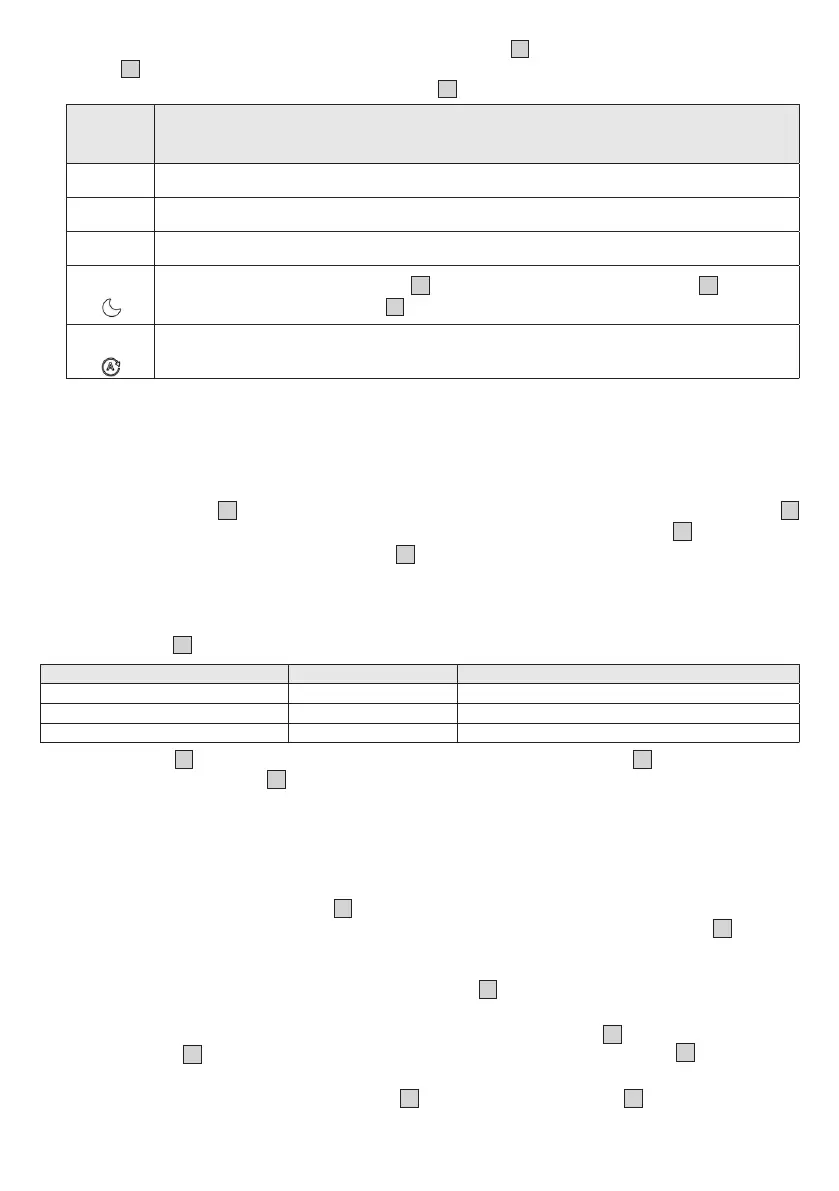
• With the air humidifier turned on, use the fan speed button
16
to select a fan speed or mode. The
display
12
shows the currently set fan speed or current mode. After a few seconds, the current relative
humidity of the room is shown again on the display
12
.
Illumi-
nates in
display
Description
I
Low fan speed
2
Medium fan speed
3
High fan speed
SL
In NIGHT mode, the LED light ring
2
and all displays on the control panel
1
go out,
except for the NIGHT indicator
17
. In NIGHT mode, the low fan speed is always active.
A
In AUTO mode, the fan speed is automatically adjusted depending on how close the
current humidity is to the desired target humidity.
7.4 Timer function
The air humidifier features a timer function that you can use to determine the number of hours the air
humidifier should run for before it automatically switches itself o. You can set a timer for between 1 and
9 hours.
1. Use the timer button
15
to select your desired timer. The currently set timer lights up on the display
12
(e. g. 5 h). After a few seconds, the current air humidity is shown again on the display
12
.
2. To switch o the timer, press the timer button
15
repeatedly until 0h is shown in the display. The timer
is now switched o.
7.5 LED light ring
The LED light ring
2
shows you the current humidity of the room using colours.
LED light ring colour Air humidity Evaluation
white ≤ 39% Current humidity is too low
blue 40-70% Current humidity is OK
switched o >70% Current humidity is too high
The LED light ring
2
can also be switched o or on. To switch the LED light ring
2
o or on, press and
hold the target humidity button
14
for 5 seconds.
8. CLEANING AND MAINTENANCE
8.1 Filter drying function
Mould and bacteria can form in the filter
5
when the air humidifier is not in use. Therefore, always empty
the residual water from the tank and dry all parts when the device is not in use. Allow the filter
5
to air dry
or use the filter drying function for faster drying:
1.
Before activating the filter drying function, ensure that the residual water has been emptied from the
tank (residual moisture may collect under the filter holder
8
, which must be dried manually). The filter
drying function can only be started once the residual water has been emptied.
2. To activate the filter drying function, press and hold the fan speed button
16
for 5 seconds. The filter
drying indicator
19
will start to light up. The filter drying function now dries the filter
5
at the highest
setting for the next 3 hours. To switch o the filter drying function prematurely, press any other button.
3. After the time has elapsed, check that the filter
5
is completely dry. If the filter
5
is not completely dry,
activate the filter drying function again.


 To Next Page
 Loading...