english
33
1.5 Setting up
• Switch on the receiver . The red LED will illuminate.
• As soon as you switch on the transmitter, the RF indicator will illuminate. When you
speak into the microphone, the AF indicator will illuminate according to the strength
of the sound level. If the LED does not illuminate or there is no sound, the system should
be rechecked.
• The microphone output level has to be adjusted at the amplifier or mixer.
1.6 How to adjust the Squelch
• Due to the Pilotone and NoiseLock features static noise should not occur.
• If the RF indicator illuminates before the transmitter is switched on, noise will occur.
The more LEDs illuminated, the stronger the interference.
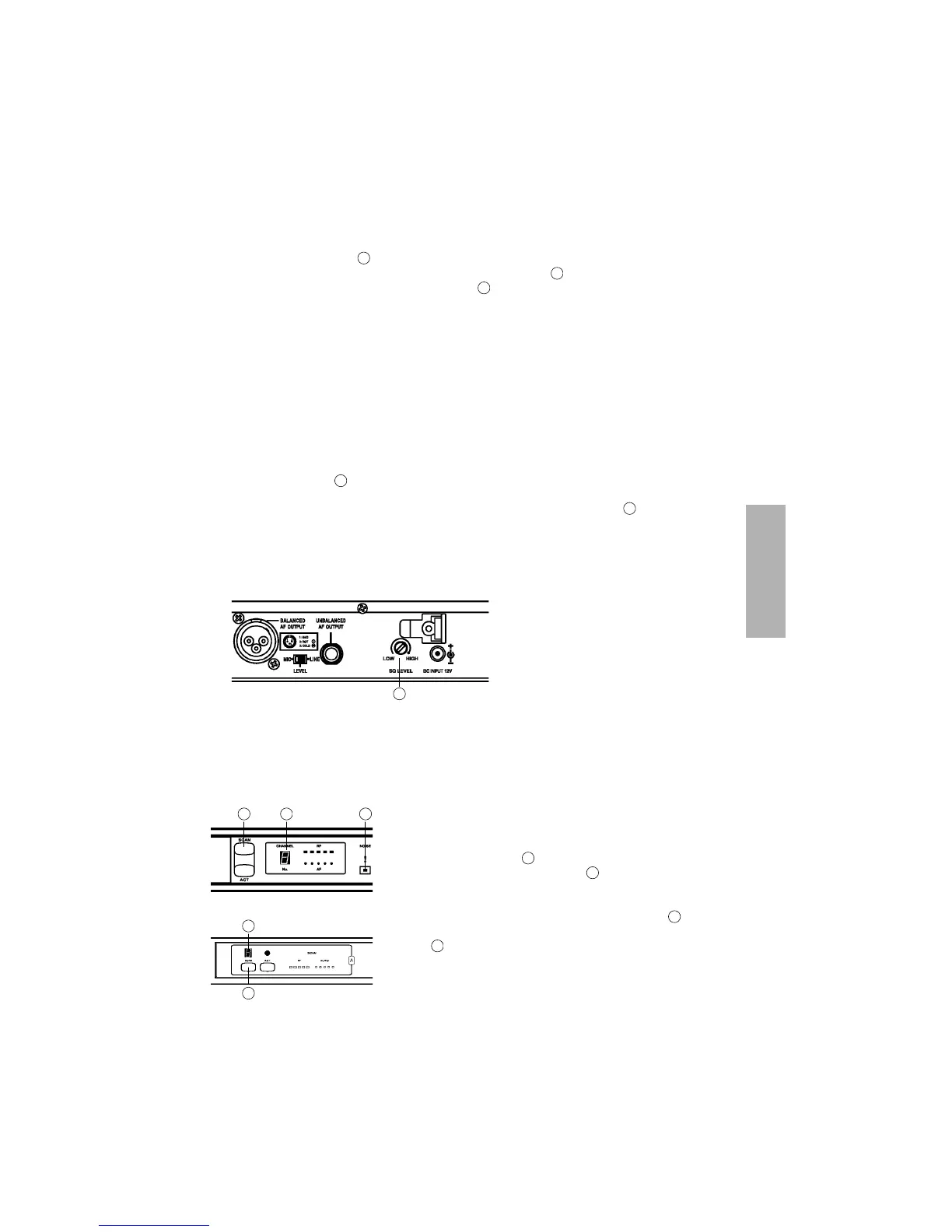
• In this case the inteference can be suppressed with the squelch control by rotating it
clock-wise to the right.
• Please note, adjusting the squelch can affect the sensitivity of the receiver and the
distance between transmitter and receiver antenna may need to be reduced.
• If the interferences cannot be suppressed with the squelch control, you should select a
different frequency (refer also to 1.7 Channel/Frequency Selection).
• The NE 300 has 16 switchable frequencies.
• If you want to change the selected frequency, press
the Scan button until the channel indicator will
flash. Press the Scan button once again so that
the receiver will search for an interference-free
frequency automatically.
• The frequency will be indicated as number .
• Should interferences occur the red “Noise” indicator
(NE 300 S) will illuminate and the channel will be
neglected.
1.7 Channel / Frequency Selection
1
4
6
4
13
13
2 3 5
2
2
3
5
NE 300 S
NE 300 D
2
3


 To Next Page