english
49
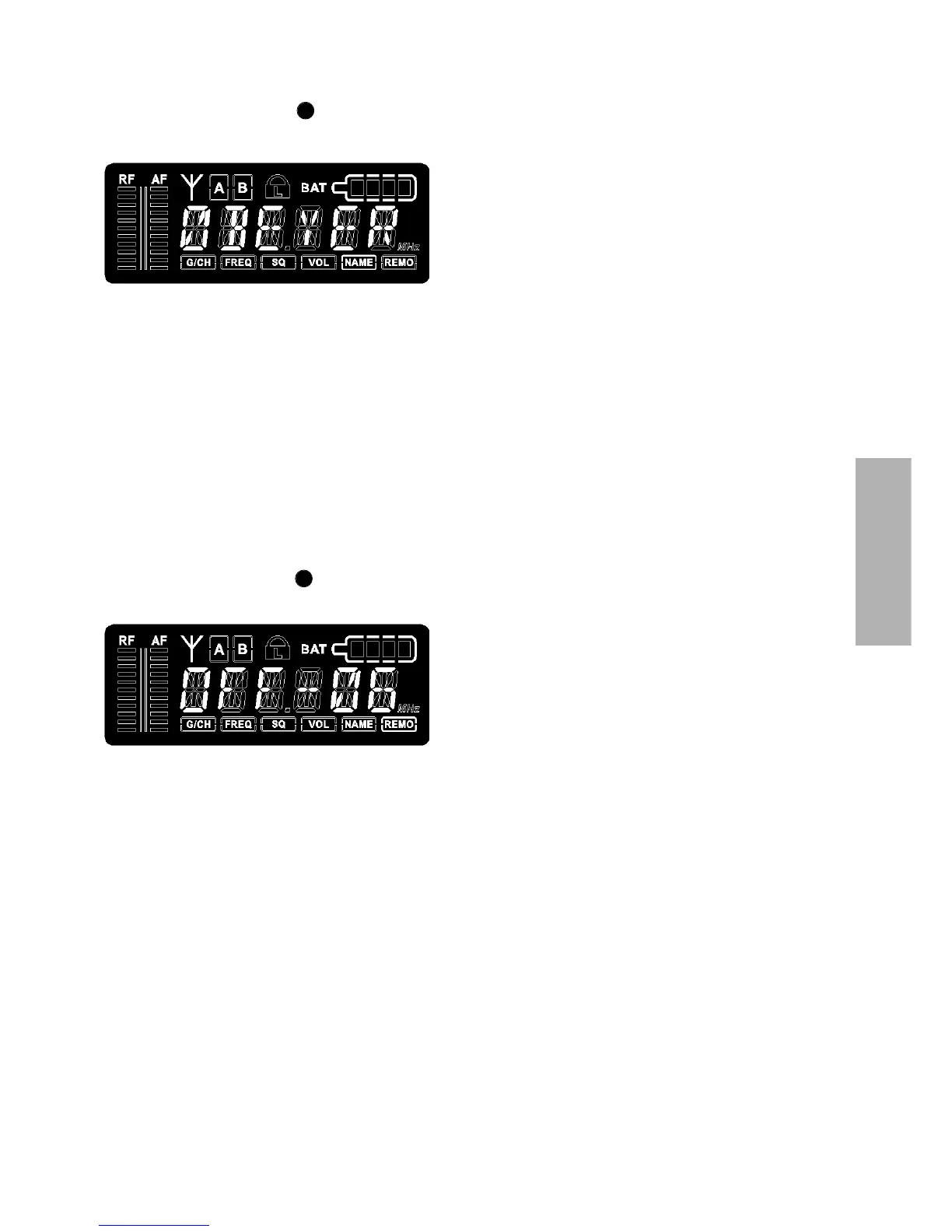
1.4.7 Name
• Turn the menu control to select “NAME”. A stored name is displayed or you can enter
a new name.
• To enter a new name press the menu control. The first digit will start to flash. Turn the
menu control to select the desired letter, number or character.
• In order to confirm and to enter the second digit, press the menu control. Repeat these
steps to enter all desired characters, letters or numbers. You can enter a maximum of
6 digits, symbols or letters.
1.4.8 Addressing / Control via PC
• Turn the menu control to select “REMO”. The address and the status of the remotely
controlled channel is displayed.
• To ensure a smooth control via PC, the receiving channels have to be addressed differently
before using the software.
IMPORTANT:
Each channel must have its own address. If two or more channels have the same
address, errors will occur. If the receivers are operated without a PC, it does not matter if
two or more receivers have the same address.
• When the receiver is PC-controlled “ON“ and a number are displayed. This number is the
address of the appropriate channel.
• When the receiver is operated without PC “OFF“ and the address are displayed.
• If you want to adjust or change the address, press the menu control. The number will start
to flash. Turn the menu control to select the desired address. In order to confirm the
selected address, press the menu control.
7
7



 To Next Page